MSDTC


MSDTC |
|
| Solution Installation > TSS Installation > Install TSS on a standard server > Troubleshoot |
Pre-Check
Check configuration is ok on MSDTC panel (on both server if TSS is not installed on same server as SQL). Then try this on both server: •Open command prompt and enter "msdtc -uninstall" , •reboot both servers, •Open command prompt and enter "msdtc -install".
Monitoring
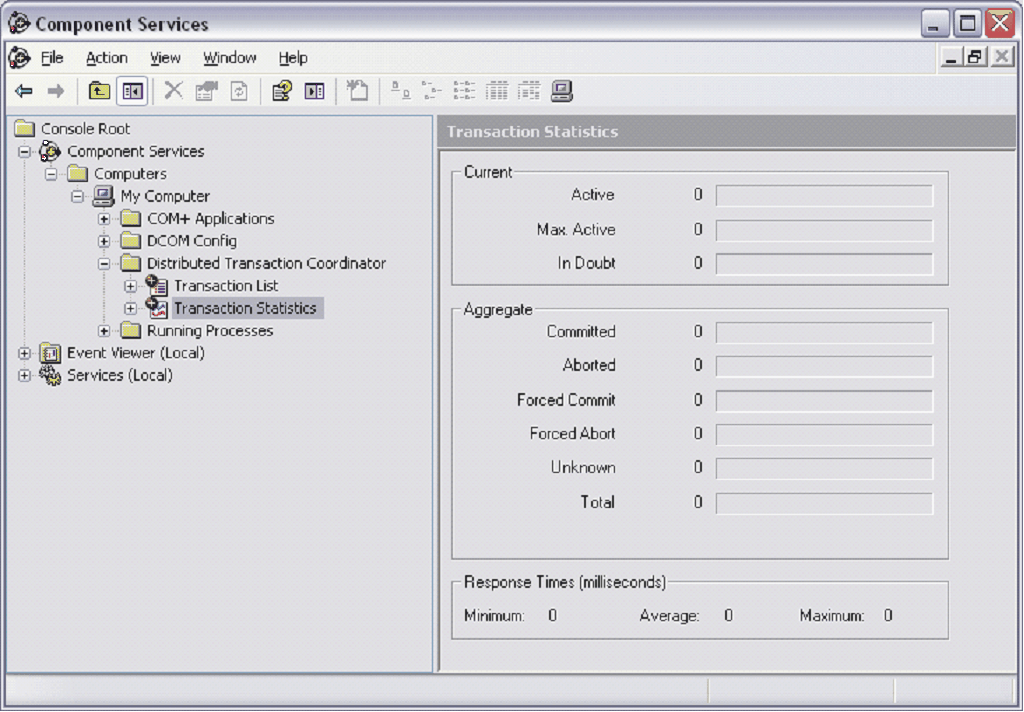
Controle panel > Administrive tools > Component service > Computers > My Computers > Distributed Transaction Coordinator > Transaction Statistics
You can also check Transaction List
More information on: http://technet.microsoft.com/en-us/library/cc750857.aspx
E_ACCESSDENIED
On TSS about page, you can encounter this error message: Failed (Access is denied. (Exception from HRESULT: 0x80070005 (E_ACCESSDENIED))) User NETWORK_SERVICE has not sufficient right to access MSDTC service. Execute this command to retrieve rights: sc sdshow MSDTC Then, depending on what previous command retrieve execute this command (do not execute it as it is in this document): sc sdset MSDTC D:(A;;CCDCLCSWRPWPDTLOCRSDRCWDWO;;;BA)(A;;CCDCLCSWRPWPDTLOCRSDRCWDWO;;;SY)(A;;CCLCSWLOCRRC;;;IU)(A;;CCLCSWRPLORC;;;NS)S:(AU;FA;CCDCLCSWRPWPDTLOCRSDRCWDWO;;;WD) More information on: http://technet.microsoft.com/en-us/library/cc742037(WS.10).aspx
DTC Tester
DTCTester tests a distributed transaction against a specified Microsoft SQL Server. This tool helps to test distributed transactions across firewalls or against networks. DTCTester performs distributed transactions by using ODBC API against a SQL Server database. More information on: http://support.microsoft.com/kb/293799/en-us
DTC Ping
This tool is designed to assist with troubleshooting Microsoft DTC Firewall Issues. More information on: http://www.microsoft.com/downloads/details.aspx?displaylang=en&FamilyID=5e325025-4dcd-4658-a549-1d549ac17644
|