Creating a call key from an entry


Creating a call key from an entry |
|
| Enterprise Telephony > Common > Call History > Usage |
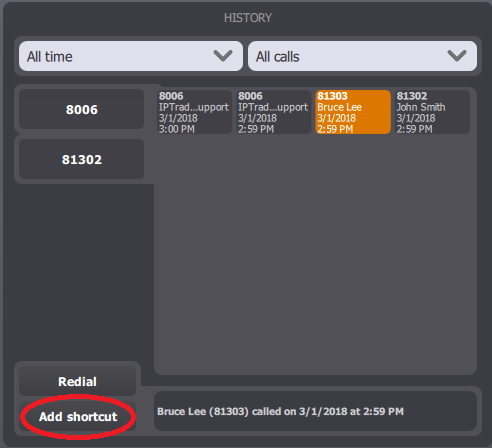
When an entry is selected, the Add shortcut button appears in the bottom of the panel.
Pressing it opens the call key creation panel, allowing the end-user to create a new call key with the pre-filled values from the history call. The call key is by default associated to a specific page. See Configure.
|