Activate Presence on a Speed Dial key


Activate Presence on a Speed Dial key |
|
| Enterprise Telephony > PBX dependent features > Presence > Configure |
The "presence" property is part of shortcut and shortcut group definition. It is stored in "State Notification" field which is used for History State as well. (See Limitations topic) As such capacity, it can be setup either through TSS administration console or directly through turret user interface.
Through TSS administration console
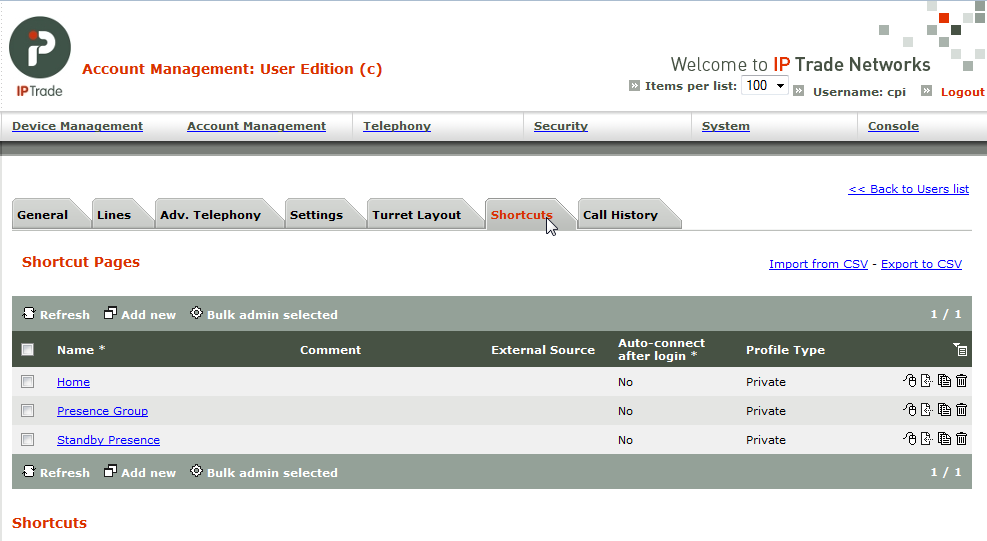
In TSS administration console, go to user or shared profile edition form and activate "Shortcuts" tab
At "shortcut" level
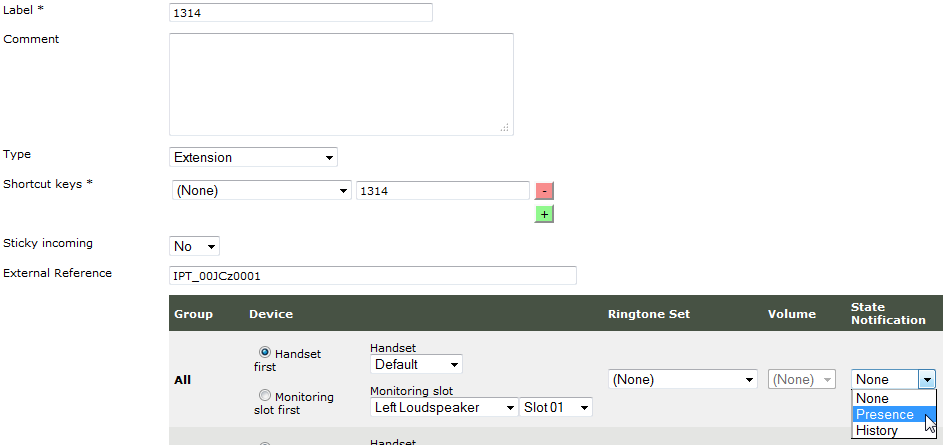
•Click a shortcut in order to open shortcut edition form •In Group table, click State notification drop down list for "All" group •Select "Presence" •Click "Update" or "Update and go back" button in order to validate changes
At "shortcut group" level
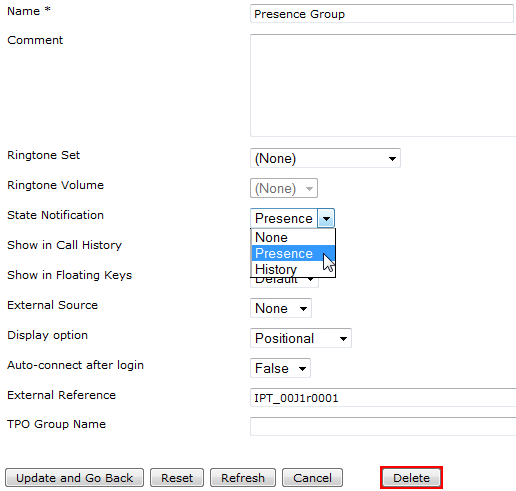
•Click a shortcut group in order to open shortcut group edition form •Click State notification drop down list •Select "Presence" •Click "Update and go back" button in order to validate changes
Directly through turret user interface
In turret user interface, enter maintenance mode
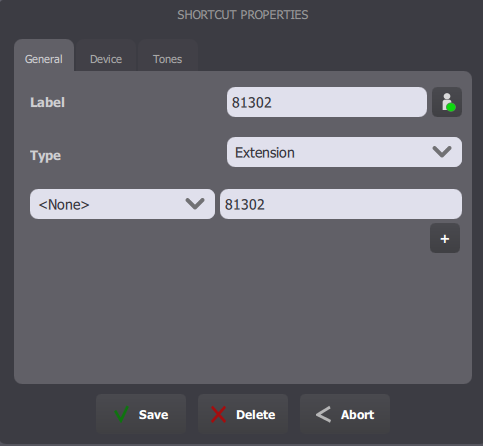
Either in shortcut edition form or group edition form, a State Notification button allows to go through the different possible values. Those values are identical to the values present in the TSS administration console for the same field.
At "shortcut" level
•Press a shortcut in order to open shortcut edition form •Press State notification button in order to go through the different possible values •Ensure the Presence pictogram is selected •Click "Save" button in order to validate changes
At "shortcut group" level
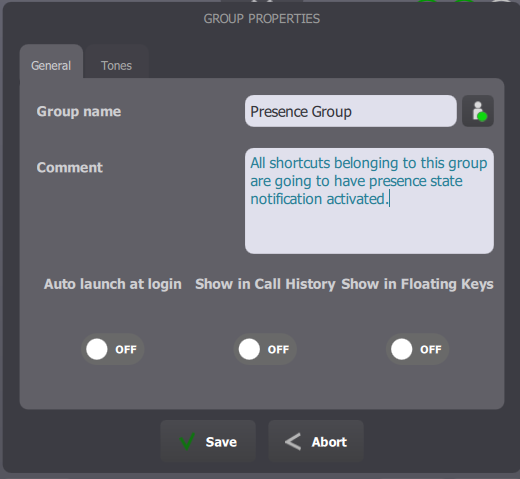
•Press a group in order to select it •Press the selected group in order to open group edition form •Press State notification button in order to go through the different possible values •Ensure the Presence pictogram is selected •Click "Save" button in order to validate changes
Tips and tricks
Instead of changing presence property in a shortcut group or a shortcut, it may be interesting to have an group dedicated to presence. Such a group has the "Presence" property activated, that way, linking/un-linking a shortcut to that group respectively activate/deactivate Presence on that shortcut. It could be a good way to manage presence activation without editing shortcut or group property.
|