LDAP Corporate configuration


LDAP Corporate configuration |
|
| Enterprise Telephony > Common > Corporate Directory > Configure |
There is no limitation in the number of LDAP directories configurable. To add one, browse the TSS Console interface to System > Directories and press the "Add new" button in the top or the bottom of the list.
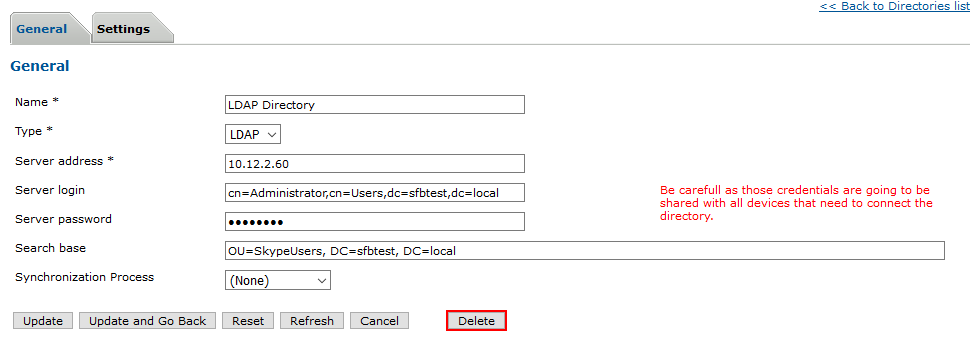
•Set a display name to the directory. This is free and will be visible only in the Administration console. •Select LDAP as type for the directory. •Set the server address with the domain name or the IP address of the active directory server. Note: Specify the name of the LDAP server. This should be the DNS name/ip address of the ldap server. Optionaly admin can specify the protocol ldap vs ldaps using standard uri convention •Set the server credentials with the Distinguished name and password of the account that will be used to connect the directory (e.g. cn=Administrator,cn=Users,dc=domain,dc=local). As this account credentials are meant to be shared among turrets, please consider creating a read-only account with limited access to the system. •Set the search base field with the path in the directory (e.g. OU=organization, DC=server, DC=domain). •Press the "Save and edit" button
Once saved, the "Settings" tab appears and allow to customize the filter and the fields associations to map LDAP fields to IPTrade contacts. |