Configuration


Configuration |
|
| Compliance > Assure > Voice Recording |
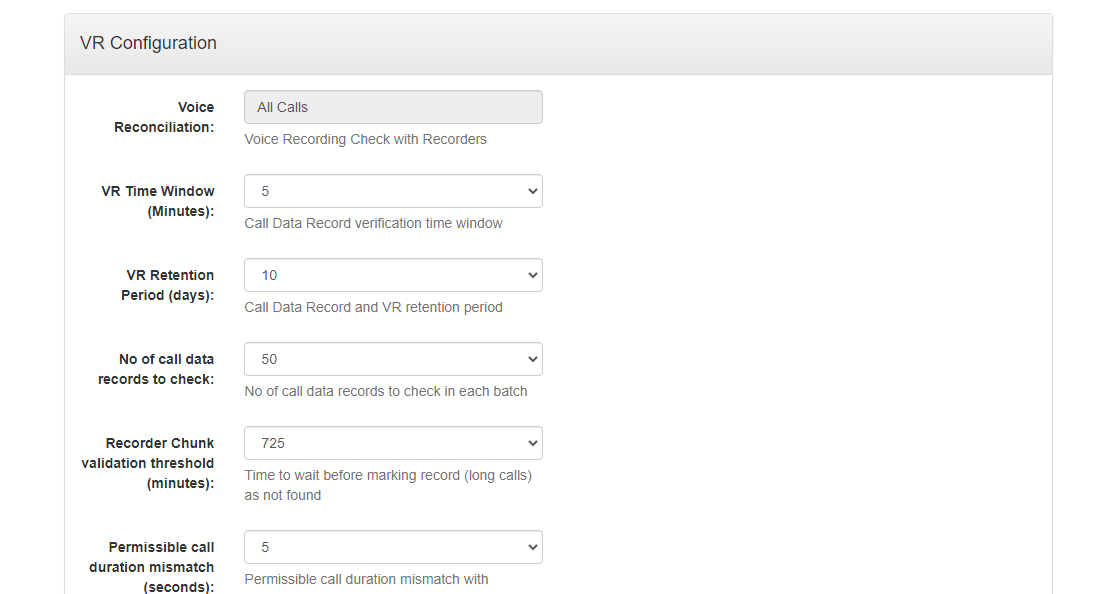
ConfigurationThe Configuration page is intended to set various parameters required for voice recording check and retention of records in assure. You can see the Voice Reconciliation that has been retrieved from the Productivity Tools cluster settings on the TSS.
You can choose retention period maximum up to 10 days.
Productivity Tools Cluster settingsSettings for Voice Reconciliation:To change the default Voice Reconciliation which is "All Calls" on Assure, add these settings in the Productivity Tools Cluster settings on the TSS console :
application.assure.vr.check.only=ALLCALLS
Voice Recording check will be done for all calls
application.assure.vr.check.only=WTF
Voice Recording check will be done for Walk The Floor Calls only
application.assure.vr.check.only=EXCEPTWTF
Voice Recording check will be done for all calls except Walk The Floor Calls
Settings for Session Expiry:
To change the default Session Expiry timeout which is "10" (in minutes) on Assure, add these settings in the Productivity Tools Cluster settings on the TSS console :
application.assure.callevents.sessionexpiry.timeout
1.Session Expiry Timeout setting is used as the wait time of the session expiry event to be considered as disconnected CRM event in Assure 2.The start time difference of Incoming and Outgoing call to consider the respective Outgoing and Incoming call end time as it's call end time instead of it's Session Expiry event time depends on the "Permissible Call Duration Mismatch" setting in Voice Recording Configuration in Assure.
|