Within the Inventory Configuration,You can see the SNMP data transport configuration that has been retrieved from the Productivity Tools cluster settings on the TSS.
SNMP Data Transport
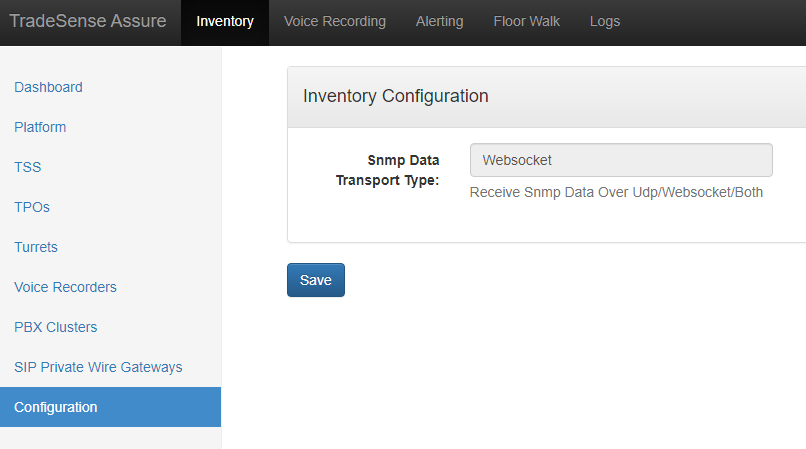
Productivity Tools Cluster settings
Settings for Snmp Data Transport:
To change the default Snmp Data Transport which is "Udp" on Assure, add these settings in the Productivity Tools Cluster settings on the TSS console :
application.assure.snmp.data.transport.protocol=UDP
Assure process SNMP gets/traps over UDP only
application.assure.snmp.data.transport.protocol=WEBSOCKET
Assure process SNMP gets/traps over WEBSOCKET only
application.assure.snmp.data.transport.protocol=BOTH
Assure process SNMP gets/traps over UDP and WEBSOCKET.
For SNMP gets: Assure prioritizes to retrieve data from Websocket over UDP.
For SNMP traps:Inorder to avoid duplicate traps Assure ignores traps to process from Udp for all the devices configured over Websocket that are retrieved from snmp-devices api of Gecko.
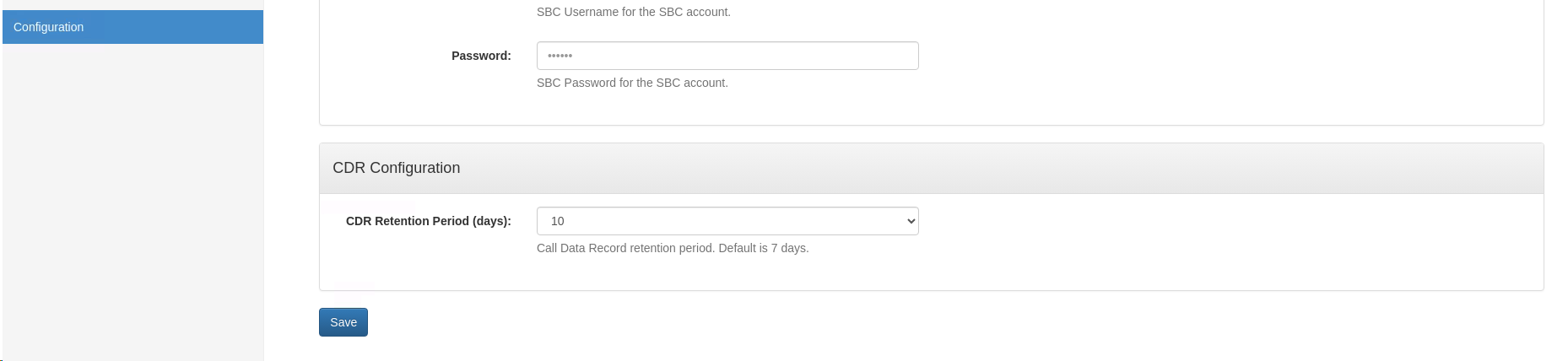
CRD Configuration
Beginning with Tradesense versions v10.0.22, v11.0.1.81, and v10.1.5, Voice Reconciliation feature will be deprecated. A new configuration option will be introduced on the Inventory Configuration page, enabling users to define retention period for Call Data Records. The retention period can be set for up to 10 days, with a default value of 7 days.
|


