Automatically cancel the redirection


Automatically cancel the redirection |
|
| Audio Processing > Audio Devices > On the fly audio redirection > Usage |
Having an audio redirection to a handset can be annoying if a call gets hosted on the handset; both calls may use the handset and the user may not be able to select which one he talks to. That is when automatic redirection cancellation becomes handy.
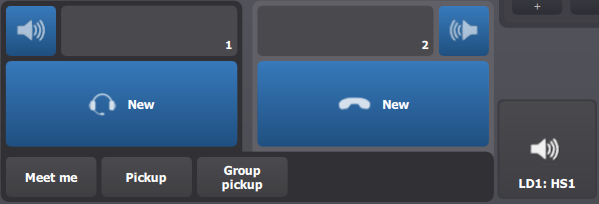
The user redirects a device to another.
The Loudspeaker 1 is redirected to the Handset 1.
The user presses the New button on Handset 1.
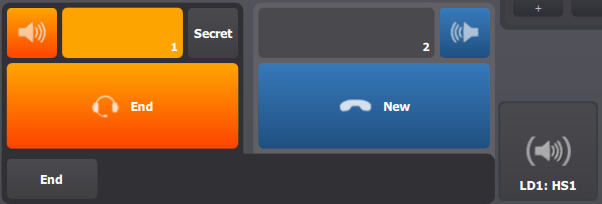
The system detects that the Handset is not free anymore, and thus temporarily cancels the redirection. Any call that is visually hosted on the Loudspeaker 1 (and was redirected to Handset 1) is sent back to its original device.
This is visually illustrated on the Audio Device access button by a grayed out loudspeaker icon between parenthesis. Note that the button's label is still LD1: HS1 to indicate that the redirection is not completely disabled: it is only temporarily canceled.
As soon as the Handset 1 returns free, the redirection is automatically restored.
|