Redirect a device to another


Redirect a device to another |
|
| Audio Processing > Audio Devices > On the fly audio redirection > Usage |
The user logs on his turret.
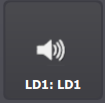
Audio device displays LD1:LD1, meaning that calls hosted on Loudspeaker 1 are currently using the Loudspeaker 1 (no redirection).
The user places a call on LD1.
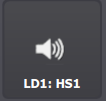
Then, he presses the Audio Device access button. Access button now displays LD1:HS1, meaning that calls hosted on Loudspeaker 1 are now redirected to Handset 1.
The user can now hear audio from the call on his handset. Note that is he unable to speak, as the microphone button is not engaged on his call. This matches the normal behavior for calls hosted on monitoring entries.
The user presses the microphone button next to his call's monitoring entry.
He now has dual-way speechpath on his handset for the call.
Pressing the Audio device button again sends the call back to its original audio device, stopping the redirection.
|