Send a message to multiple recipients


Send a message to multiple recipients |
|
| Solution Integration > Text messaging > Usage |
Once in write mode, sending a message to multiple recipients at once can be performed by either: 1.Pressing the + button located next to the extension field;
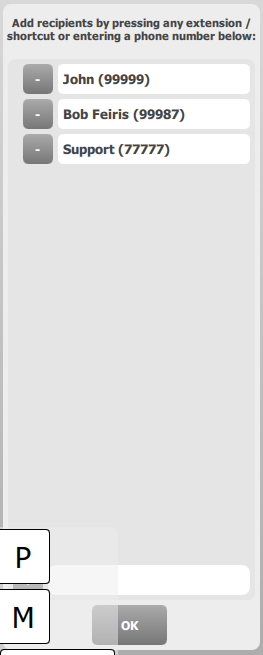
The applet switches to recipient selection mode. The operator is now able to add / remove any message recipient by either entering its phone number in the available field or by pressing any call key / alternate number entry in the interface. Once the operator has finished his recipient selection, he can return to the applet write mode by pressing the OK button. At any time before actually sending the message, the operator is free to return to the recipient selection mode in order to change his selection.
2.Or by pressing any Collection call key while the Text Messaging applet is awaiting for a phone number. Each call key pointed by the collection key pressed is automatically added to the recipients list.
|