Create intercom Group


Create intercom Group |
|
| Trading and C&C > Turret Proxy To Open communication (TPO) > Group Intercom > Configure |
Create Intercom Group
A user who needs to listen to the intercom must belong to the intercom group.
1)Open your preferred Internet navigator, connect to the TSS administration console URL and log onto the system with administrator privileges ;
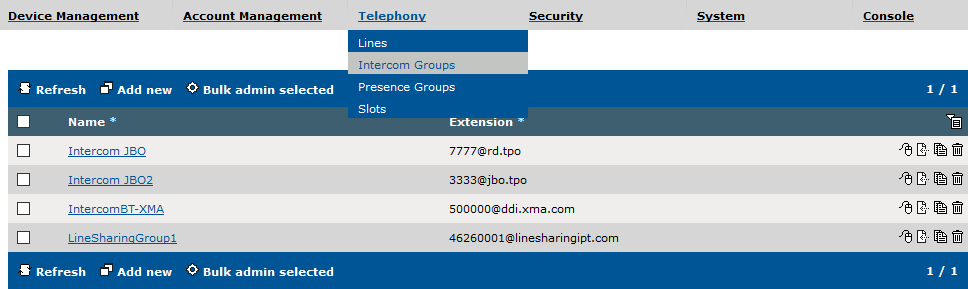
2)From the main menu, select Telephony | Intercom Groups ; Click on add new
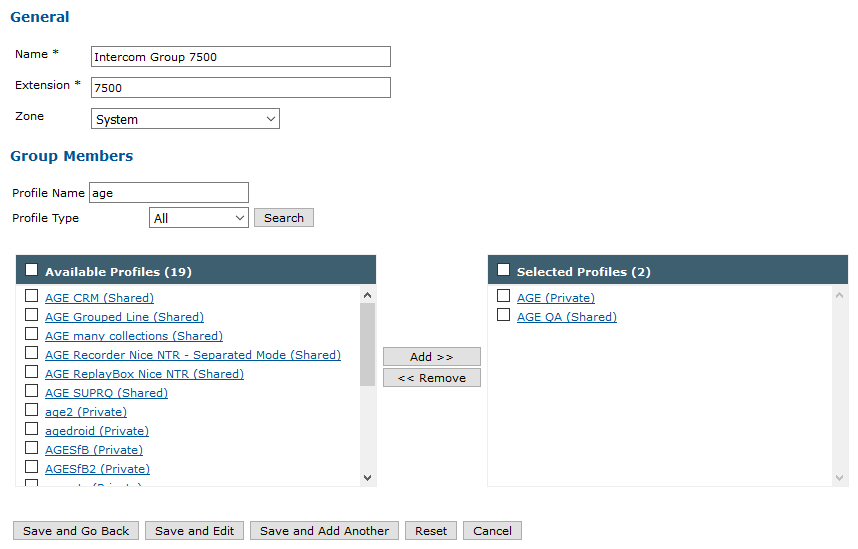
3)Fill the Name (the chosen name for the intercom group) , Extension (the extension of the intercom, must be the same as the one put on the TPO Line population step) and Zone field.
Add the user profiles which needs to be present in the Intercom group
|