Device Setup


Device Setup |
|
| Solution Integration > PBXs > Cisco > Secure Communication > Configure > CuCM Setup |
There are particular settings to set on the CuCM device for the setup.
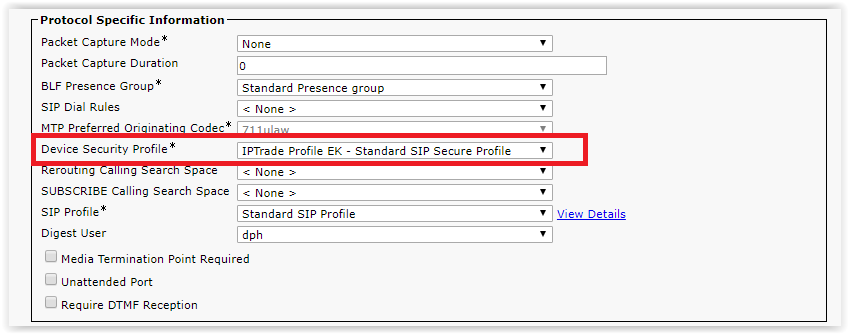
1.Create the CuCM device (EK or TAD) 2.Set "Device Security Profile" to IPTrade Profile EK – Standard SIP Secure Profile
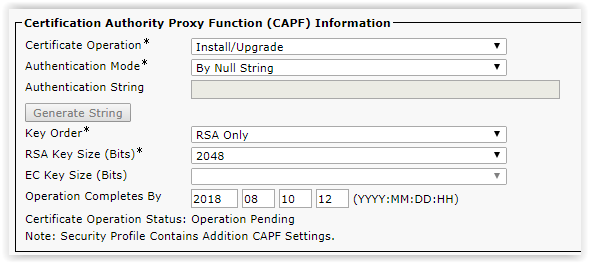
3.In the device settings, on the CAPF information: a. Change the Certificate Operation to ‘Install/Upgrade’ b. Check Authentication must be ‘By Null String’, Key Order ‘RSA Only’, RSA Key Size ‘2048’ and EC Key Size must be empty c. Set a date for the operation completion
The certificate Operation status is becoming pending.
4.Click on the Save button
5.Restart the TPO Cluster to consider the modification
A reboot of TPO Cluster is required to take into account the modification. |