Create Phone Security Profile


Create Phone Security Profile |
|
| Solution Integration > PBXs > Cisco > Secure Communication > Configure > CuCM Setup > Mandatory Requirements |
Here are the steps to create Phone Security Profile for EK (or TAD profile):
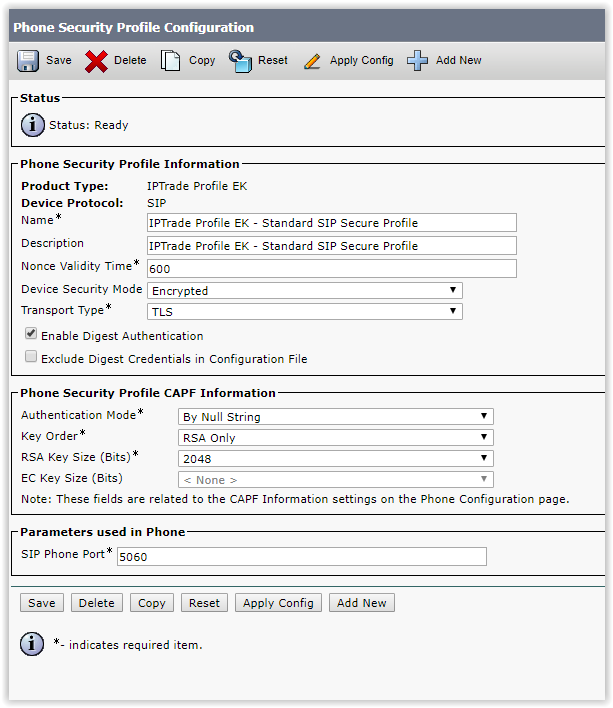
1. Log into the CuCM Administration console 2. Click on ‘System’ and then go to ‘Security\Phone Security Profile’ 3. Copy “IPTrade Profile EK – Standard SIP Non-Secure Profile” to Copy “IPTrade Profile EK – Standard SIP Secure Profile” 4. Change the “IPTrade Profile EK – Standard SIP Secure Profile” as follow:
Phone Security Profile Information: * Device Security Mode must be Encrypted * Transport Type must be TLS
Phone Security Profile CAPF Information: * Authentication Mode must be By NULL String * Key Order must be RSA Only * RSA Key Size must be 2048 * EC Key Size must be <None>
5. Click on save to complete the operation
|