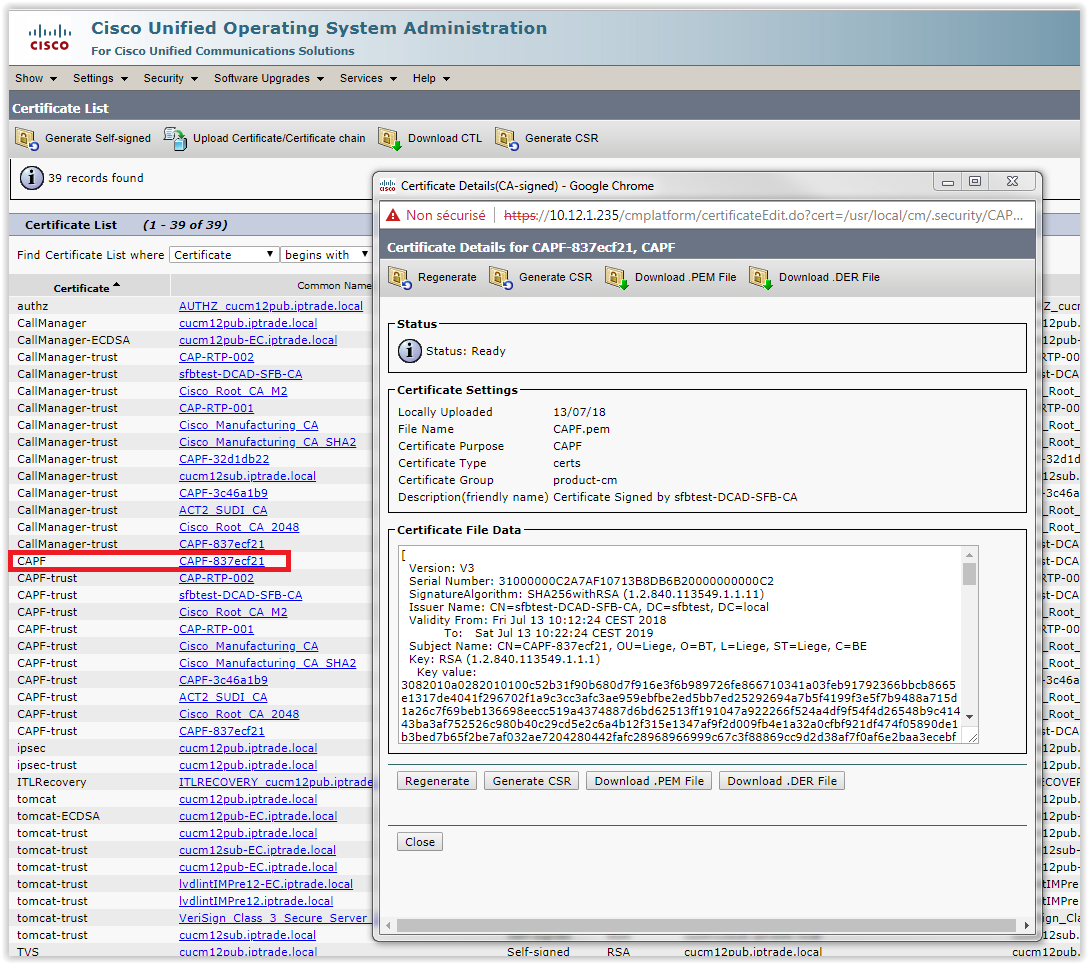
CAPF Certificate signed by external CA


CAPF Certificate signed by external CA |
|
| Solution Integration > PBXs > Cisco > Secure Communication > Configure > CuCM Setup > Mandatory Requirements |
This section describes how to create a CAPF Certificate signed by a external CA.
Requirement: CuCM in mixed mode and CAPF Service is activated
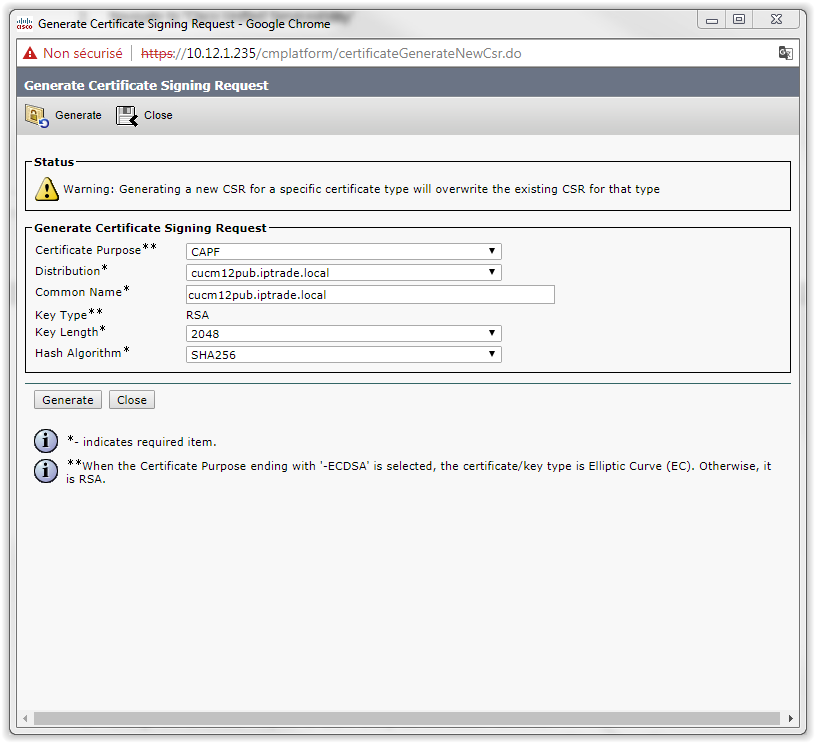
1.Navigate to ‘Cisco Unified OS Administration’ 2.Log into the CuCM 3.Go to ‘Security’ and click on the button ‘Generate CSR’ 4.Change the Certificate Purpose to CAPF and press the button ‘Generate
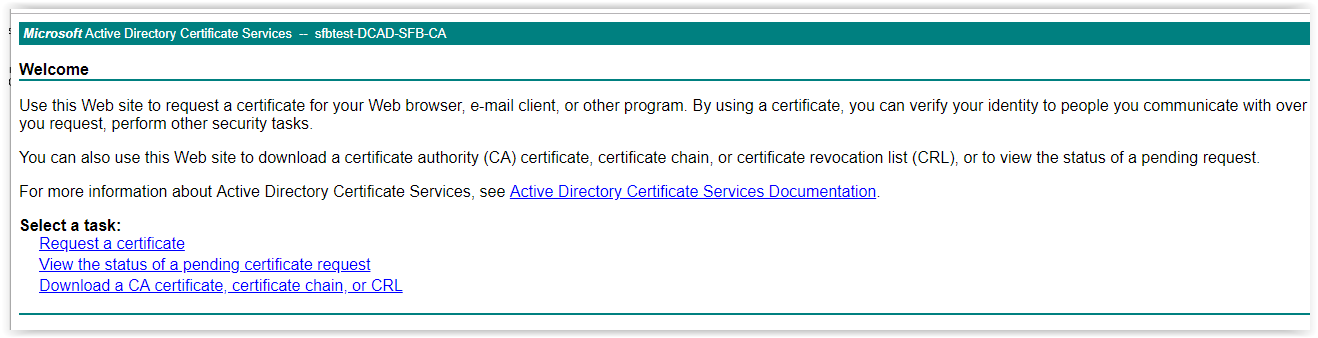
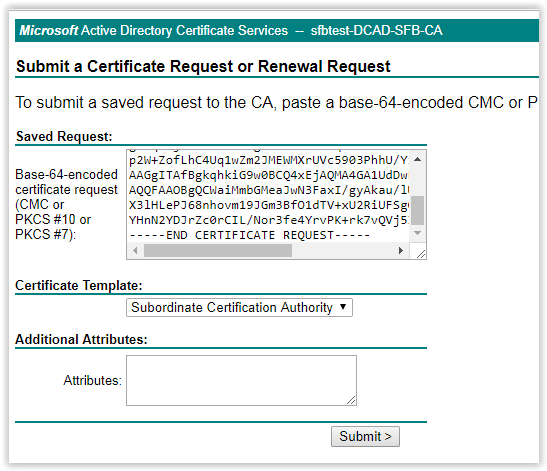
5.Submit it to the external CA and download the generated certificate "CAPF Certificate" (CAPF.pem) Example: Submitting the CSR file to a Microsoft Active Directory Certificate Services: •Go to http:\\<server>/certsvr/ (10.12.2.60/certsrv/) by using a web browser
•Click on Request a certificate, press on submit button then download the created certificate
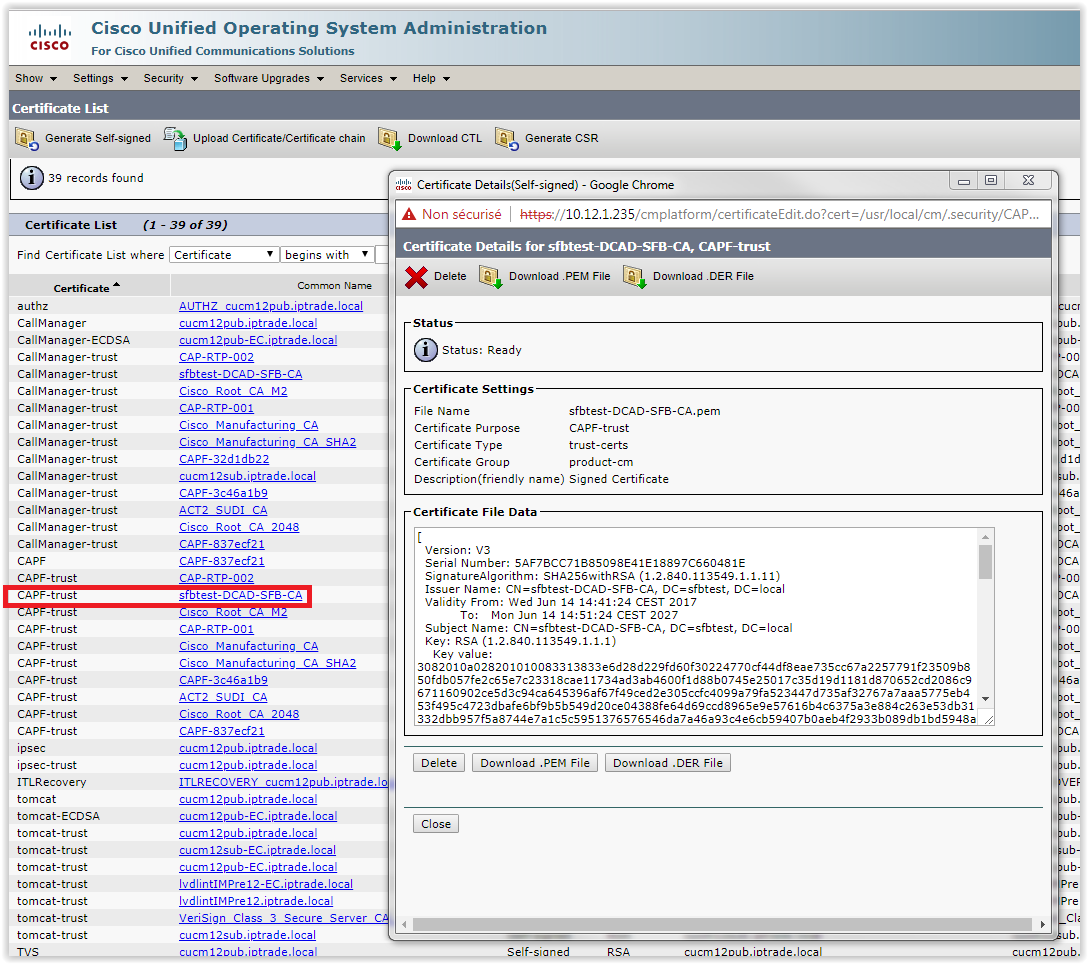
6. Upload the CA certificate (and no the "CAPF Certificate") as CAPF-trust Example: sfbtest-DCAD-SFB-CA.pem
7.Upload the generated certificate "CAPF Certificate" (CAPF.pem) in step 5 as CAPF
|