Extra Functios Needed on SBC


Extra Functios Needed on SBC |
|
| Solution Integration > Session Border Controllers > AudioCodes as a PBX |
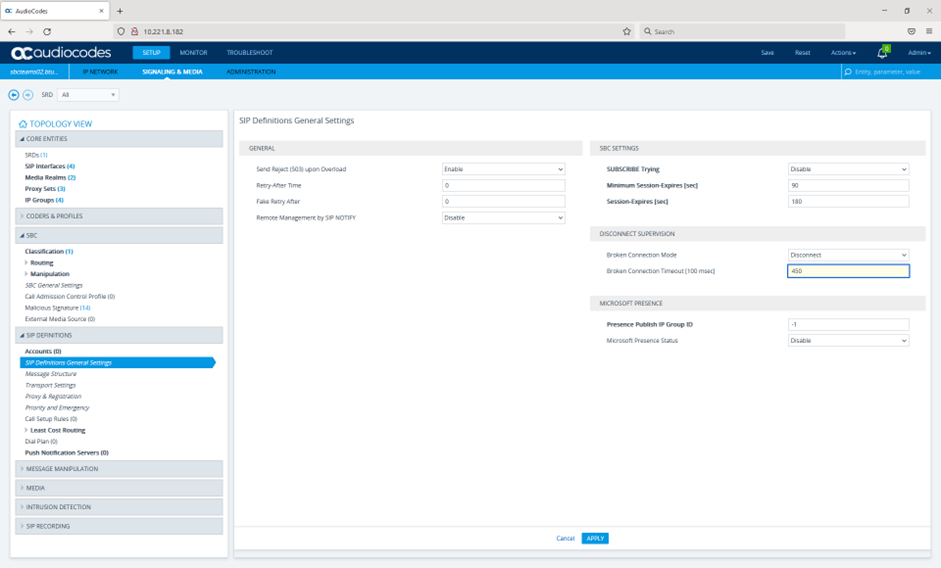
In order to get the SBC to work as a PBX a number of extra functions on the SBC need to be added. RTP timeout values on the SBCFor Private Wires we should have already backed off the RTP time out on the SBC from its default of 10 seconds to 45 seconds to confirm this Browse to “Setup > Signaling & Media > SIP Definitions > SIP Definitions General Settings”
The settings we are concerned with are: DISCONNECT SUPERVISION -> Broken Connection Mode = “Disconnect” So 450 x 100ms = 45 seconds
If the customer does not want to use Music on Hold then we will need to set the Broken connection Mode to “Ignore” to avoid TPO and SBC dropping the call due to no RTP on Hold. If this is needed it should only be disabled on the IP profile used for the SBC as a PBX rather than on the SIP Definitions which will affect all IP profiles defined.
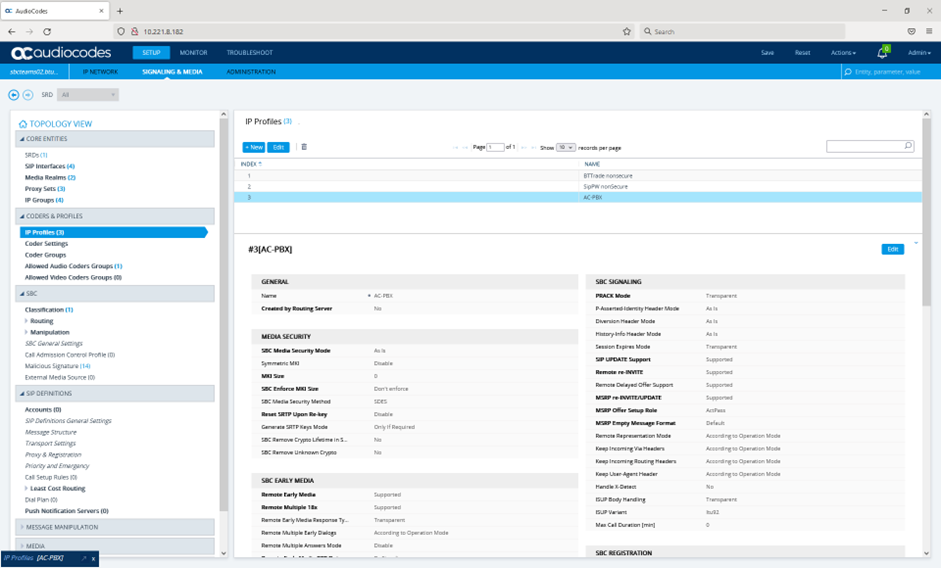
To override Broken Connection Mode Browse to “Setup > Signaling & Media > Coders & Profiles > IP Profiles”
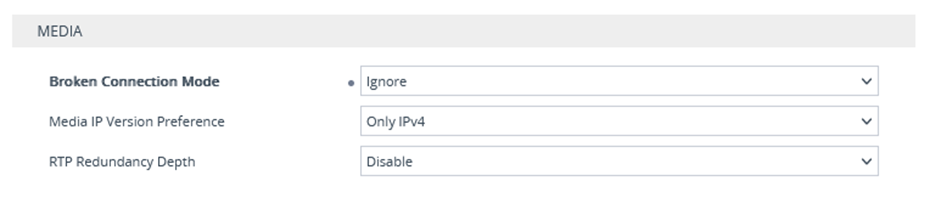
Select the profile you want from the list and then hit Edit and override in the media section
The settings we are concerned with are: MEDIA -> Broken Connection Mode = “Ignore”
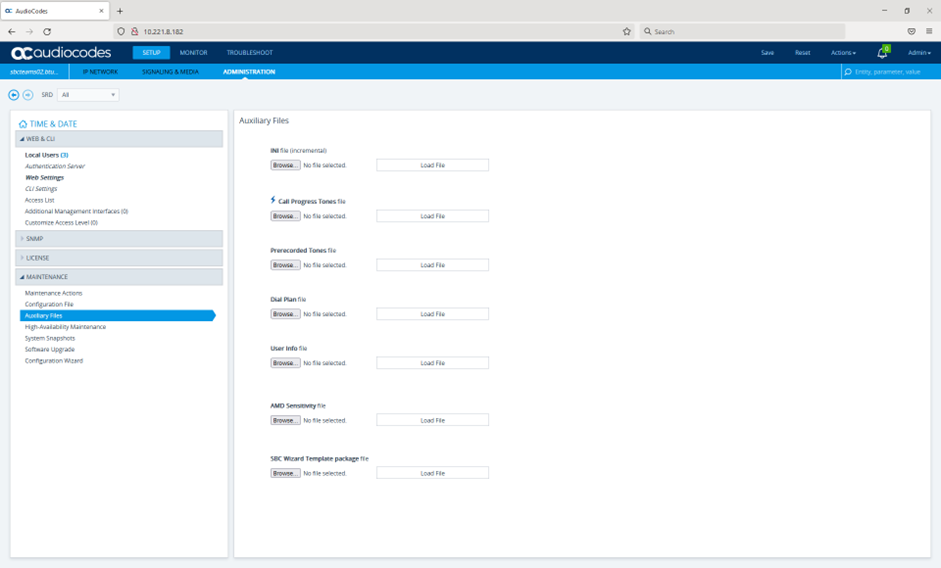
Adding Tones file to SBC for Music on Hold In order to get MOH and ring back tines to work the SBC has to have the tones uploaded to it as they are not in the SBC by default. A tones file is provided as part of the SBC kit available on the internet called BTTradeTones.dat.
To upload this file this go to “Setup > Administration > Maintenance > Auxiliary Files”
|