Pairing (Manual reset)


Pairing (Manual reset) |
|
| User Options > Peripheral devices > Wireless Push To Talk > Configuration > Operations > Pairing devices |
Now, let’s consider a pairing operation with the Unplug to apply pairing checked. Here is the initial addresses table:
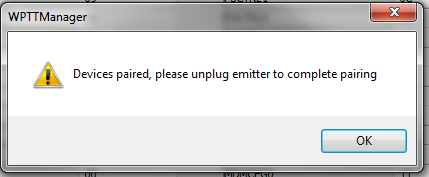
Once the Pair devices (Volatile) button is pressed, the user is prompted with the following message.
Please note that the reciever will process to its automatic reset on its own. As a result, it will changed its status to OFFLINE then ONLINE again.
Once the transmitter is plugged off, the 10 seconds delay must be waited. Then, a press on the PTT button will enduce the first message exchange between the transmitter and the reciever.
Then, if we refresh the status, we can see that the receiver is now marked as Network Linked. |