Applying presets


Applying presets |
|
| User Options > Peripheral devices > Wireless Push To Talk > Configuration > Operations |
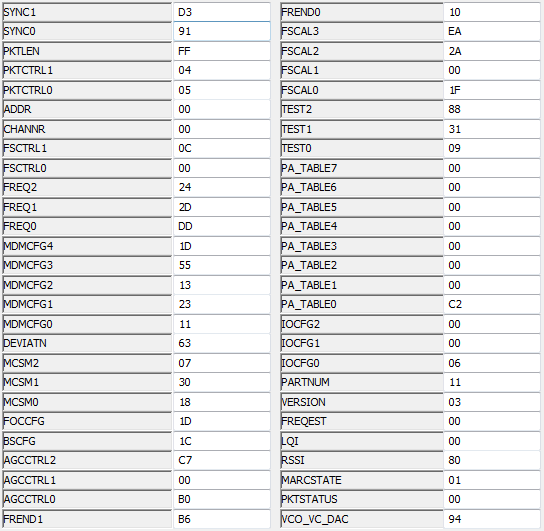
As mentioned in the Graphical interface section, each device can be configured via its hexadecimal parameters values. Those parameters are the same for the receiver and the transmitter.
Those values will affect the communication channel, the transmitting power, the data flow speed etc. Some presets have been furnished by the manufacturer. Those specific sets of values are the following:
•US, 250kBaud, +10dBm •US, 2.4kBaud, +10dBm •EU, 250kBaud, +10dBm •EU, 2.4kBaud, +10dBm •US, 250kBaud, 0dBm •EU, 250kBaud, +0dBm
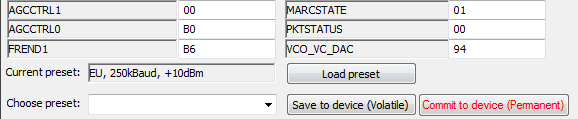
When the values entered in the graphical interface matches a preset, the name if this preset will be displayed under Current preset.
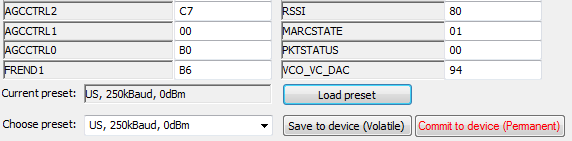
The WPTT Manager allows you to choose a preset to apply. First, use the combo box to select the desired preset, and then click on Load preset.
Please note that this operation only loads the preset in the graphical interface. No modification has been done on the device. To apply this configuration to the device, the Save to device (Volatile) button must be used. As for the pairing addresses, you may choose to apply this configuration in a volatile or permanent way. Remember that we are limited to 1000 writing cycles. Thus, the permanent option shall be used wisely. |