Collection Key


Collection Key |
|
| User Options > Shortcuts > Basic Usage |
Navigation system
The Collection Key can be associated with a shortcut page. When the collection key is pressed, the shortcut page is be opened. The navigation system that you can create by using this key could be very useful, for example, allowing you to create a hierarchy, and thus organizing shortcuts related to a company and its departments.
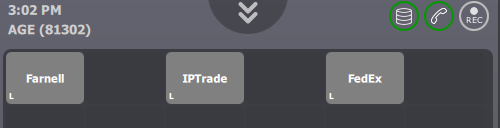
Here is a simple example of multiple collection shortcuts used to represent a company hierarchy.
Home page is displaying multiple shortcut collections, each collection being associated to a company page
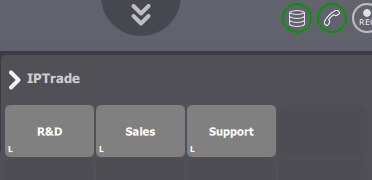
When the "IPTrade" shortcut is clicked, the IPTrade page is opened and its content is displayed.
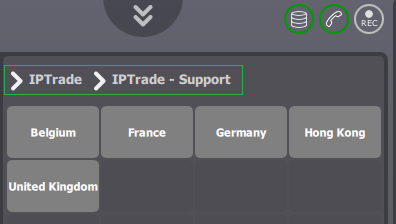
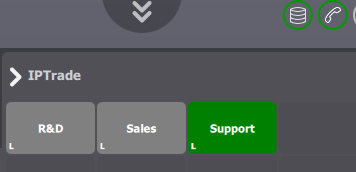
When the "Support" is clicked, the "IPTrade - Support" page is opened and all its contained shortcuts are displayed. Notice the current path (in green on the picture) that is displayed on top of the central panel: it is representing your full path through collection shortcuts. You can click on a page name to open it.
Please note that you can still add an extension to collection key, if an extension is set, the click on the collection key will call the extension. In order to avoid this behavior, you can do a long press on the collection key, it will open the associated shortcut page.
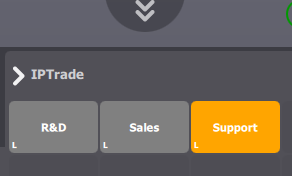
The collection key will also reflect the activity of shortcuts inside the associated page. If an incoming call is ringing, the collection key will blink and you will be able to answer this call simply by clicking on the collection key. This behavior can be avoided simply by doing a long press on the collection key, it will open the shortcut page normally.
An example of an incoming call on a shortcut inside the "Support" page.
When there is a call in progress, the notification is also displayed on the collection key.
Simplified conferenceThe collection key can also be used with simplified conference. |