Using collection shortcut


Using collection shortcut |
|
| Enterprise Telephony > Common > Conferencing > Simplified Conference > Usage |
If enabled, it is possible to create a conference call including all members of a shortcut group using a collection shortcut.
1. Enable the simplified conference mode, either by configuration or by pressing the handset button 2. Press a collection shortcut, pointing to the shortcut page containing Jack and John
Every calls are dialed at the same time and are added to a conference once established.
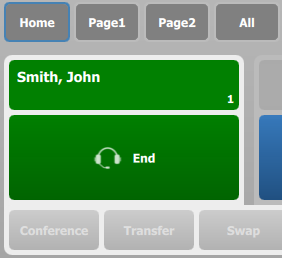
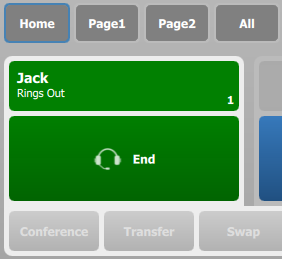
While calls ring out. The handset displays all calls alternatively:
The first display indicates that the call is already opened with John; the user can talk to him. The second display indicates the current temporary state of the second call to Jack; call is ringing as Jack has not yet answered.
At this point, no operation can be performed on the call with John, as it is "locked" for the conference. The only operation available on the second call with Jack is a terminate, which can be achieved by pressing the End button on the handset. We can say that the handset represents both calls states, but only allows terminating the second one.
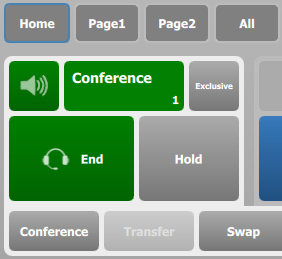
As soon as Jack answers the call, the conference is automatically established.
Note that the user never lost the speech path with John during the operation.
There is no limitation in the number of participants in the shortcut page used except the limit of participants in a conference. The operation can be repeated several times to add multiple participants, each time pressing either a remote party's call key or a collection shortcut in the interface. |