Update Component Manager URLs


Update Component Manager URLs |
|
| Solution Installation > TSS Installation |
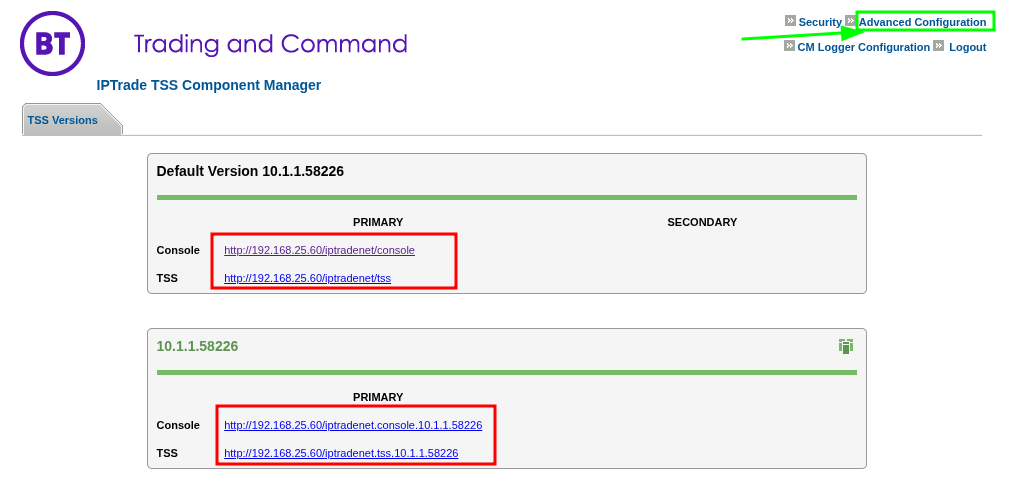
OverviewWhen you first deploy a STD TSS Server the Console and TSS links are shown with the IP of the server and not HTTPS with FQDN Since all systems should now be secured, we can updated the URLs using the below procedure.
Update configuration
On the Component Manager, top right you can select "Advanced Configuration"
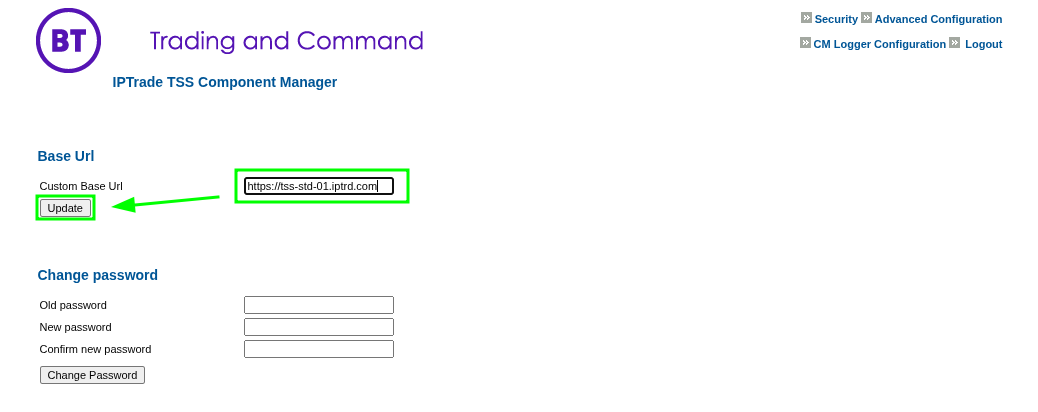
The "Custom Base Url" value can be changed here to update the Console and TSS URLs, so that the main CM page shows HTTPS and FQDN links
Example: If the server is reachable on "https://tss-std-01.iptrd.com" this is what you enter in the value, then click "Update"
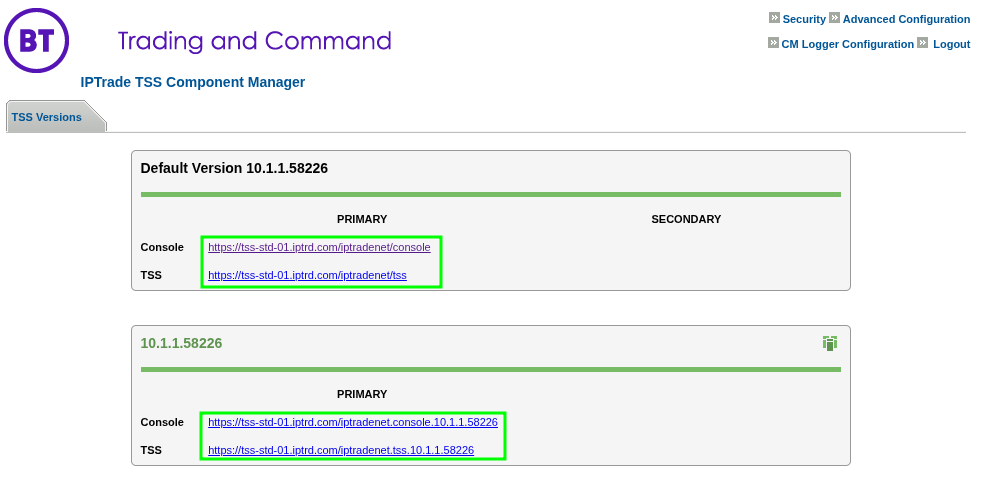
This updates the main TSS Component Manger page with corrected HTTPS and FQDN links without the need to manually edit any files on the server.
|