From a turret


From a turret |
|
| Solution Integration > LDAP > Usage > Single sign-on |
The Single Sign On from a turret allows a turret user to authenticate on his IPTrade device with the authentication information that he normally uses on his PC. This information comes from the LDAP Active Directory.
First, a dedicated user must exist on the TSS to authorize the LDAP authentication. See LDAP Users Synchronization.
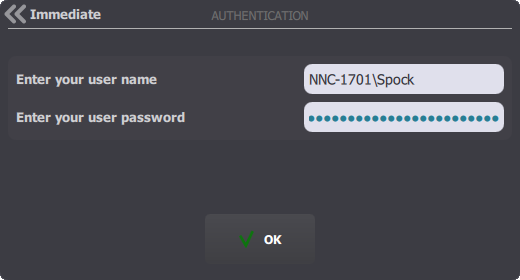
User begins by authenticating on the turret, using either: •His SamAccount Name, prefixed with the domain (in the form IPTrade\JohnDoe), along with his password. •His Distinguished Name (DN) (in the form CN = John Doe, OU = users, DC = IPTrade, DC= Local), along with his password.
The TSS, in order to authenticate the user, queries the LDAP directory with the credentials entered. If the LDAP authentication succeeds, the user login is accepted, and the logjn procedure continues on the turret. A few settings are available to customize the login prompt. See Turret.
|