TSS Log Collection Script


TSS Log Collection Script |
|
| Solution Installation > TSS Installation > TSS STD Server Scripted Install |
TSS Log Collection Script
As part of the TSS install script and installation process, a new script for logs collection is generated, which makes log collection easier when required.
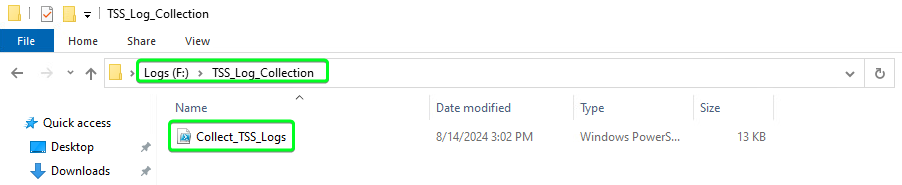
You can find the script “F:\TSS_Log_Collection\Collect_TSS_Logs.ps1” on the TSS Server (after successful TSS deployment) to collect all required logs.
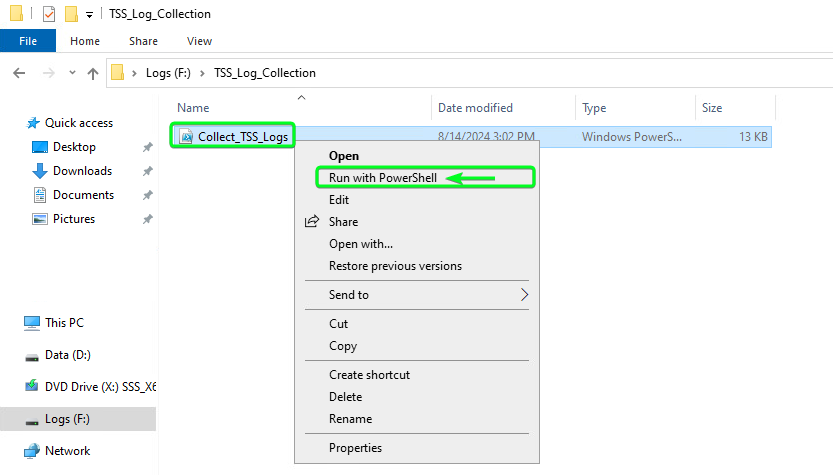
To run the script, Right click on the script file and select “Run with PowerShell”
This will open and run the script in a PowerShell terminal window as per below
Once the script is complete, the window will automatically close and the script is complete.
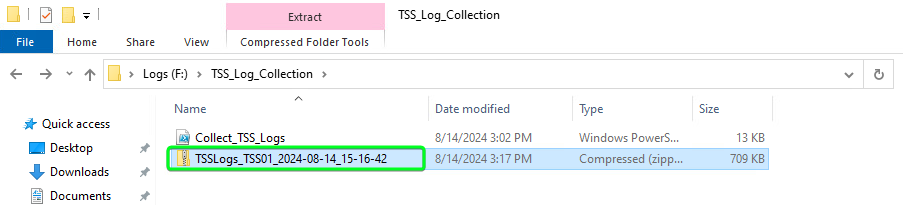
The script will create a new Zip file in the format “TSSLogs_[ComputerName]_[Date Time].zip” as seen below
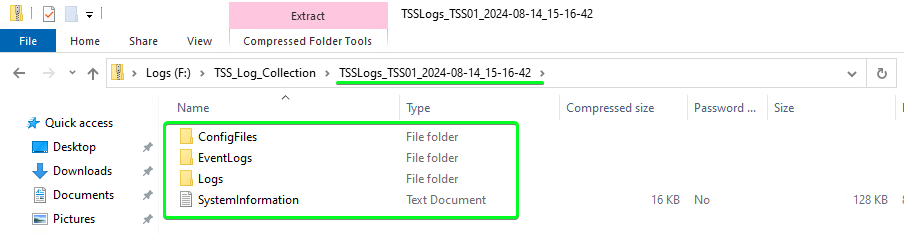
The log file will contain all TSS related logs and configuration files, which can be used for any issue investigation.
|