LDAP Admins Synchronization


LDAP Admins Synchronization |
|
| Solution Integration > LDAP > Configuration > Single sign-on |
Create DirectoryThe first step to allow using the single sign on feature on the TSS is to synchronize LDAP administrators. LDAP administrators are administrators that have not been created manually, but instead synchronized with the LDAP directory.
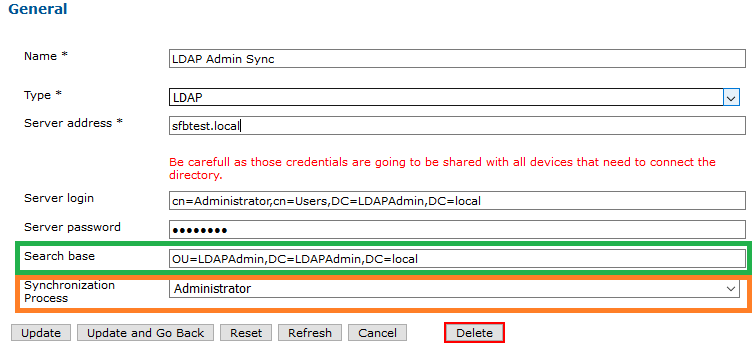
In order to synchronize one or more LDAP directory, you must configure at least one LDAP directory under System > Directories. Press the "Add New" button and fill the form.
For more information about directory properties, please refer to LDAP Corporate configuration
The "Search base" field must be set to indicate where the administrators are located inside the LDAP tree. In the "Synchronization Process", select "Administrator" to create administrators during the synchronization process.
You can configure as many LDAP directories as you need to synchronize your administrators in the database, but their SAM Account Name Field must be unique.
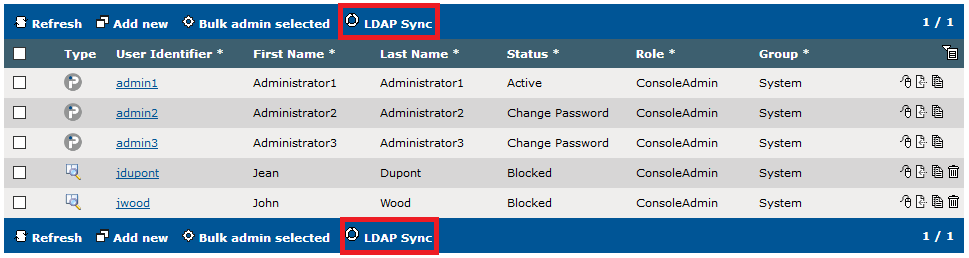
LDAP SyncOnce the LDAP directory is properly configured, the synchronization process can be performed from the Console / Administrators list, by pressing the LDAP Sync button.
During the first synchronization, the TSS will fetch all LDAP entries matching the configured filter and create LDAP administrators in its database for each one.
LDAP administrators can be differentiated from standard IPTrade administrators with their icon, visible on the left side of the list.
The synchronization will update administrators with the directory entries using the samAccountName as identifier : •New LDAP administrators are added in the TSS database •Existing administrators are updated (mainly their DN) •Administrators that are not present in LDAP server anymore are deleted
Pressing the LDAP Sync button shows the LDAP user synchronization screen.
The screen allows reviewing what changes will be performed by the synchronization process. Two options are available: •Merge with existing IPTrade admins: any already-existing IPTrade user that is also present in the LDAP directory (based on its admin login and its samAccountName) will be converted to an LDAP admin, so that all its profile content is preserved. •Rename existing IPTrade admins: any already-existing IPTrade admin that is also present in the LDAP directory (based on its user login and its samAccountName) will be renamed, and a new LDAP admin will be created.
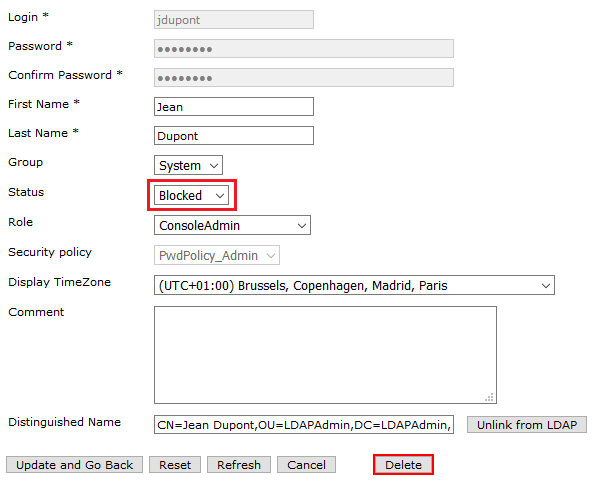
The summary allows checking exactly which actions will be performed, and placing the mouse over the information icon next to each action gives the list of affected users. Unblock LDAP administratorsFor safety reasons, by default, all new LDAP administrators are blocked. To unblock them, you have to change their status to Active
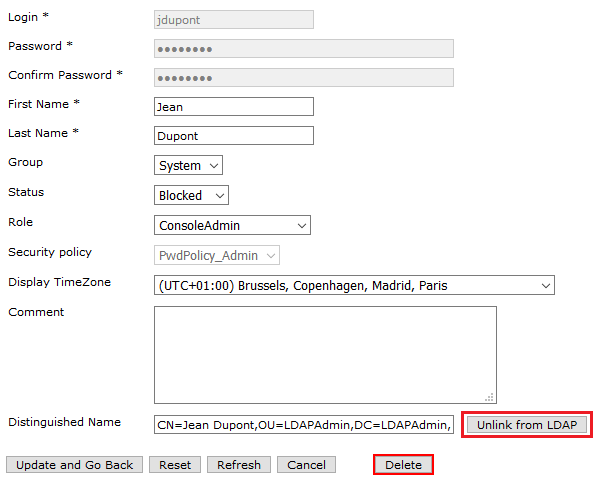
Unlink LDAP administratorTo unlink LDAP user and convert it to a classic IPTrade admin, edit the user from the administrators list and press Unlink from LDAP button.
|