Configure


Configure |
|
| Trading and C&C > Turret Proxy To Open communication (TPO) > TPO Static Links |
To enable TPO Static Links, a Distributed Place has to be defined in the TSS.
Defining a Distributed Place is performed the following way. Create a Master placeFirst, a Master place needs to be defined, and this place must be a RingdownDynamic DDI place that only has DDI slots with attached properties. Refer to the DDI Lines & Private Wires configuration for additional information.
The Master place looks like this:
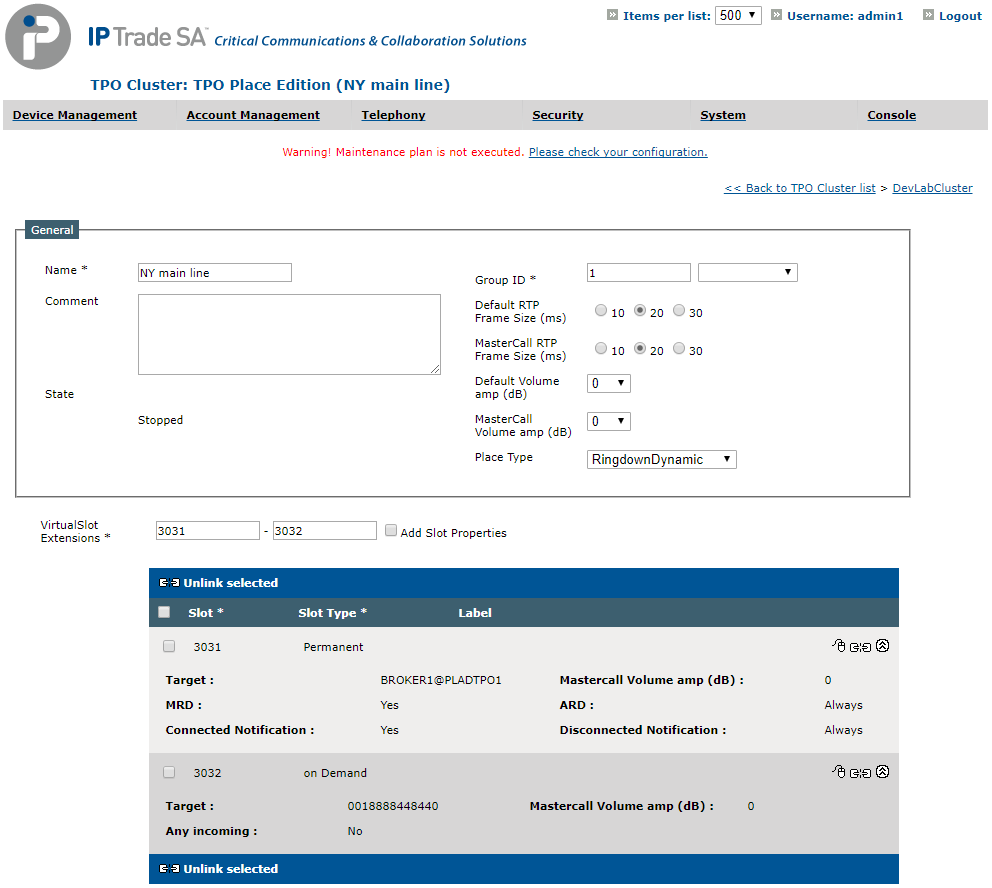 Create a Slave place pointing to the Master placeNext, a slave place needs to be defined.
Start the TPO place creation process and check the Connected to another place check box. This switches to the Slave place mode of the TPO place creation form which allows selecting a Master place to connect to.
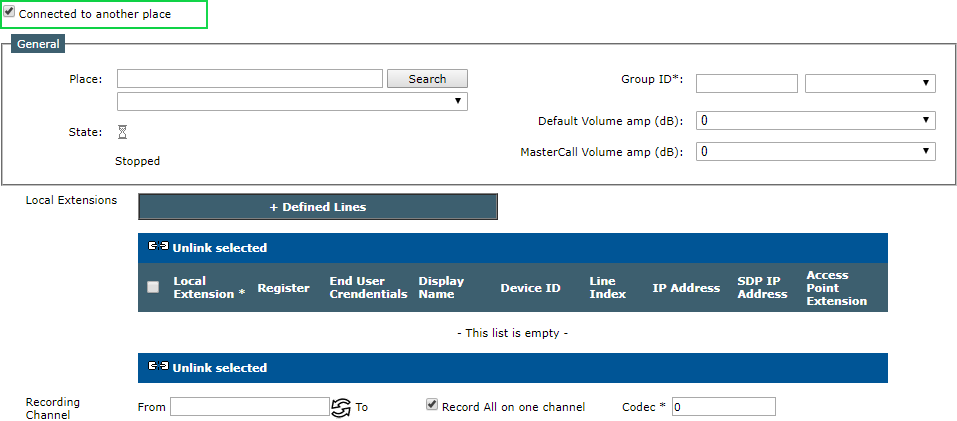
Enter the name of the Master place and press the Search button.
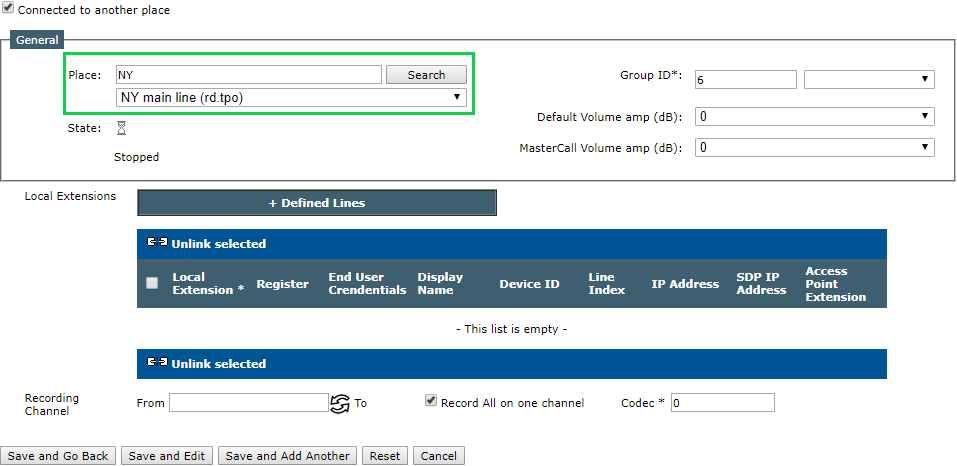
Select the Master place in the list, fill in the other parameters, such as volume amplification, recording properties, and press Save and Go Back.
At this point, the distributed place is ready to be started. Repeat the Slave Place creation process if the place needs to be accessed from other TPOs.
Start the distributed placeEdit the Master place.
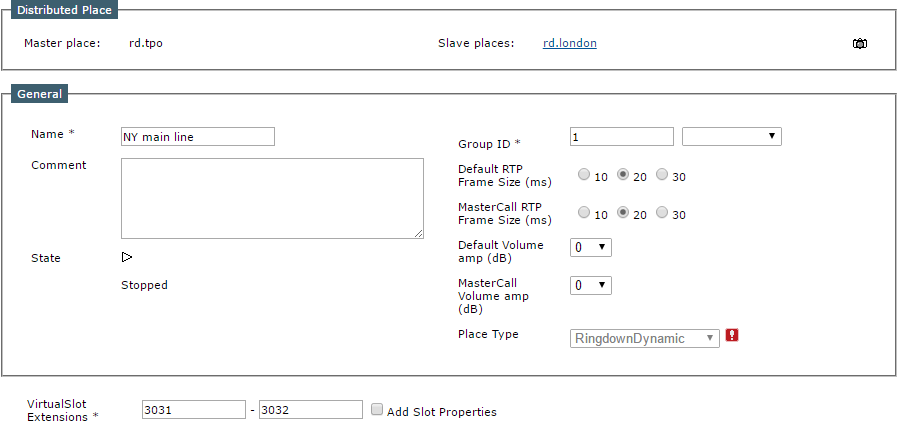
The place edition forms now presents a dedicated area that allows: •Switching between all the places being part of the distributed place, each place being identified by its TPO Name (the Master place is displayed on the left side of the area while the Slave places are displayed on the right side) •Requesting a debug information dump on the whole distributed place
Start the place by clicking the Start arrow.
After a few seconds, press the Refresh button. The Master place should be properly started.
Click the Slave place link on the right of the area, and start the Slave place by clicking the Start arrow.
Once the Master and all the Slave places are properly started, the distributed place is operational. Settings when using DNS redundancy modeWhen the DNS redundancy mode is used, the setting "application.sip.tpocluster.use.main.dns=true" is necessary on the TPO that runs a slave place. A DNS delegation needs to be configured on the DNS server, see the "Main DNS Server" section for more details.
The setting application.sip.connection.dnsaddress can also be used to specify the DNS server address if needed.
Settings to use Static Link over WebSocketIt's possible to create a Static Link over WebSocket. The TPO hosting the master place must be configured to handle WebSocket protocol, see this section.
If a TPO is configured with the following keys, all slave places hosted on this TPO will use the WebSocket protocol to connect to master places.
Visual representation of TPO links (TPOs Floor Map)It is possible to get a visual representation of TPO clusters links, on the TSS it is located in "Device Management" > "TPOs Floor Map". The map is the actual configuration of TPO clusters, TPO clusters are grouped per TSS and per zones. 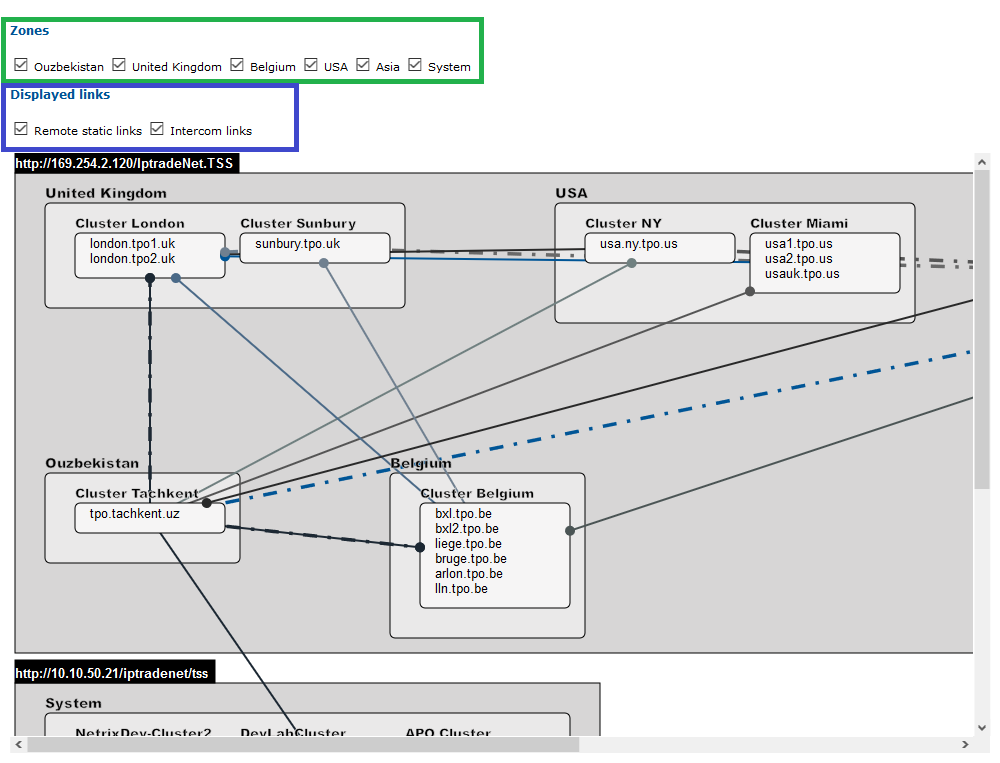
Map representationOn the TPOs floor map, static links between TPOs are represented by a line. The dashed lines represent the intercom links between TPOs. The bullet on the TPO cluster represent the owner of the relation (the original place).
FilteringIt is possible to filter the map, there is actually two filters available: Zones (in green) and links types (in blue). •Zones: When you uncheck a zone in the list, all clusters of this zones and associated links are hidden. •Links types: This filter allows to only choose which kind of links you want to see on the TPOs floor map (both, only one or none of them). |
||||||||||||||||||||||||||||||||||||||||||||||||||||||||||||||||||||||

