Duplicate a DDI call


Duplicate a DDI call |
|
| Trading and C&C > Supervision of Rookie Trader > Cross-Talk > Usage |
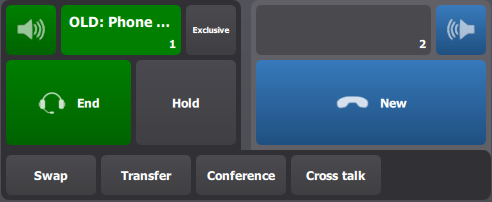
To duplicate a DDI call, the user starts with a call on one of his handsets:
Then, having the other handset free to use, the user presses the Cross-talk button located just below his main handsets on his turret user interface.
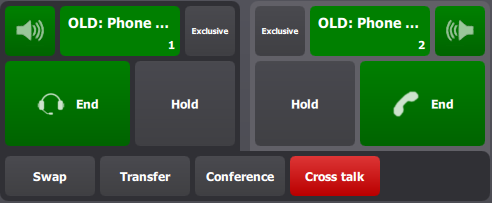
This automatically opens a second call on the other handset. The Cross-talk button turns violet to indicate that there is a duplicate call for the current call. Making the second handset active presents the same Cross-talk button state.
Note that this second call is totally independent from the first one; they can be freely moved to other audio devices (monitoring entries). These calls do not have any visual difference: they are treated equally.
|