TPO Place configuration


TPO Place configuration |
|
| Trading and C&C > Turret Proxy To Open communication (TPO) > DDI Sharing > PBX Phone Access > Configure |
Each shared DDI line must be bound to a place on the TPO as per the procedure below
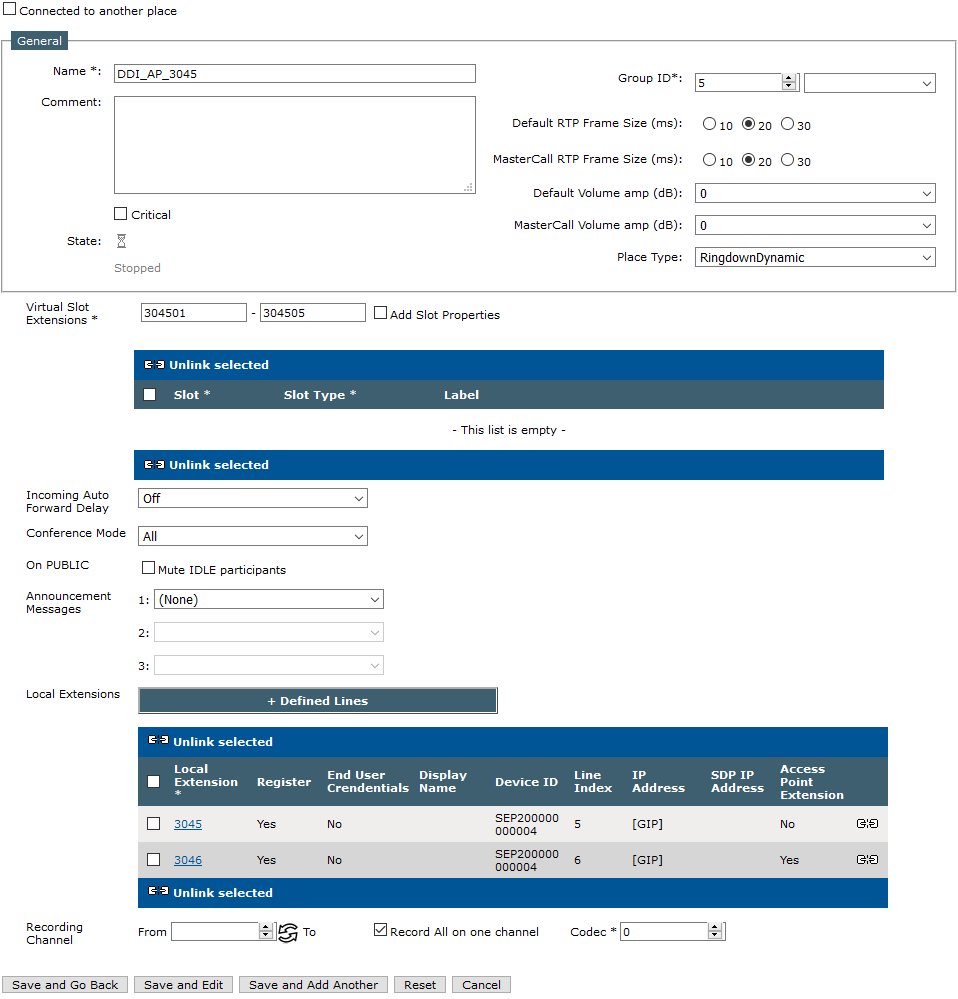
1)Open your preferred Internet browser, connect to the TSS administration console URL and log onto the system with administrator privileges 2)From the main menu, select Device Management | TPO Clusters 3)From the TPO clusters list, edit the profile linked to the TPO e.g. ID-TPO-10.10.0.2-shared 4)Select the tab panel TPO Places and press Add new button ; the TPO place edition form is displayed ; Create the TPO place with the two TPO lines populated in the previous section
5)Fill in the TPO place edition form as per the table below
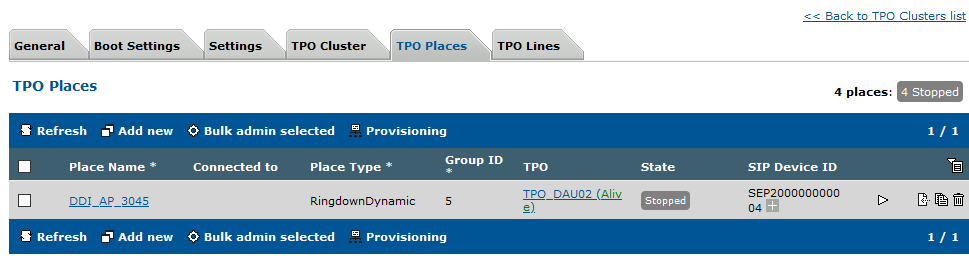
6)Press Update to commit changes ; the newly created place is listed in the TPO places tab panel and reported as Stopped
7)Start the place by pressing the start icon ; press the Refresh button until the place is reported as Started (this might take a few seconds) |