Configure an Intercom for Netrix


Configure an Intercom for Netrix |
|
| Trading and C&C > Netrix > Intercom > Configure |
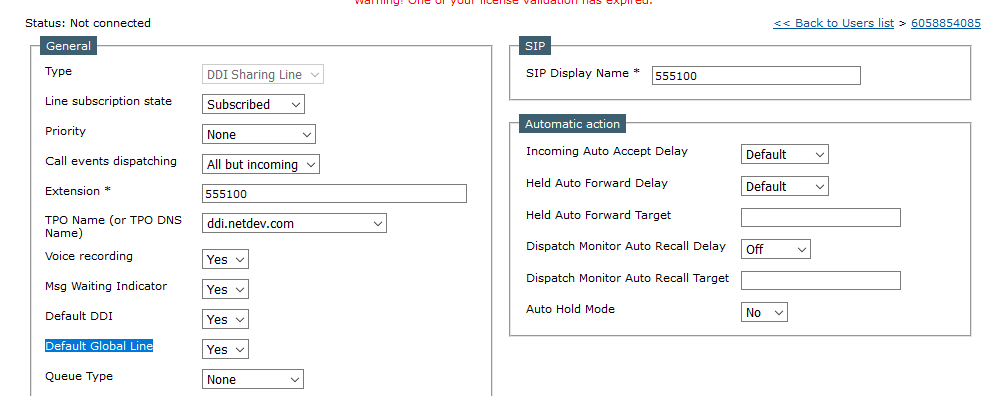
To configure an intercom. Configure a line as “Default Global Line”. When you press intercom, the call is originated from this number. An incoming intercom will land on this line.
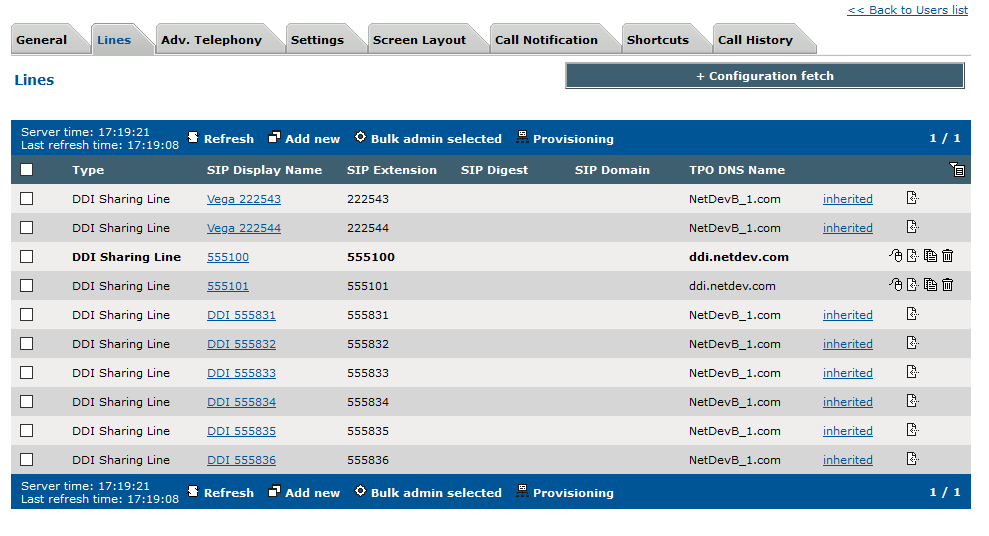
Remember this line must be “Default Global Line” on this user only. It can be shared though. All the lines you wish to intercom to, should be present in Lines. Netrix doesn’t know which TPO line belongs to. This configuration does just that (let Netrix know about the TPO address).
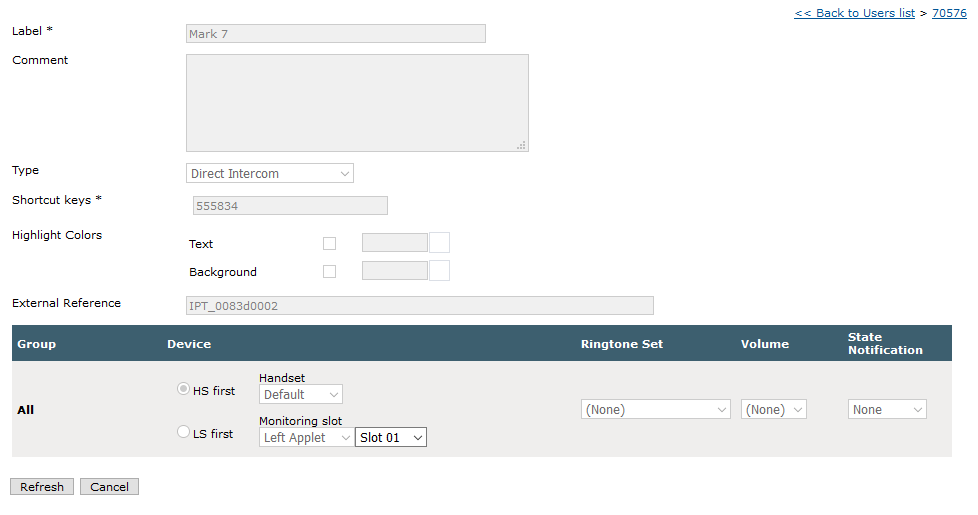
Create a shortcut, enter the number you wish to intercom to
The intercom originates from “Default Global Line” and lands on the shortcut, this shortcut is part of Lines. The incoming intercom will land on “Default Global Line”
|