Configure a Global Intercom for Netrix

Top  Previous  Next
Trading and C&C > Netrix > Intercom > Configure

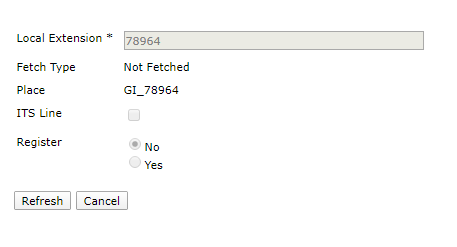
1.Create a local Group Intercom (GI) line in TPO cluster

TD-Netrix-Intercom-ConfigureGlobal-Step1

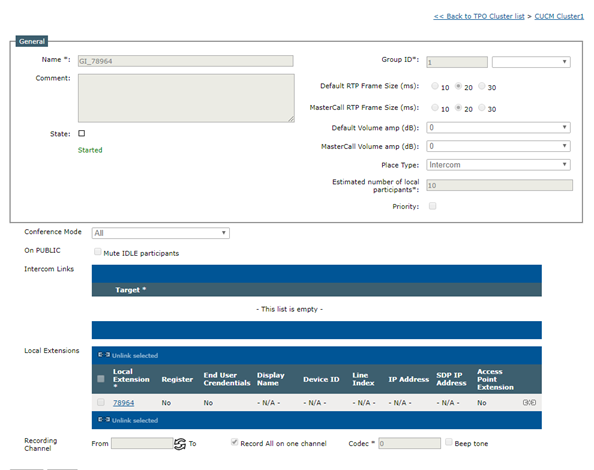
2.Create an GI place for the line just created

TD-Netrix-Intercom-ConfigureGlobal-Step2

3.Start the place

TD-Netrix-Intercom-ConfigureGlobal-Step3

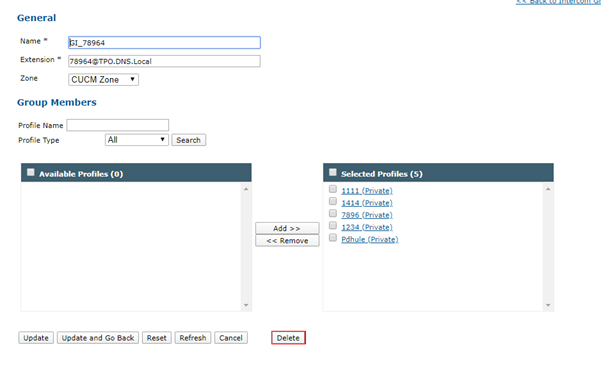
4.Create the GI under Telephony -> Intercom Groups and group members to it

TD-Netrix-Intercom-ConfigureGlobal-Step4

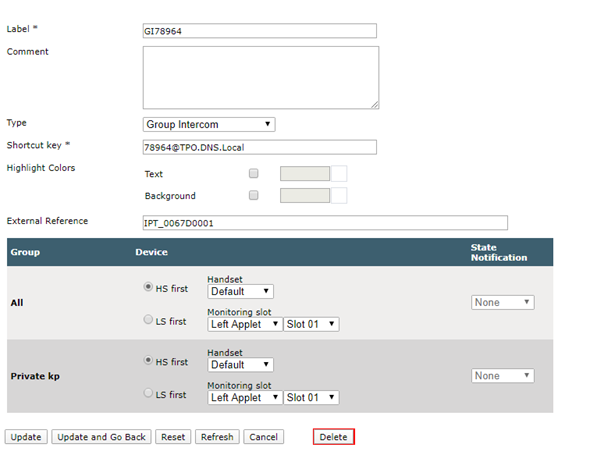
5.In the shared/user profile create an GI shortcut

TD-Netrix-Intercom-ConfigureGlobal-Step5

TableCornerTopLeftB

IPT_Empty

IPT_Empty

TableCornerTopRightB

IPT_Empty

Important_icon

The Group Intercom shortcut must be in the <extension>@<TPO DNS name> format because Netrix does not support the  profile.setting.default.tpo.group.id setting.

IPT_Empty

TableCornerBottomLeftB

IPT_Empty

IPT_Empty

TableCornerBottomRightB


6.Log off and logon the users to do the group intercom