Usage


Usage |
|
| Trading and C&C > Line Monitoring |
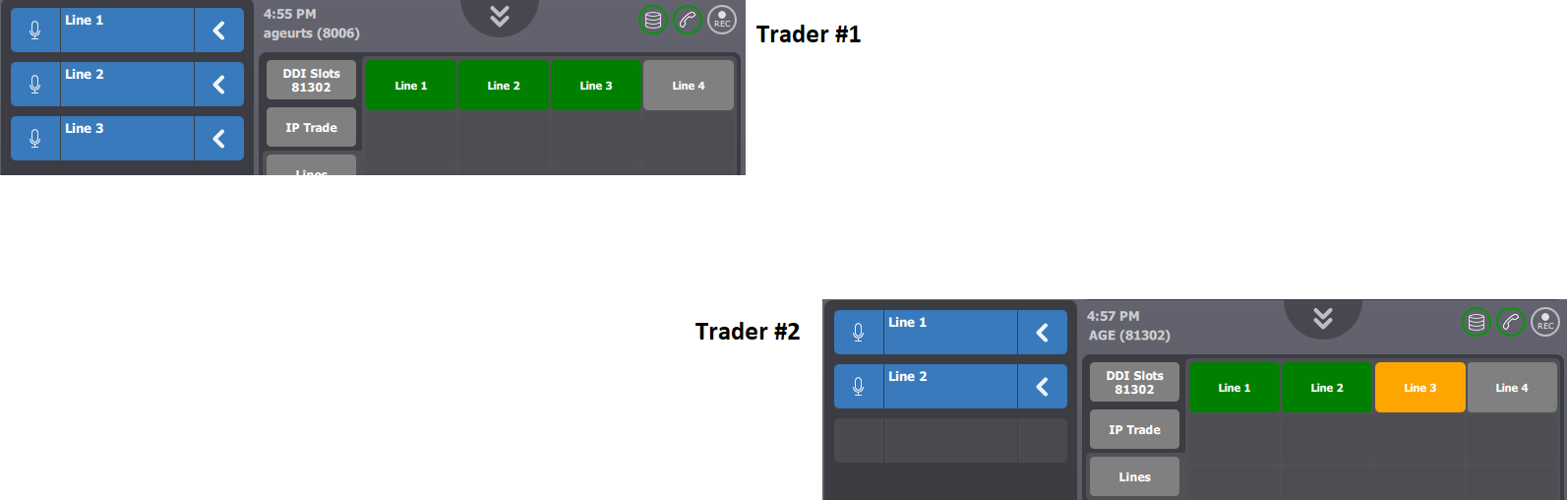
The scenario shows an example on how the line status is alerted on line keys. The description above assumes the following system configuration •Trader#1 is logged on ageurts; Trader#2 is logged on AGE ; •Five line keys labeled Line 1, Line 2, Line 3 are defined; 3 lines are active on Trader#1’s turret ; 2 lines are active on Trader#2 turret ; •The profile/user setting TPO line shortcut display policy (profile.setting.old.generic.displaypolicy) is set to trader (See Profiles | Settings tab panel | TPO section | OLD shortcuts display policy) ; other options relating to line status keep their default value ;
On both turrets, active lines are shown in green and associated to speaker channels On Trader#2 station, Line 3 is shown as opened(orange) while on Trader#1 station, Line 3 is shown as active(green).
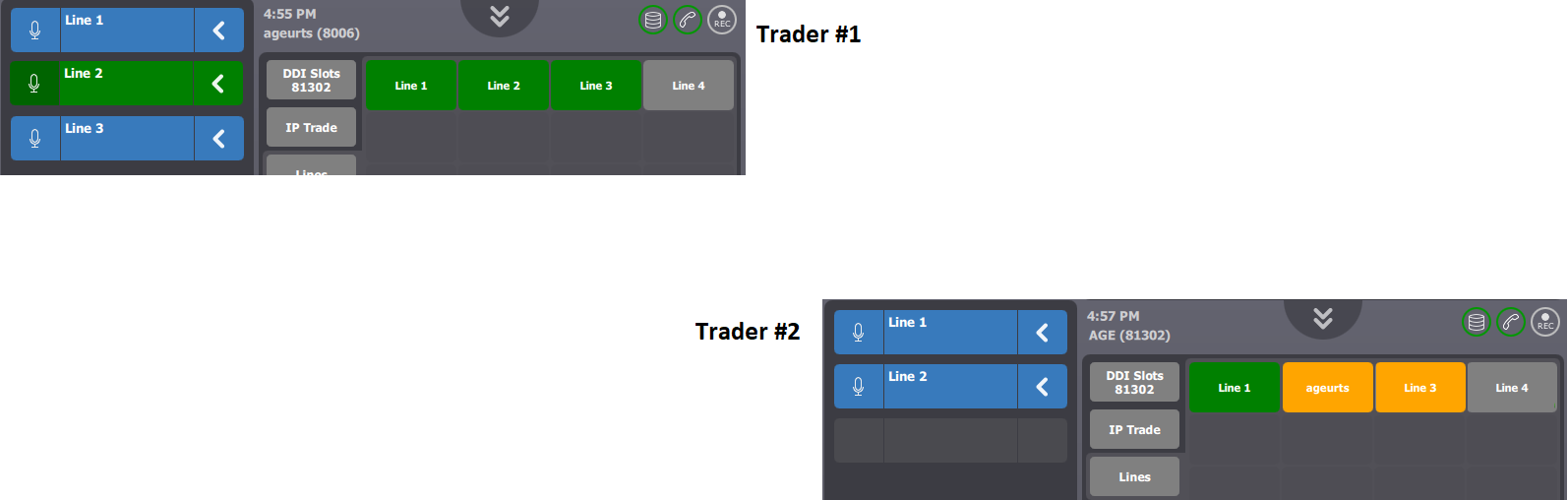
Trader#1 opens the microphone and starts talking on the line. As a result on Trader#2 station, Line 2 key label changes and shows the Trader#1 identifier ageurts. Line 2 label is restored in its initial state as soon as Trader#1 closes the microphone.
|