Conference call

Top  Previous  Next
Trading and C&C > Turret Proxy To Open communication (TPO) > DDI Sharing > DDI Lines Sharing > Usage > Telephony functions > Common

Shared DDI lines provide traders with a powerful and user-friendly mean to setup conference calls including one or several external parties who can be contacted using their personal landline.

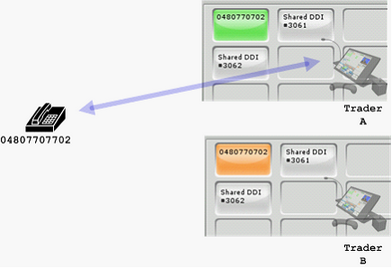
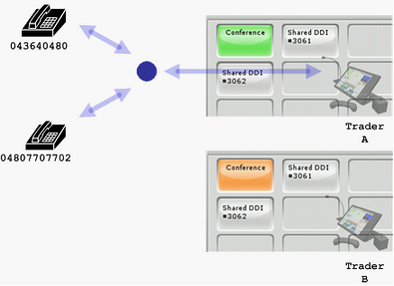
TraderA is on a call with an external party on the extension 0480770702 and initiate a conference by pressing the Conference button in the handset control panel.

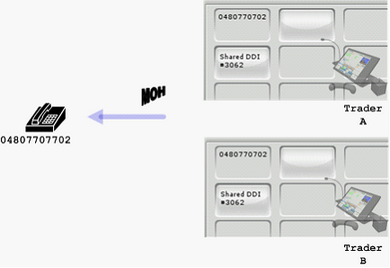
On both TraderA and TraderB, the DDI slot key is locked and the speech path to the distant end is suspended.  

The distant end hears the music-on-hold if configured on IP PBX switch

TraderA’s handset is ready for placing a new call to the extension to conference.

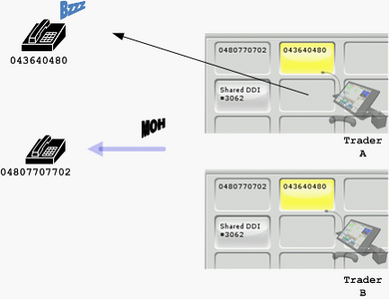
TraderA initiates a call to the party to the extension 043640480.

This results in a second DDI slot to be allocated for this new call.  The corresponding DDI slot key on both turrets gives the out-bound call notification and shows the identity of the called party.


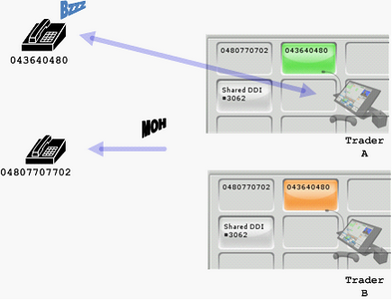
Once the call has been accepted, the speech path is established between TraderA and the extension 04360480.  The new call appearance is visible on the DDI slot keys of both traders.

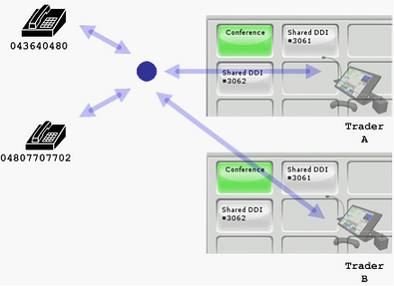
TraderA can then press the Conference button in the handset control panel again to open the conference between the extensions 0480770702, 043640480 and himself.


TraderB can join the conference at any time simply by pressing the associated DDI slot key.

Note

(1)See this table to compare DDI sharing conferencing capabilities to other conferencing modes