Create a bridge between three slots


Create a bridge between three slots |
|
| Trading and C&C > Turret Proxy To Open communication (TPO) > DDI Sharing > DDI Slot Bridging > Usage |
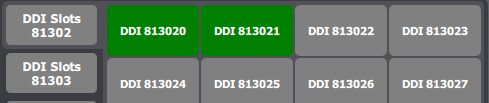
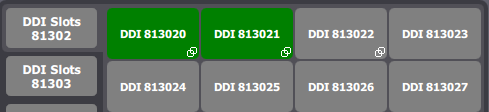
Creating a new slot bridge is easy. Here, the user has registered a DDI line that has several slots, as shown below. Slots 813020 and 813021 are currently busy, hosting two calls with, let's say, remote parties 1 and 2. Slot 813022 is currently idle.
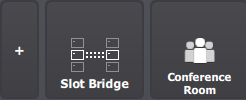
To create a bridge, user presses the dedicated Bridge button in the access buttons area in the lower part of the interface screen.
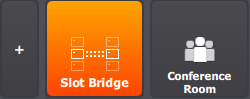
The button turns orange to indicate that the system is now in bridge creation mode.
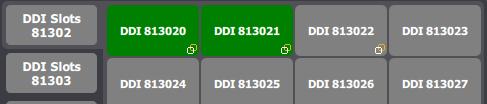
At this point, a new bridge operation is prepared, and any press on a DDI slot button during this time allows selecting it to insert it in the yet-to-create bridge. User selects the three slots. Slots that will be included in the future bridge are notified with icons representing a link, both white and orange, as shown below.
Once the user is satisfied with his slot selection, he presses the Slot Bridge access button to validate it. Once created, the bridge is notified on each slot by a similar icon, but full white, as shown below.
At this point, any trader and remote party involved in the two calls hosted on slots 813020 and 813021 are connected and can hear each other. However, the calls states haven't changed.
Moreover, any call made on slot 813022 will also be included in the bridge.
The bridge is linked to the slots themselves, so ending and placing new calls on these slots do not change the bridge status witch remain established.
The bridge is not associated to the user who created it, and thus survives even if the user logs out or un-registers the line on his device.
The bridge survives until: •It is explicitely destroyed by a user (any user that registers at least one line that is part of the bridge); •Or the DDI place is stopped.
|