Disable TLS


Disable TLS |
|
| IT&Operations > Security > Windows Server |
To disable old unsecured protocols such as SSL3.0/TLS.10/TLS1.1, you need to modify some registry keys in the windows server.
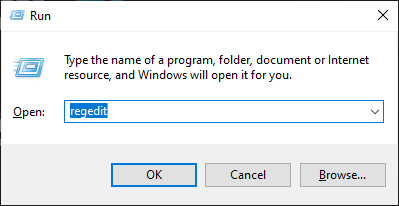
Steps1.Press Win+r and type "regedit.exe"
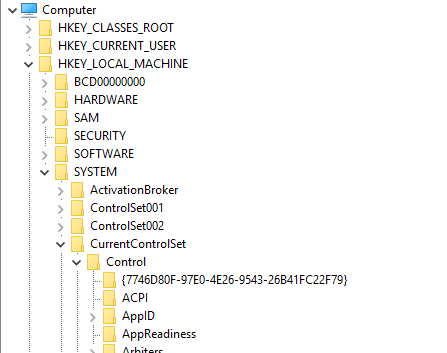
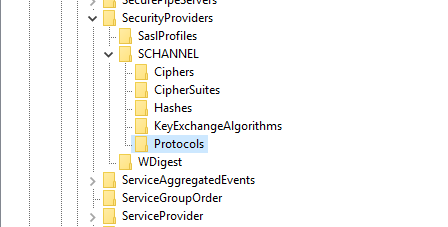
2.Go to "HKEY_LOCAL_MACHINE\SYSTEM\\CurrentControlSet\\Control\\SecurityProviders\\SCHANNEL\\Protocols\\"
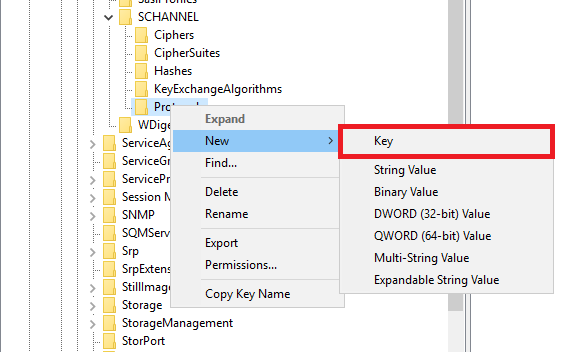
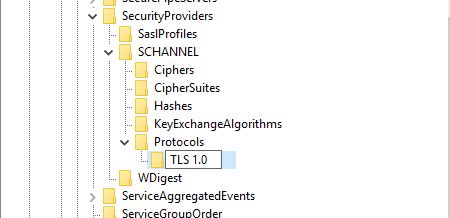
3.Right-click on the "Protocols" key and click on New->Key.
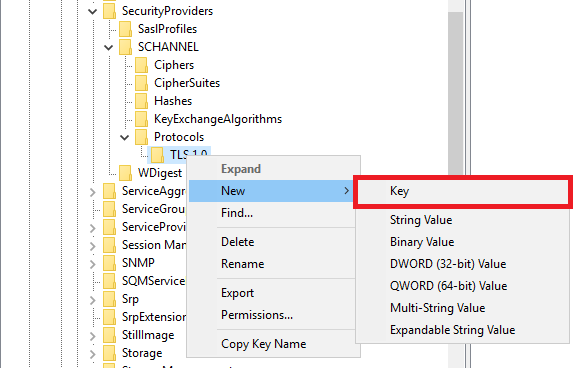
4.Name this new key regarding the protocols you want to disable (SSL3.0/TLS1.0/TLS1.1)
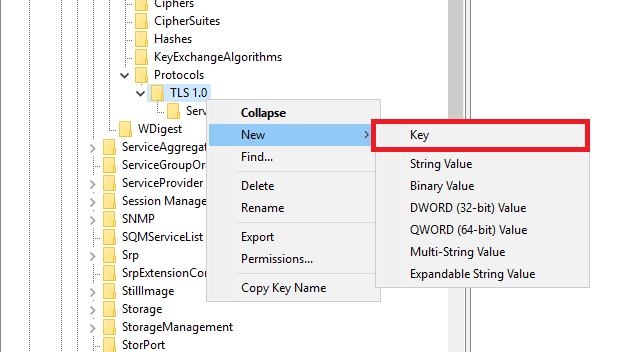
5.Right-Click on the new key and click on on New->Key
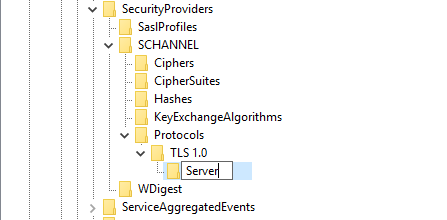
6.Name this key "Server"
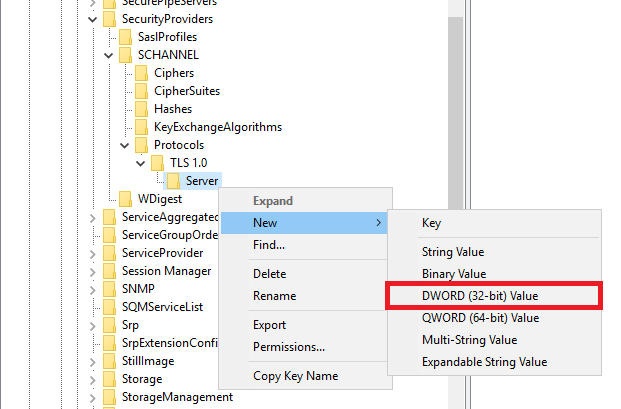
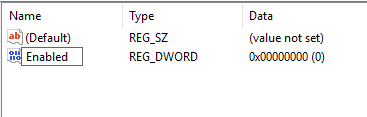
7.Right-Click on the new key and click on New->DWORD(32 bits) value.
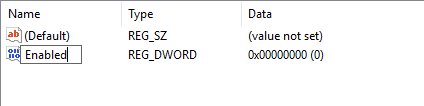
8.Name it "Enabled" and let the value to "0"
9.Right-Click again on the protocol key and click on on New->Key
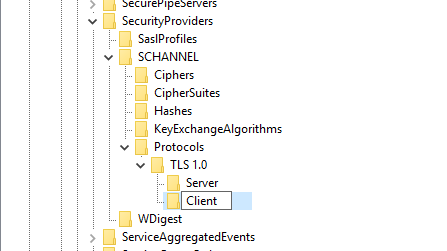
10.Name this key "Client"
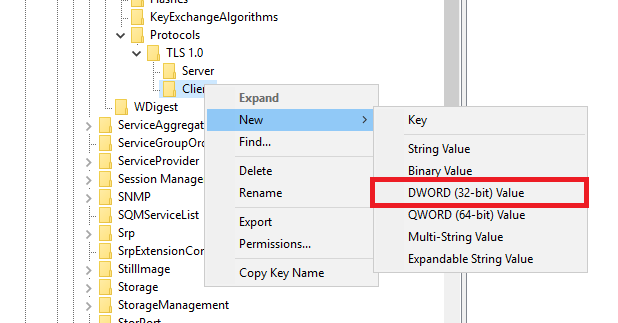
11.Right-Click on the new key and click on New->DWORD(32 bits) value.
12.Name it "Enabled" and let the value to "0"
13.Repeat each steps 3 to 12 for each protocol you want to disable. |