SBC AudioCode Configuration


SBC AudioCode Configuration |
|
| Solution Integration > Session Border Controllers > Audiocodes |
There are a large number of ways to configure an Audio Codes SBC in this example the built in configuration wizard is used to set up an SBC to interface between the BTTrade and an IP SIP PW carrier.
Open a browser and enter the SBC management IP address.
Log in using Admin/Admin
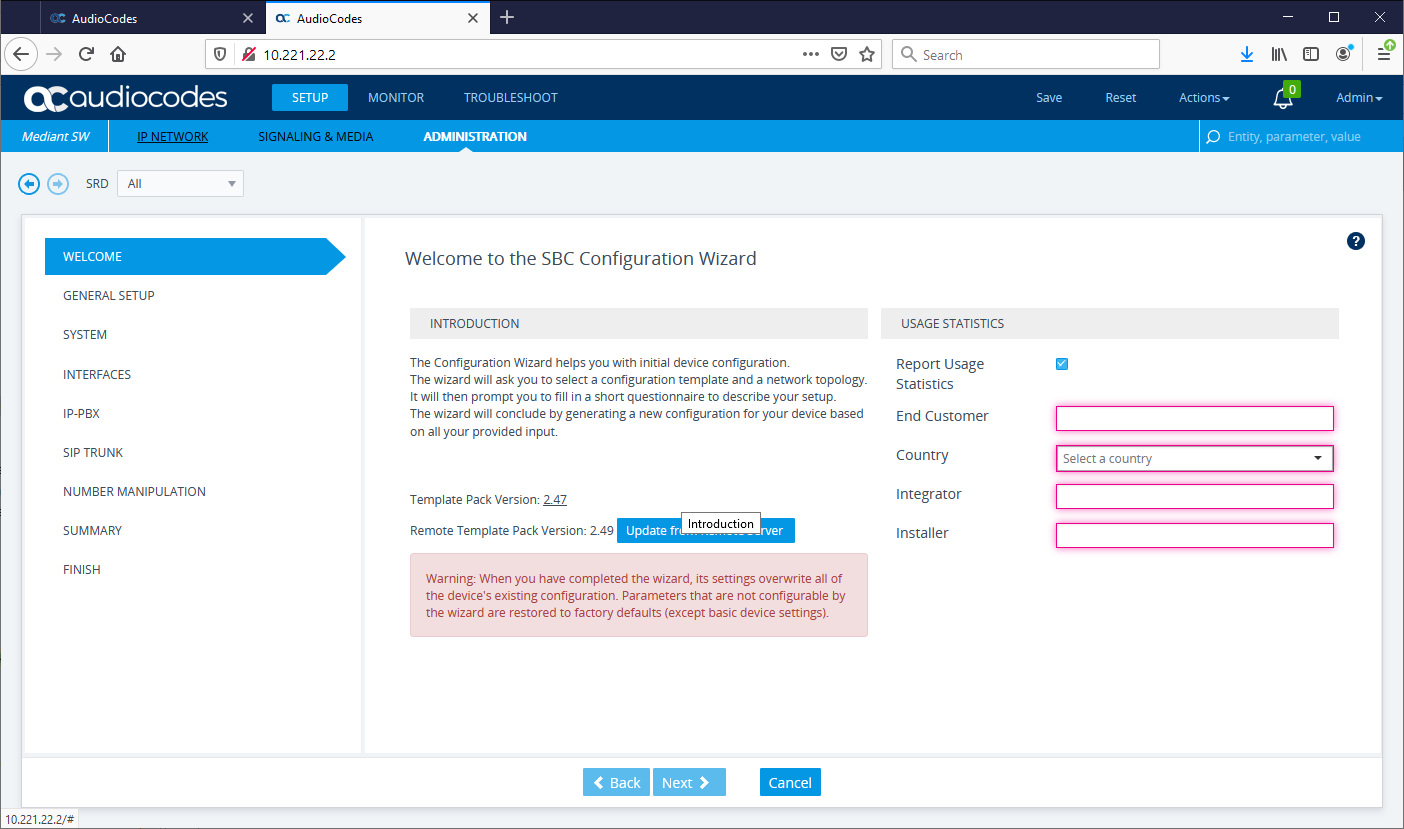
Navigate to Setup/Administration/Maintenance/Configuration Wizard and click the Welcome Screen will appear
From this screen enter the information required for example TPICAP, United Kingdom, BT, COE. once this is done press next
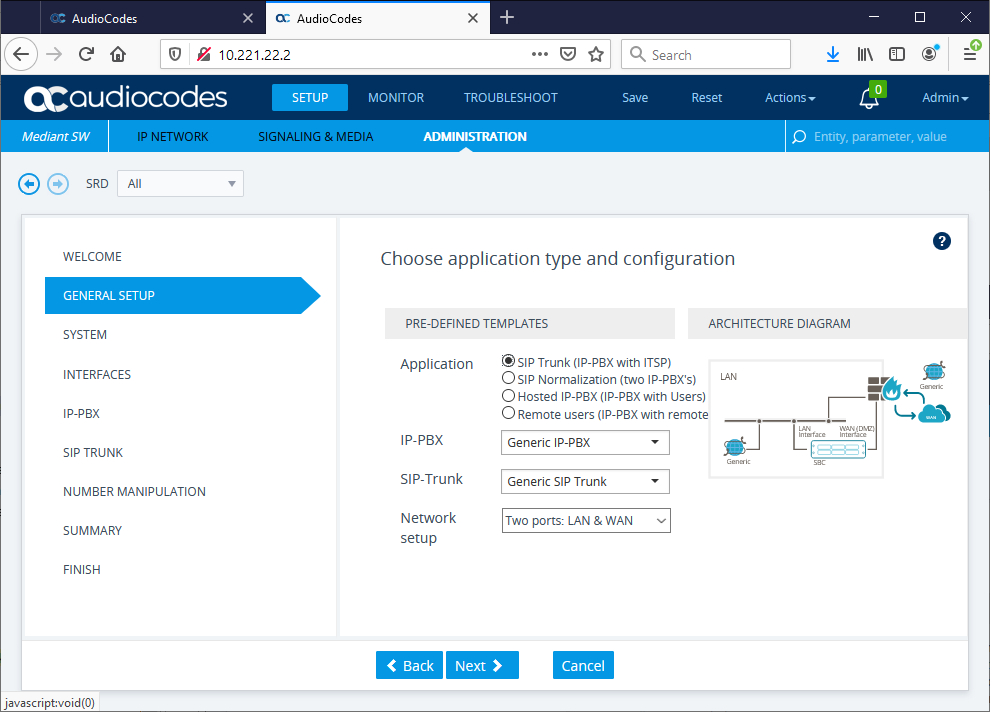
From this screen select SIP trunk IP-PBX ( BTTrade) to ITSP ( IPC, Flexinet, Imart etc) Use Generic IP-PBX as BTTrade as there is no specific template for BTTrade Use Generic SIP Trunk as there is no specific template for SIP Private Wires On the network setup BT recommends to use Two separate network ports so the SBC is routing between two networks inside where the BTTrade is and outside for IP carrier. Once all selected hit next
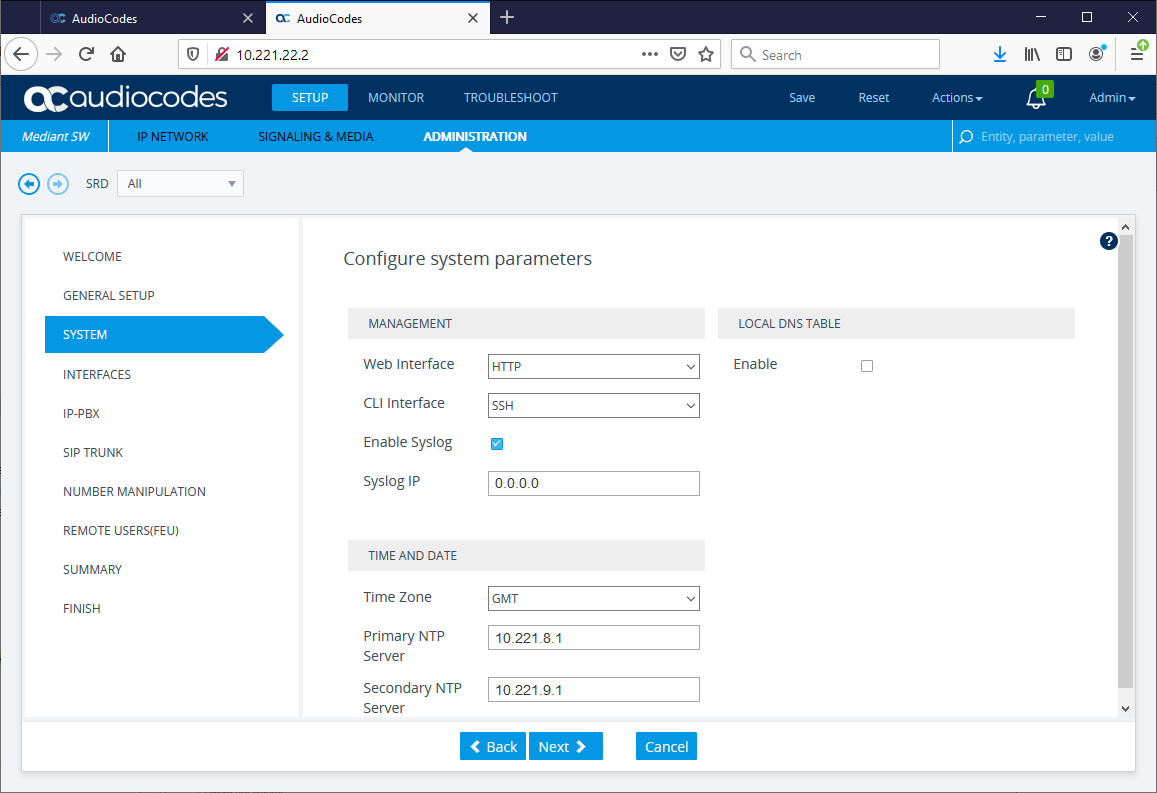
Select if you want to enable disable HTTP/HTTPS Select if you want to enable disable SSH/Telnet Enable Syslog Normally leave Syslog server blank as you can always set this later (See also Syslog viewer tool for troubleshooting) Set NTP servers for Time and Date and set timezone Once complete hit Next
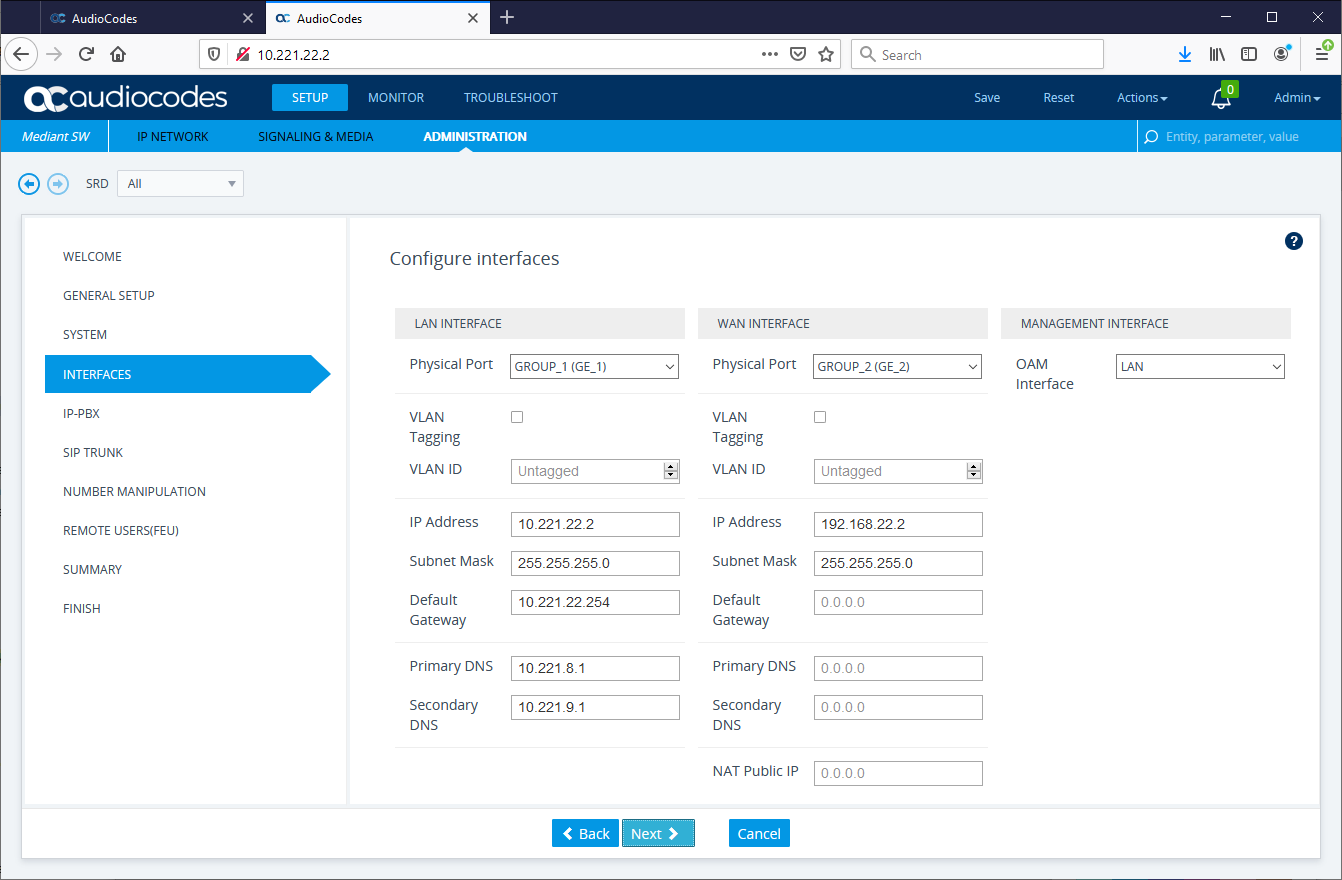
Fill in ip-address details of the two network interfaces once complete hit Next
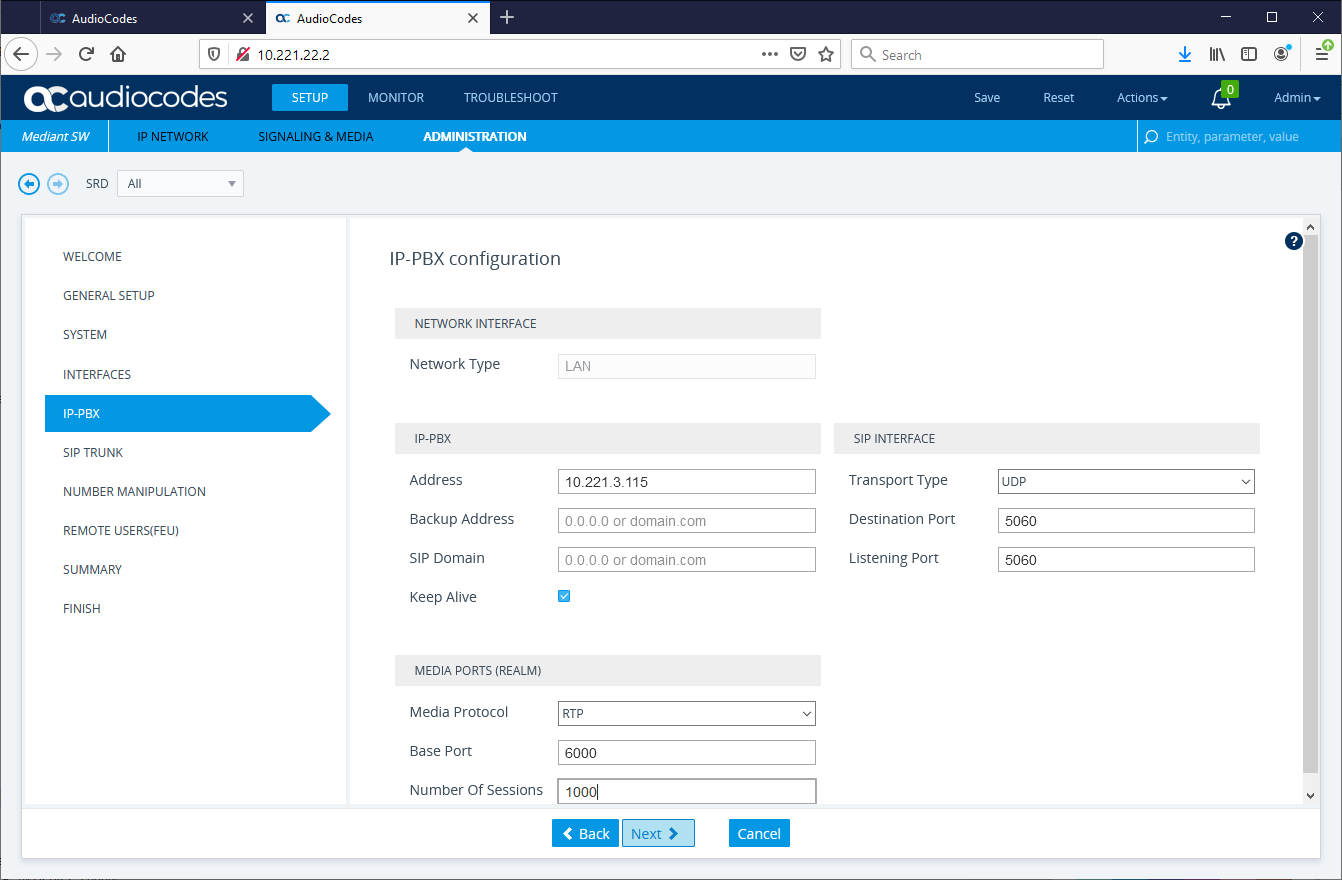
Enter the address of the Active TPO for the TPO line group or the line group name if using DNS Enable keep alive on the trunk so SBC can tell if TPO off line Can change transport type from UDP to TCP or TLS for BTTrade normally use TCP Can set a different SIP port if needed normally use 5060 Can also set up a specific range of RTP ports if needed Need to set number of session to be the same as the max calls the SBC will cope with note default is 100 so need to change if there will be more than this. Once complete hit Next
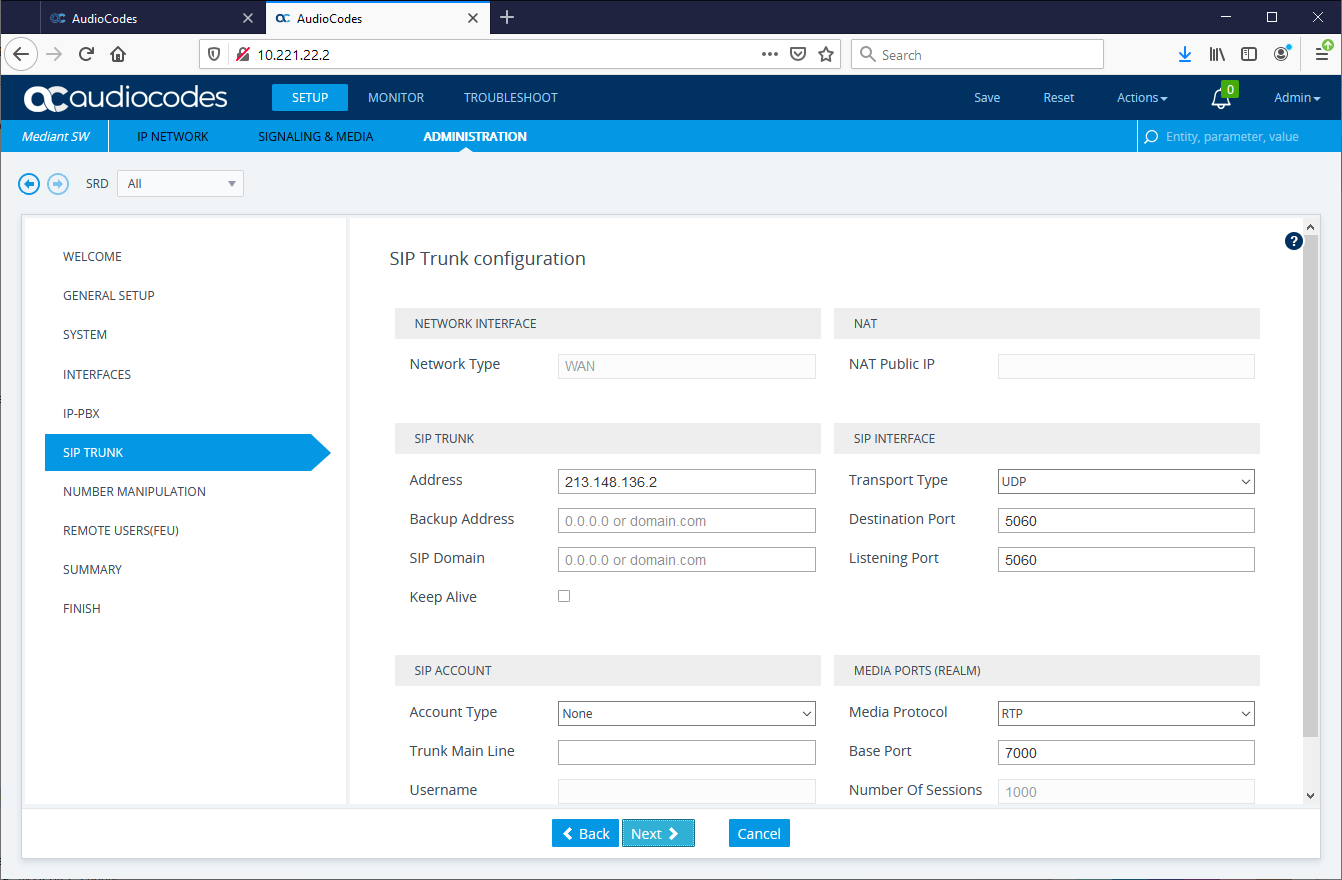
Enter the IP address of the IP carrier Enable Keep Alive on the carrier trunk so SBC can tell if Carrier is off line Can change transport type from UDP to TCP or TLS specified by carrier IPC for example is UDP Can set a different SIP port if needed specified by carrier normally default to 5060. Can also set up a specific range of RTP ports if needed again check with carrier Once complete hit Next
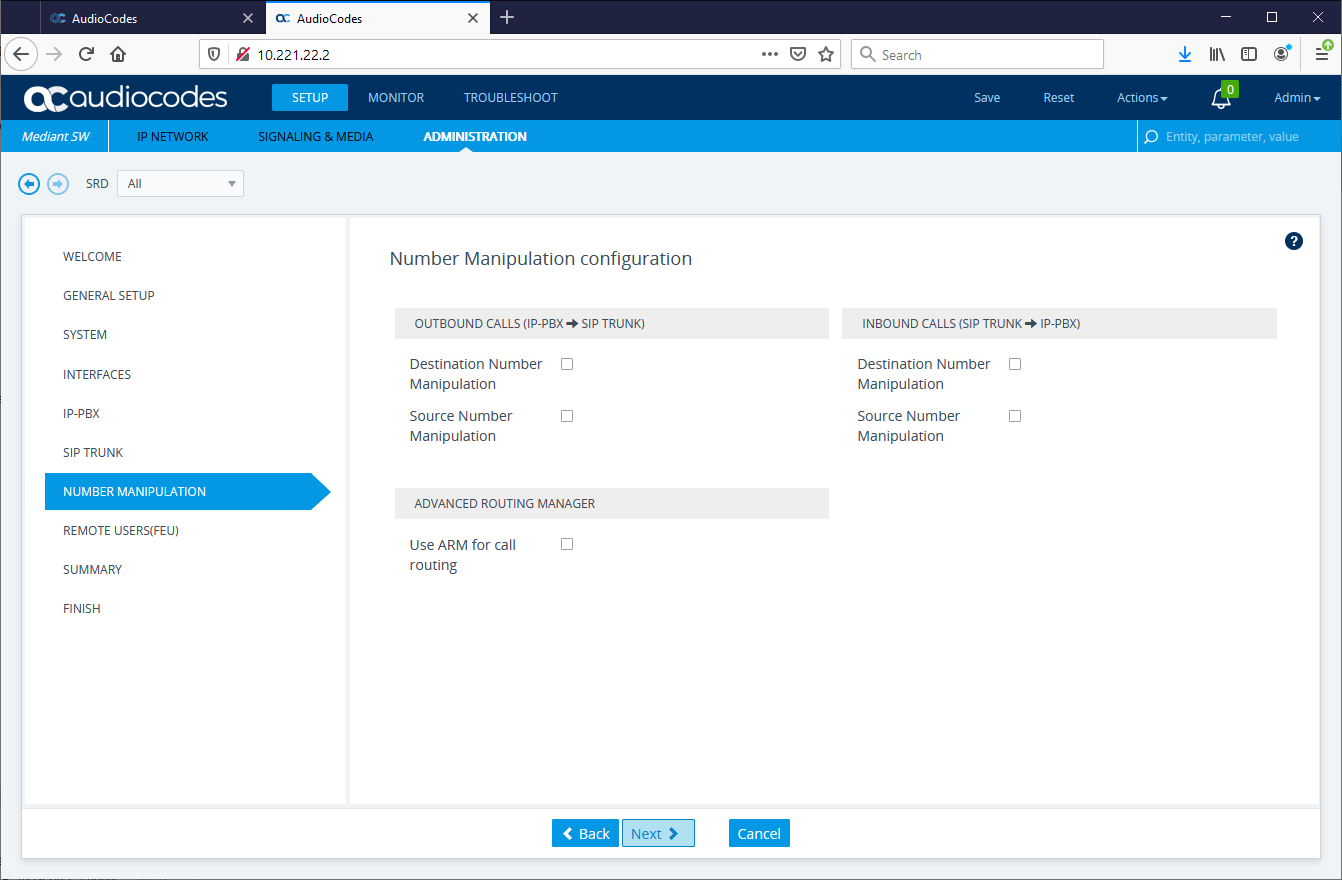
From this screen you can set up number manipulation this is not needed on SIP Private Wires so disable and hit Next
On the next screen you will be asked about remote users these are not needed for SIP Private Wires so disable and hit Next
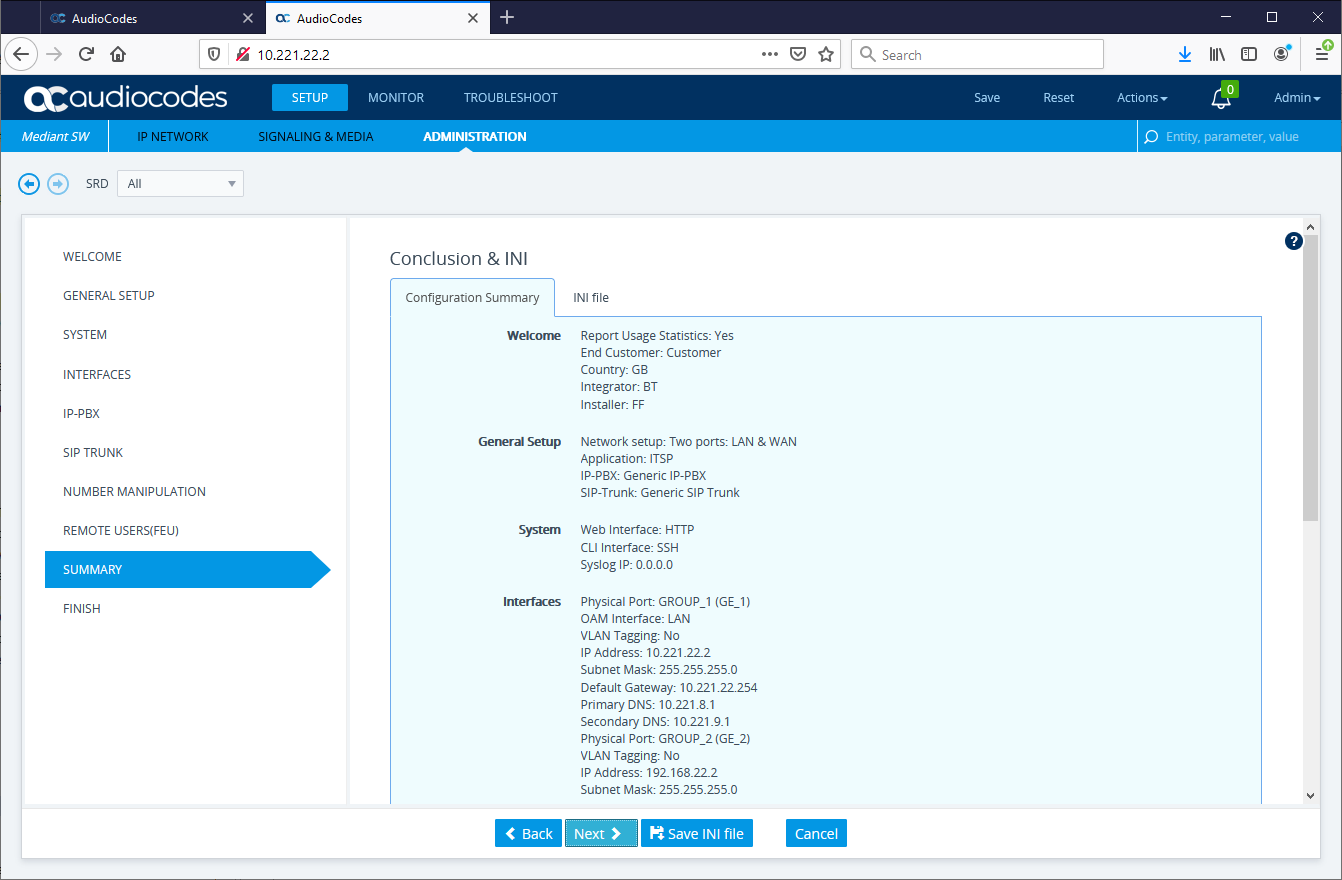
This will lead to a summary screen as follows:-
This allows you to review your set up and gives you the option to save the configuration in a file in case you have to restore your system Hit next to continue
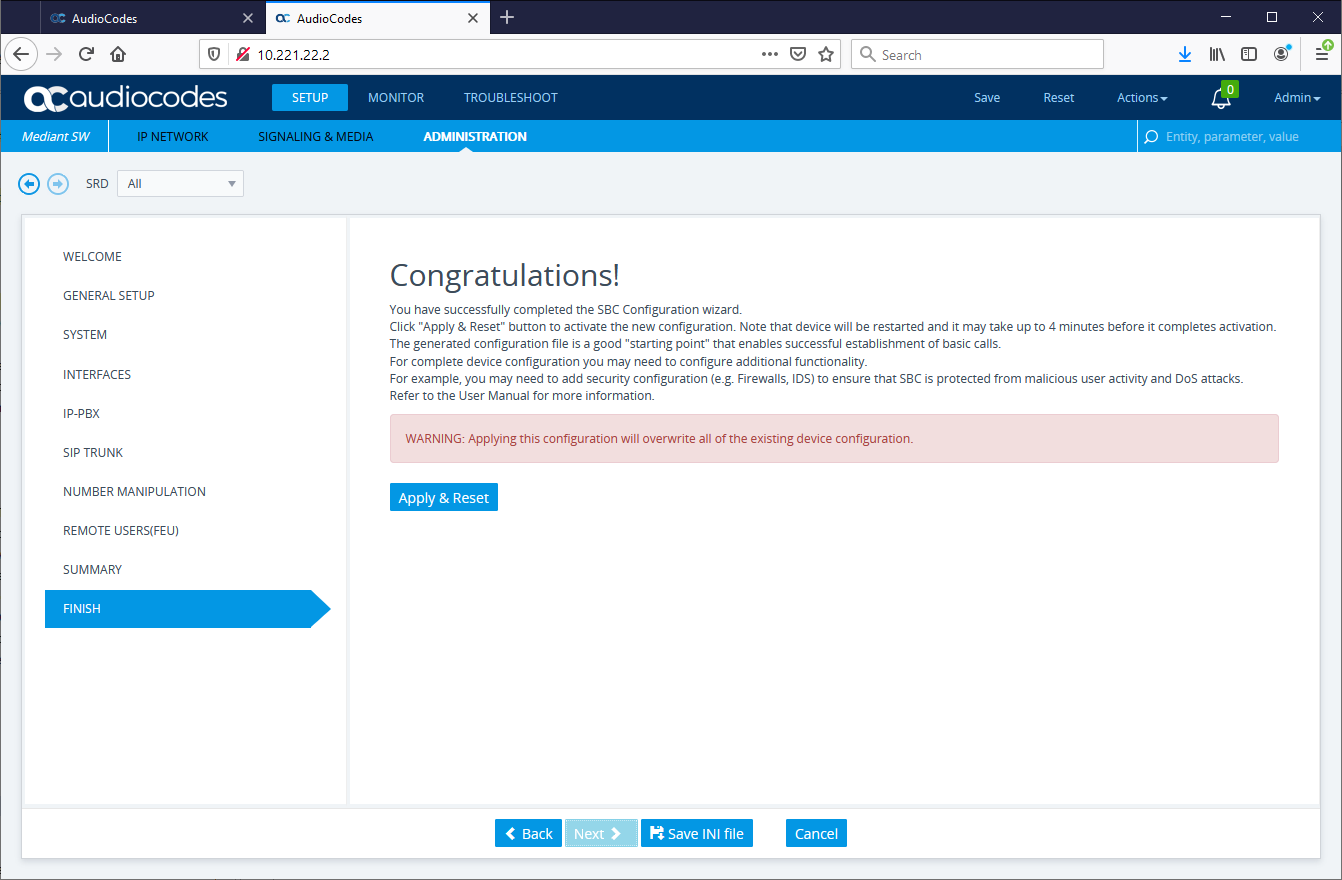
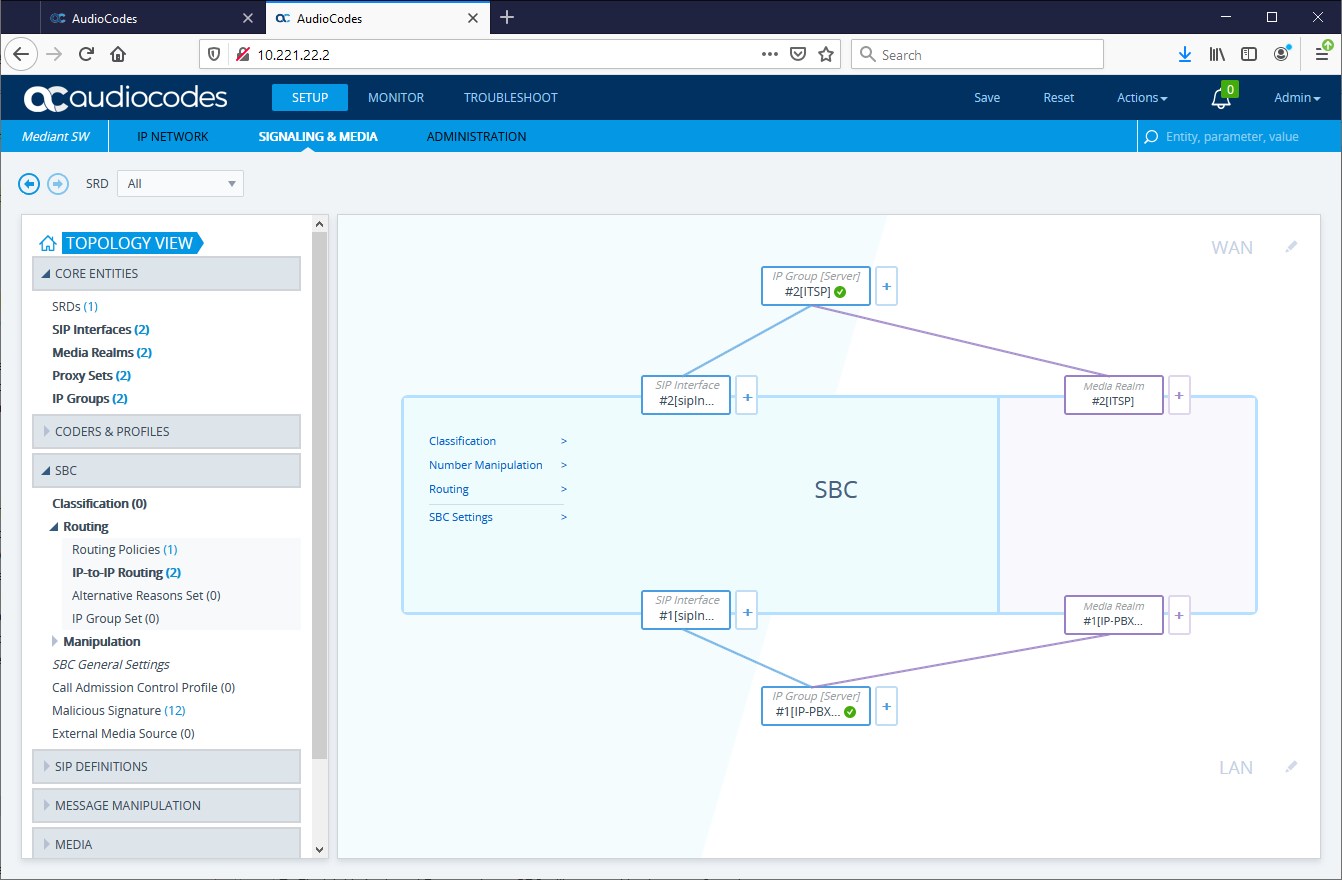
To Finnish hit Apply and Reset and your SBC will reset and load new configuration To verify if the settings are working by logging onto the SBC and viewing the Topology Screen
In this example both the BTTrade and the SIP PW Carrier are responding to the keep alive and so Configuration looks good
|