ReplayBox ASC Neo Installation


ReplayBox ASC Neo Installation |
|
| Solution Installation > ReplayBox Installation |
IntroductionThis section describes how to install ASC Neo ReplayBox.
PrerequisitesPrograms Following programs must be installed to run ReplayBox ASC Neo properly: •Windows Server 2012 R2, Windows Server 2016 (please refer to TSS installation to have all required components properly installed) •Microsoft Visual C++ 2010 Redistributable Package (x86) •Microsoft Visual C++ 2010 Redistributable Package (x64) •Microsoft Visual C++ 2013 Redistributable Package (x64) •Microsoft Visual C++ 2017 Redistributable Package (x64) •Microsoft .NET Framework 4.7.2 •IIS 8.5 •ASC Neo system
Uninstall all previous ReplayBox version It is recommended to uninstall the ReplayBox ASC Neo before installing another version. To uninstall the ReplayBox from the system: •Open Control Panel > Programs and Feature •Select IptradeNet.ReplayboxASCNeo from the list •Click Uninstall
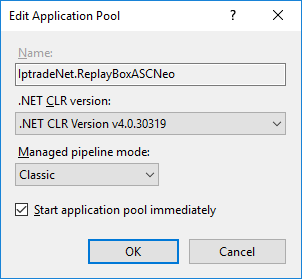
Create specific application pool It is preferable to create an application pool reserved to the Replaybox. •Open Control Panel > Administrative Tools > Internet Information Services (IIS) Manager. •Right click on Application Pools node > Add Application Pool... •Set Name = IptradeNet.ReplayBoxASCNeo •Set .NET Framework version = .NET Framework v4.0.30319 •Set Managed pipeline mode = Classic •Press OK button
Once application pool is created change identity user: •Select application pool IptradeNet.ReplayBoxASCNeo (previously created) •Click on Advanced Settings... •Set Identity = Network Service •Press OK button
Check ISAPI and CGI restriction It is necessary to allow ISAPI filter to execute extension .s properly. •Open Control Panel > Administrative Tools > Internet Information Services (IIS) Manager •Select server node > ISAPI and CGI restriction •Right click on ASP .NET v4.0.30319 > Allow (for 32-bits version) •Right click on ASP .NET v4.0.30319 > Allow (for 64-bits version)
ReplayBox InstallationRun the setup.exe file and follow the wizard:
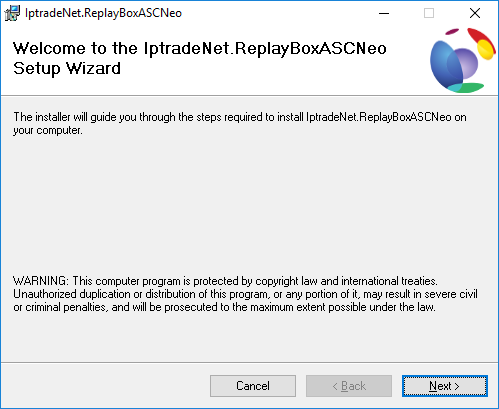
Click Next button.
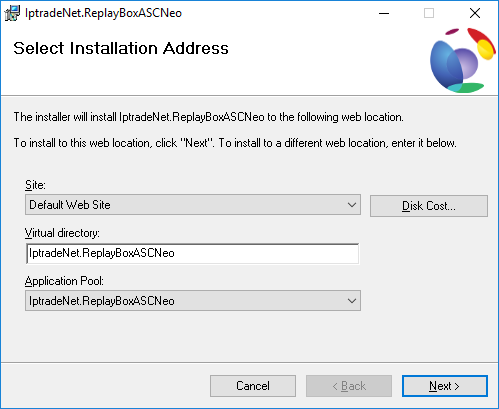
Select application pool IptradeNet.ReplayBoxASCNeo (previously created) as application pool and press Next button.
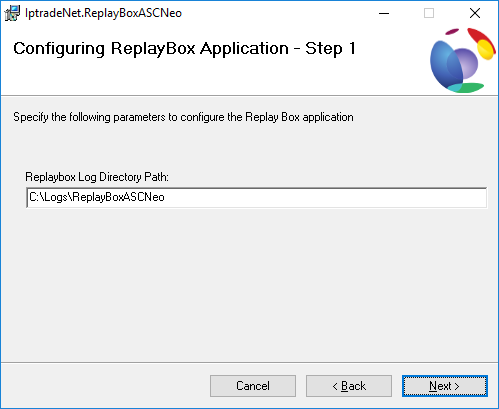
Set the log path and press Next button.
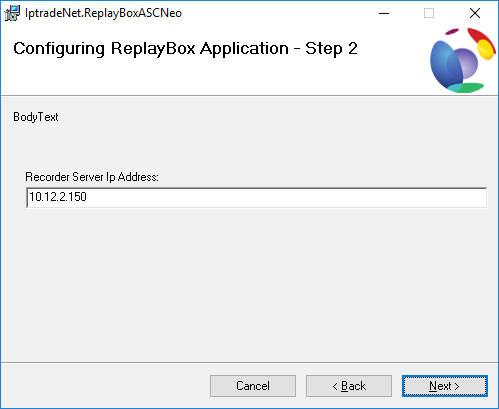
Set Recorder Server IP Address and press Next button.
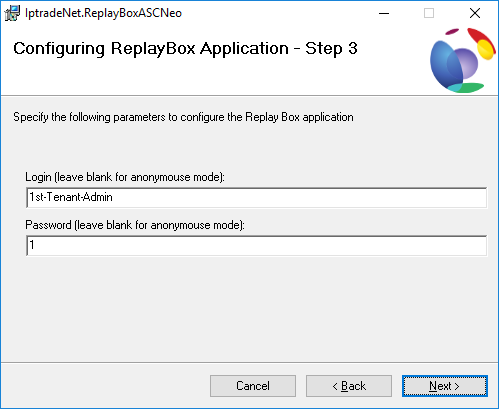
Set Login and Password used to connect to ASC Neo system and press Next button.
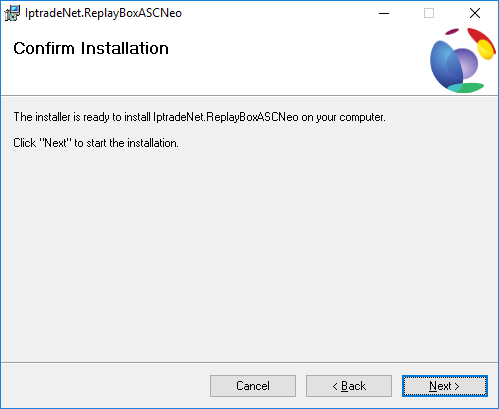
Press Next button to install the ReplayBox.
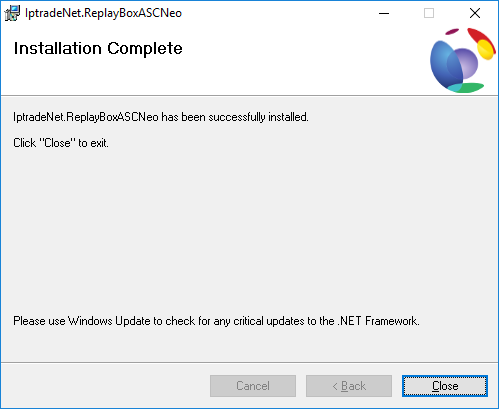
Once this window appeared, installation is completed.
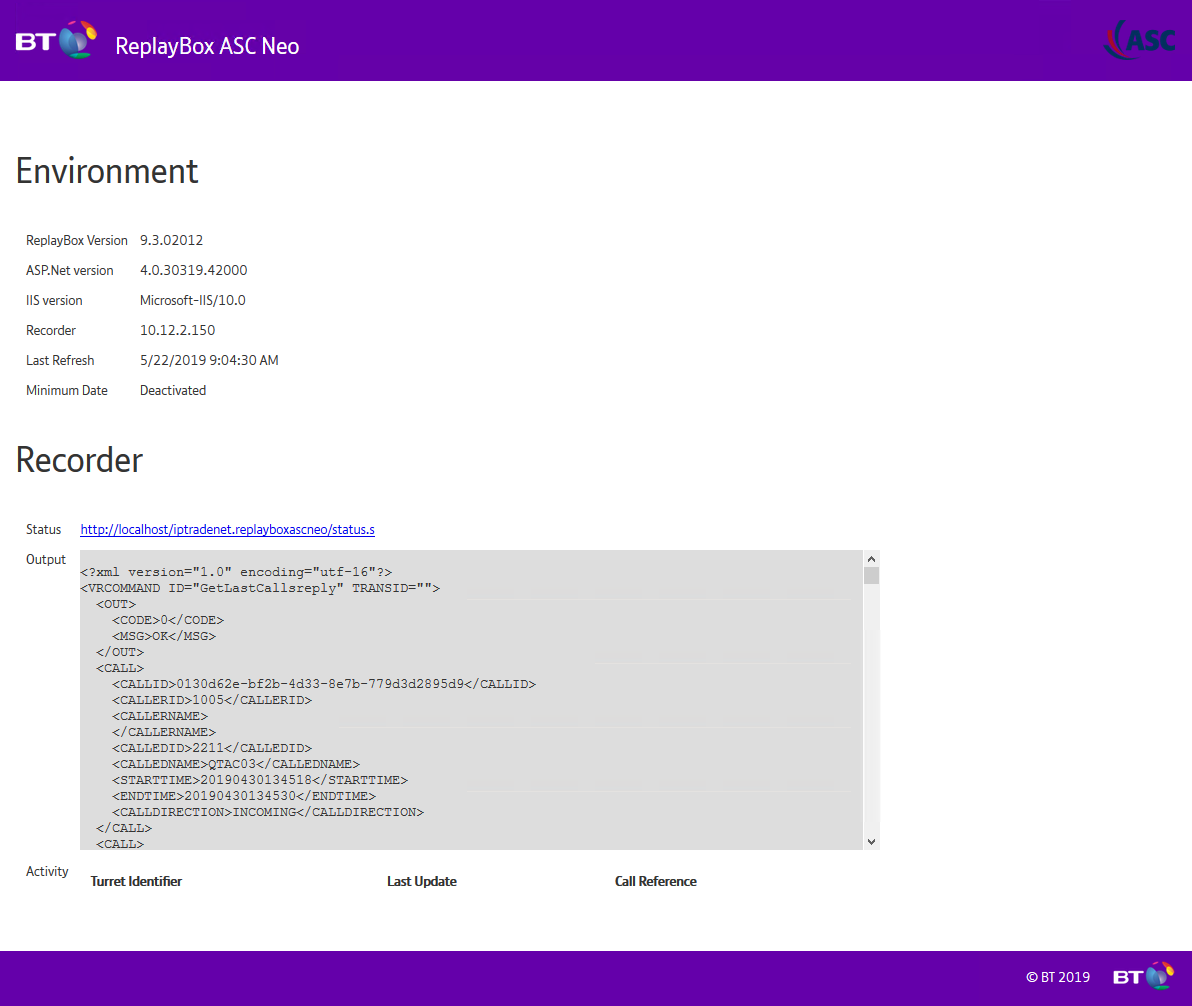
Open your web browser and enter following address (can change depending of your configuration): http://localhost/IptradeNet.ReplayboxASCNeo This will open default page and get latest calls of the system:
TroubleshootingIf output cannot be displayed properly on ReplayBox default page, please check that the webservice url is correct. •Go to folder where ReplayBox is installed •Edit web.config file •Check the value of the node value 'configuration/system.serviceModel/client:address (default value is http://IP_SERVER_ADDR:80/ASCWebService/ASCWebServiceService) •Save the file if you have changed the value
ConfigurationThe ReplayBox configuration can be changed by editing web.config file present in installation folder (on xml path "configuration/appSettings/"). The application is reloaded immediately after the file is saved.
|