Configuring Network Settings


Configuring Network Settings |
|
| Solution Installation > TSS Installation > Install TSS on a standard server > Install Operating System > Windows Server 2022 |
OverviewThe Network settings of the Server need to be configured with a static IP address.
Configure Network SettingsThe following procedure is a basic overview and may differ according to your environment.
Proceed as follows:
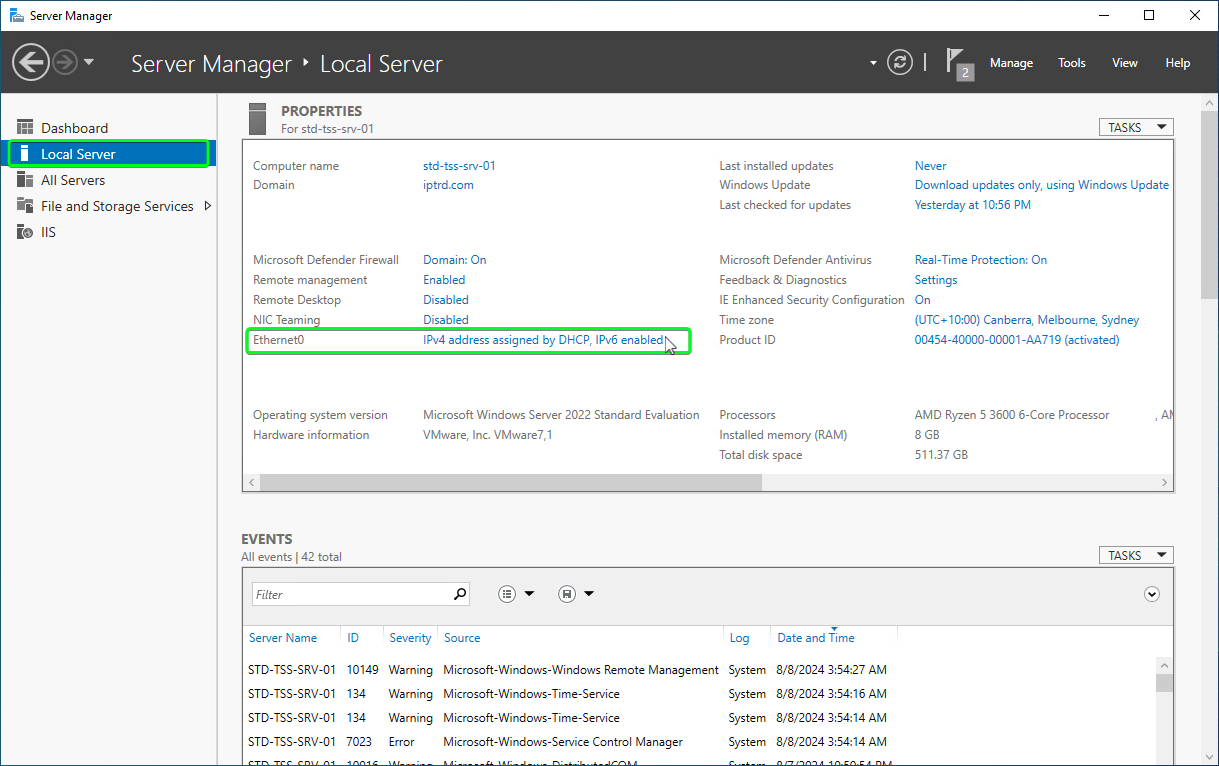
•In the Server Manager, Select "Local Server" in the left menu, then as seen select the link next to your Network adapter
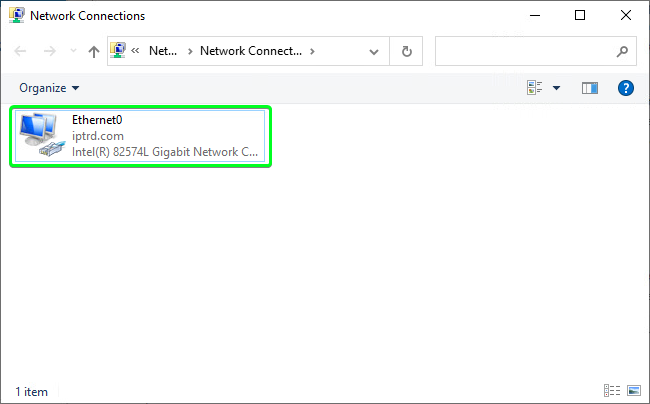
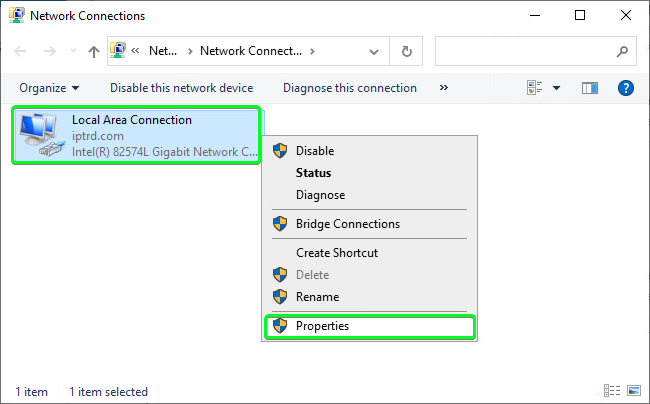
•This will open the "Network Connections" screen as seen below
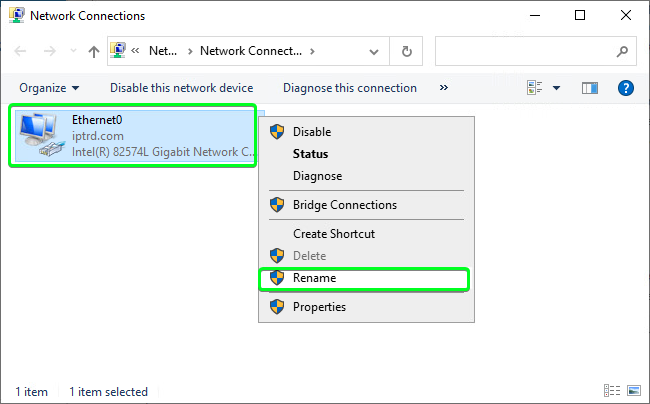
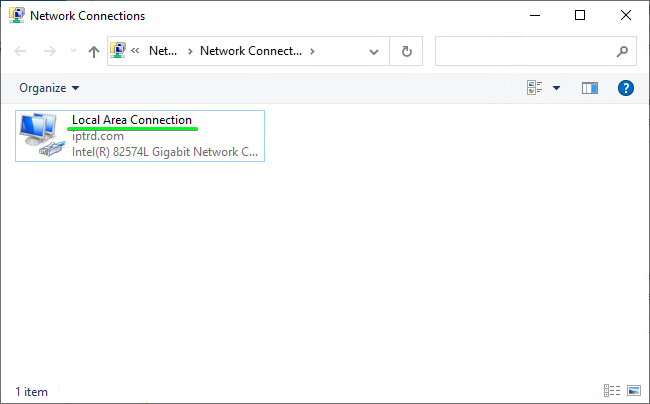
Rename Network Interface•Right-click the Interface and select "Rename"
Set Static IP•Right click on the Network Interface and select "Properties"
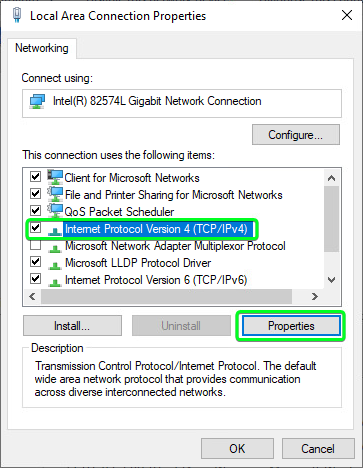
•Highlight "Internet Protocol Version 4 (TCP/IPv4)" and click "Properties"
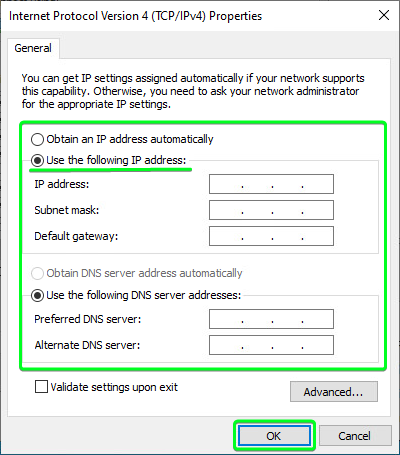
•Select "Use the following IP address:" and fill in all your specific details and click "OK"
Make sure the Server can access the network by running some basic tests, such as a pinging the default gateway, DNS servers or browse to the internet/intranet. |