Installing the Microsoft .NET Framework


Installing the Microsoft .NET Framework |
|
| Solution Installation > TSS Installation > Install TSS on a standard server > Install Operating System > Windows Server 2019 |
OverviewDepending on the Windows installation CD you have you may need to update your version of .NET Framework to the latest version. This can be done by connecting to the Windows Update site.
To Allow ASP .NET Application on IISYou have to ensure that ASP.NET applications are allowed to run on IIS
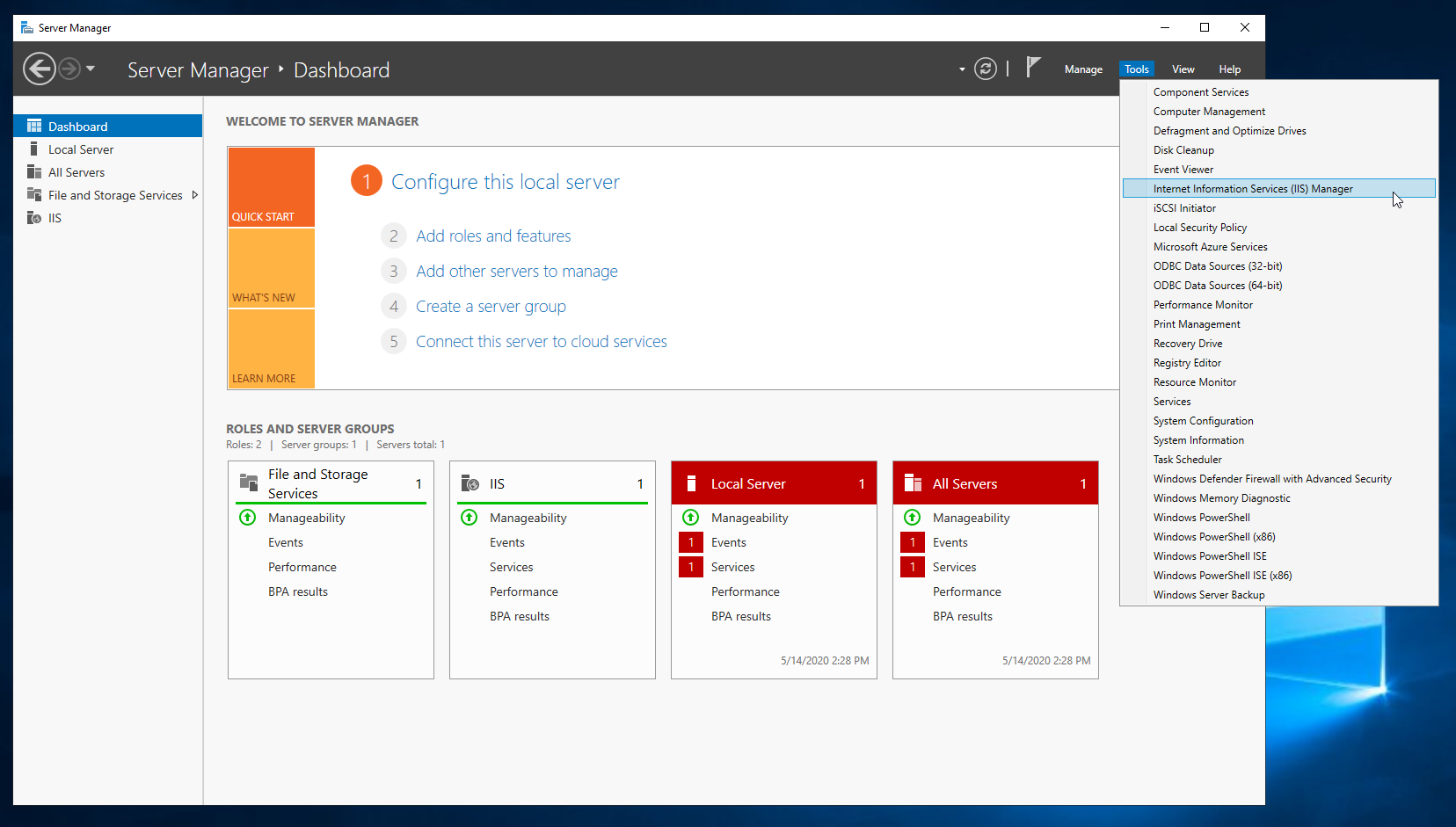
Proceed as follows: •Open Server Manager •Open Internet Information Services (IIS) Manager.
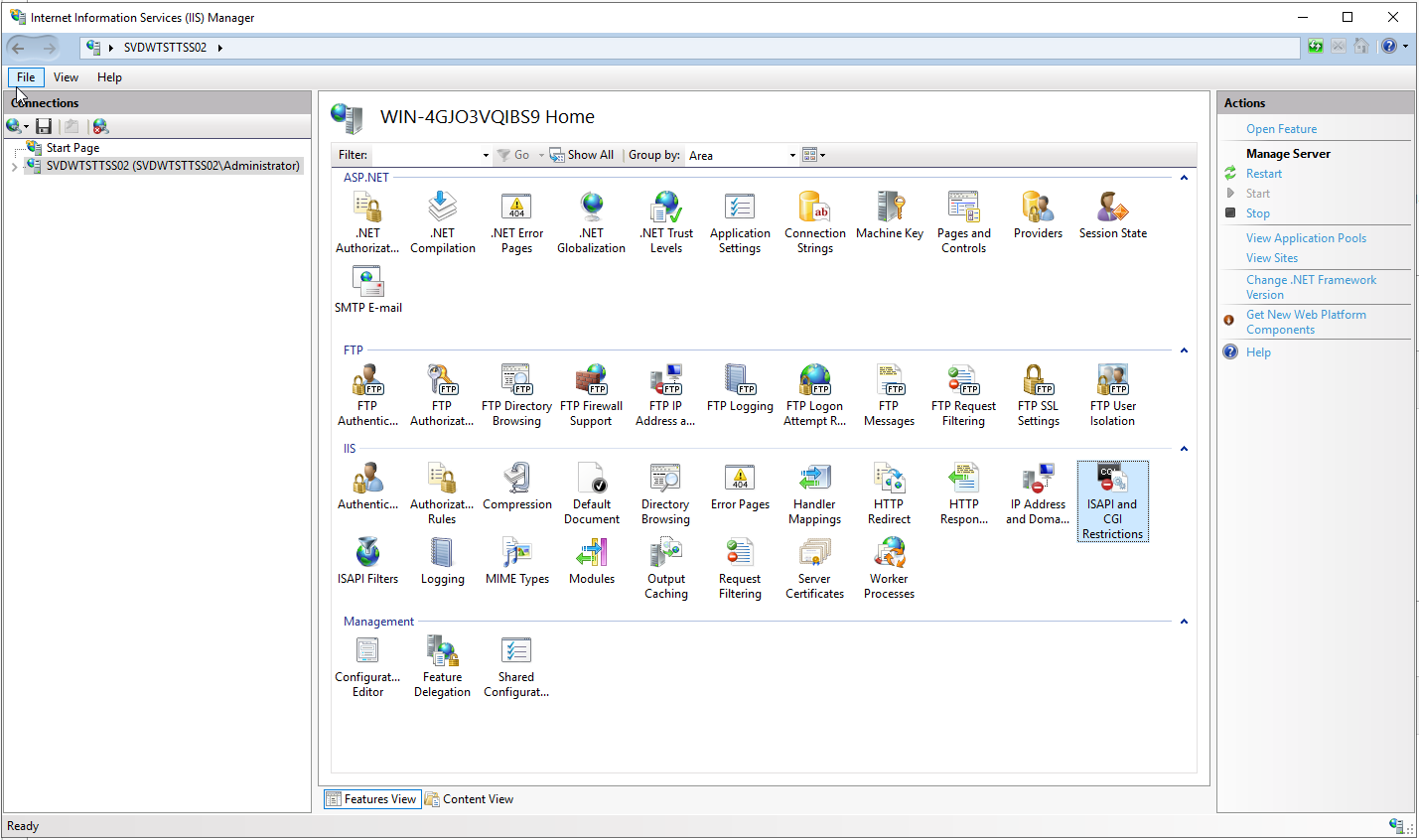
•Click on the computer name in the left pane (root node in the tree) •In the feature view, double click on ISAPI and CGI Restrictions
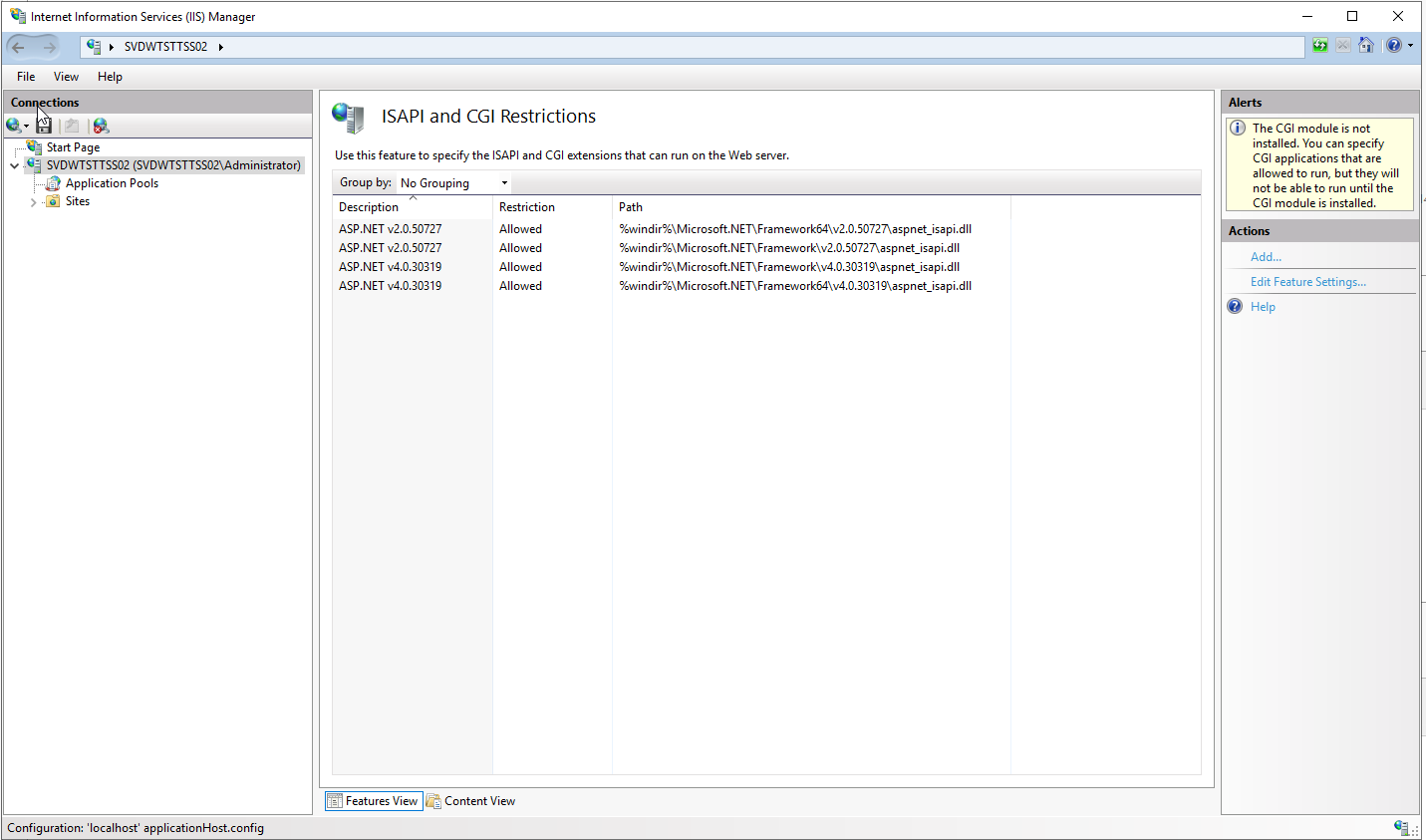
•Ensure that all ASP.NET versions are set to "Allowed".
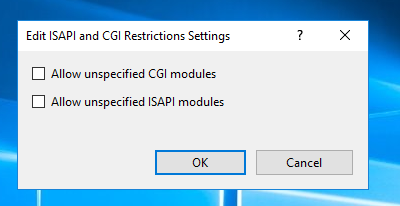
•Click on "Edit Feature Settings..." to access more configuration.
|