Configuring Network Settings


Configuring Network Settings |
|
| Solution Installation > TSS Installation > Install TSS on a standard server > Install Operating System > Windows Server 2016 |
OverviewAfter installing Windows Server 2016 and additional Windows components the network settings need to be configured with a static IP address. To Configure Network SettingsThe following procedure is very basic and may change according to your environment.
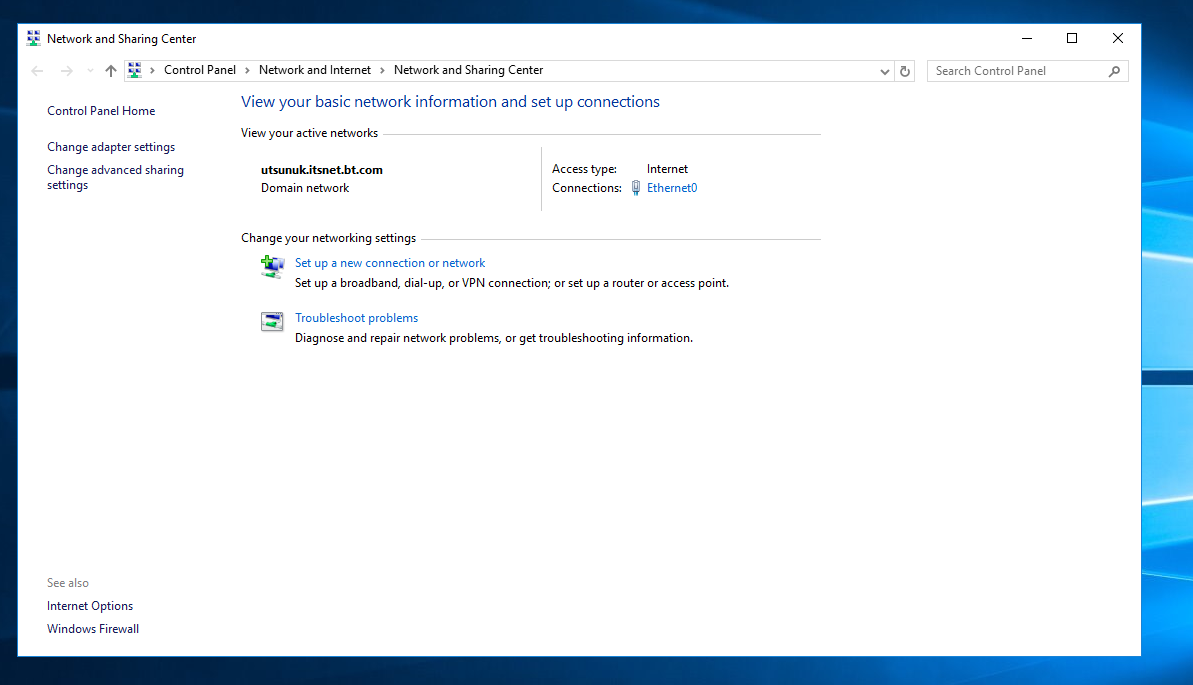
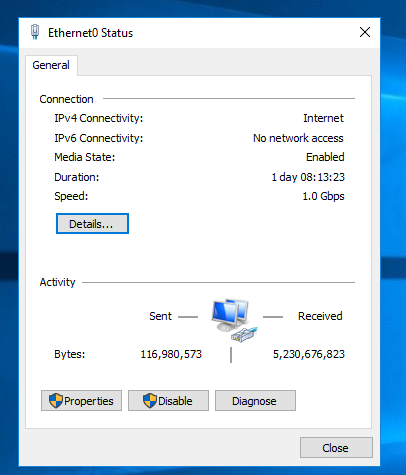
Proceed as follows: •Open Control Panel. •Double-click Network and Sharing Center. •Right-click the first interface and select Properties. •Click on "link Ethernet".
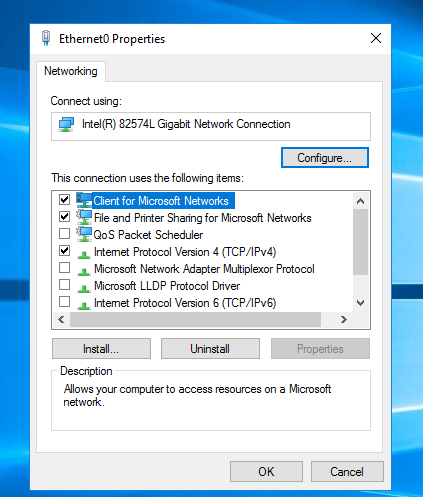
•Press on "Properties" button.
•Select Internet Protocol Version 4 (TCP/IPv4) and press "Properties" button.
•Specify: oIP address oSubnet mask oDefault gateway oDNS •Press "OK" button
•Plug in the network cable. •Check the LED on the Network Interface Card (NIC). •Try to perform a ping to default gateway and other destination to check the connectivity and settings. |