Remote Connection


Remote Connection |
|
| IT&Operations |
From the TPO Virtual Appliance 3.0, it is possible to access to the TPO Virtual Appliance through a Remote Connection. This connection is made via a secured protocol SSH . Thus, the server is accessible once a password is correctly set on it. Any SSH client side can be used to control remotely the TPO (Putty, BitVise, smarTTY,...)
For this example, we will use Putty as it is one one most popular SSH client.
Configuration of the Virtual ApplianceThe TPO Virtual Appliance must correctly configured and a password must have been previously set. For more information ,see TPO VA Configuration
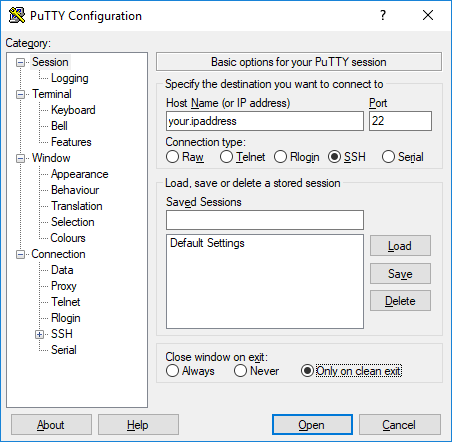
Open the connection through PuttyBefore accessing to the TPO, you must install Putty (or another SSH Client). Once the SSH Client installed, enter the I.P. address of the TPO and set the port to 22. For Putty, the connection type must be SSH.
Click on "Open" to the open the SSH connection.
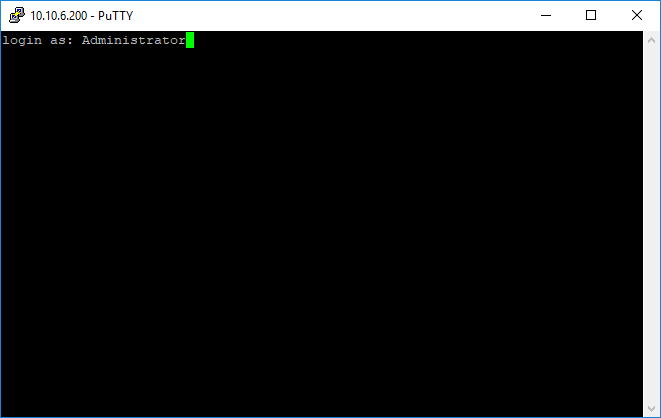
Log in and access to the TPO VA CLIA command prompt will appear asking for an user. "Administrator" will be the user to log on the TPO Virtual Appliance. Then, the password (the one set during the configuration) will be asked.
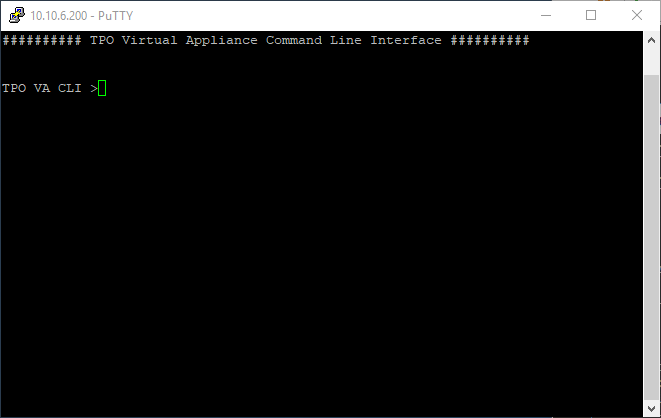
Once all done, the TPO VA CLI appear
N.B: Some of the commands described in TPO VA Configuration are not available in remote connection. |