User Remote Login and Logout


User Remote Login and Logout |
|
| IT&Operations |
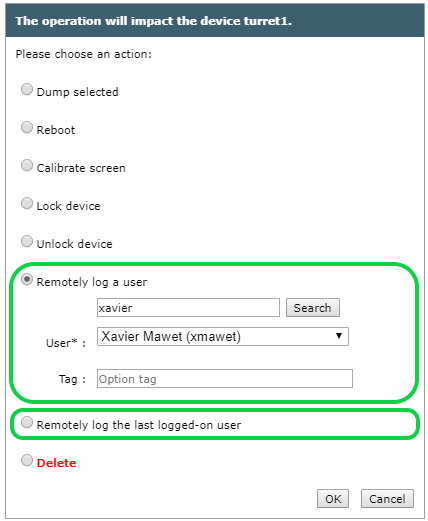
PurposeThis feature allows an Administrator to request any user to be logged-in/out remotely on any Turret, without requiring any password or other user interaction, and while ensuring a high level of security.
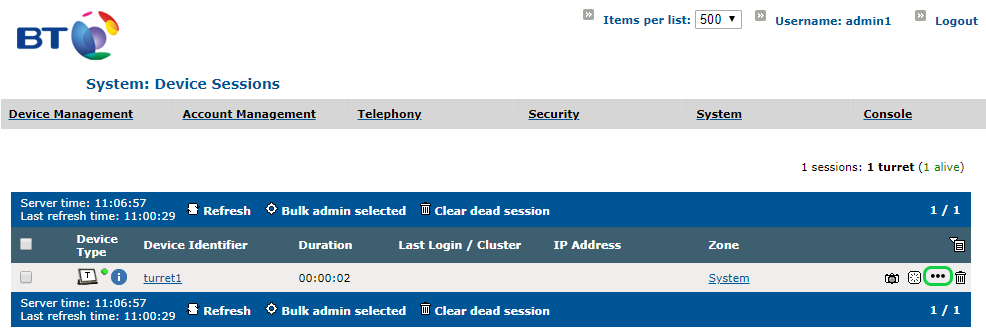
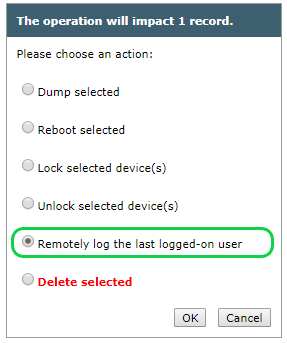
If an Administrator requests a user to be remotely logged-in on a turret on which another user is already logged in, then that logged-in user will be automatically logged-out first. UsageThere are two ways of requesting a user to be remotely logged-in on a turret: 1.Directly from the device session list 2.Using the bulk administration operation for device sessions From the device sessions list•Open the TSS Console and navigate to the Device sessions list. •Click on the "More Action" button (ellipsis icon) associated to the device on which the user must be remotely logged-in (visible only if the device session is alive)
|