SQL Server Management Studio


SQL Server Management Studio |
|
| Solution Installation > TSS Installation > Install TSS on a standard server > Install Database Management System > Microsoft SQL Server |
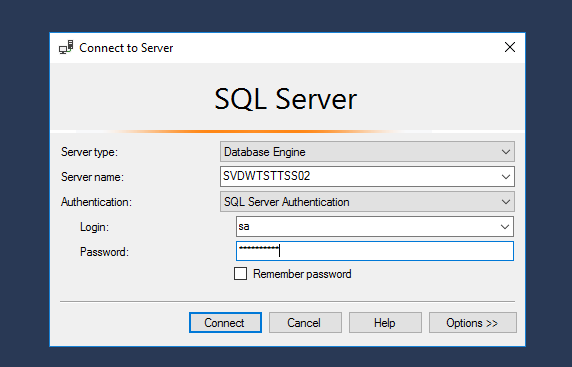
IntroductionSQL Server Management Studio is a client application used to administrate your SQL Server. You can use Management Studio installed on a server or on a remote computer. Run SQL Server Management StudioTo access SQL Server database engine you have to specify: •Server Type: Database Engine. •Server Name: The name or the IP address of the SQL Server host. •Authentication: SQL Server Authentication. •Login: Use “sa” user. •Password: Password that you used during the SQL Server install.
|