Browsing the Call History panel


Browsing the Call History panel |
|
| Enterprise Telephony > Common > Call History > Usage |
The Call History panel is accessible through the use of an access button located at the bottom of the user interface. This button is activated by default and its position can be edited through the user profile edition, in the access buttons configuration (located in the "Screen Layout" tab) .
The button also notifies when an new missed-in call is logged, by turning orange.
This notification can be activated on a per-line basis (see Properties on telephony lines).
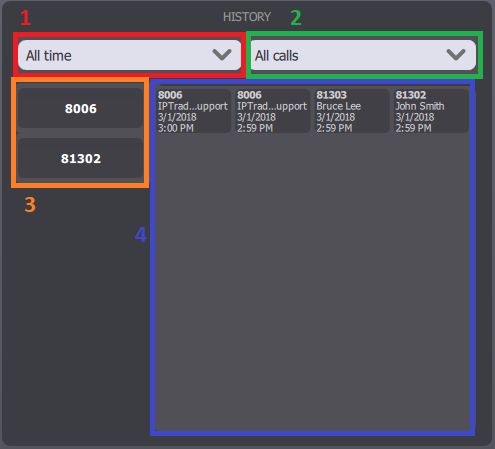
The panel itself is divided into four main sections:
1.The time filter 2.The call type filter (All / Received / Placed / Missed-in) 3.The line filter 4.The call history entries
The entries are sorted according to their time, the most recent being displayed first.
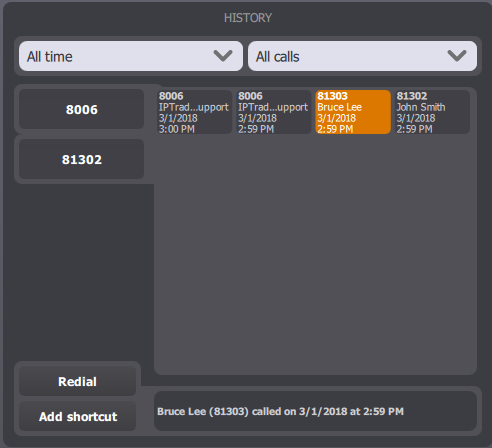
Press an entry to highlight it. Detailed information appears in the blue area at the bottom of the panel:
The information displayed both on each entry button and in the information line can be configured. See Configure.
|