Completed Tests


Completed Tests |
|
| Compliance > Assure > Walk The Floor |
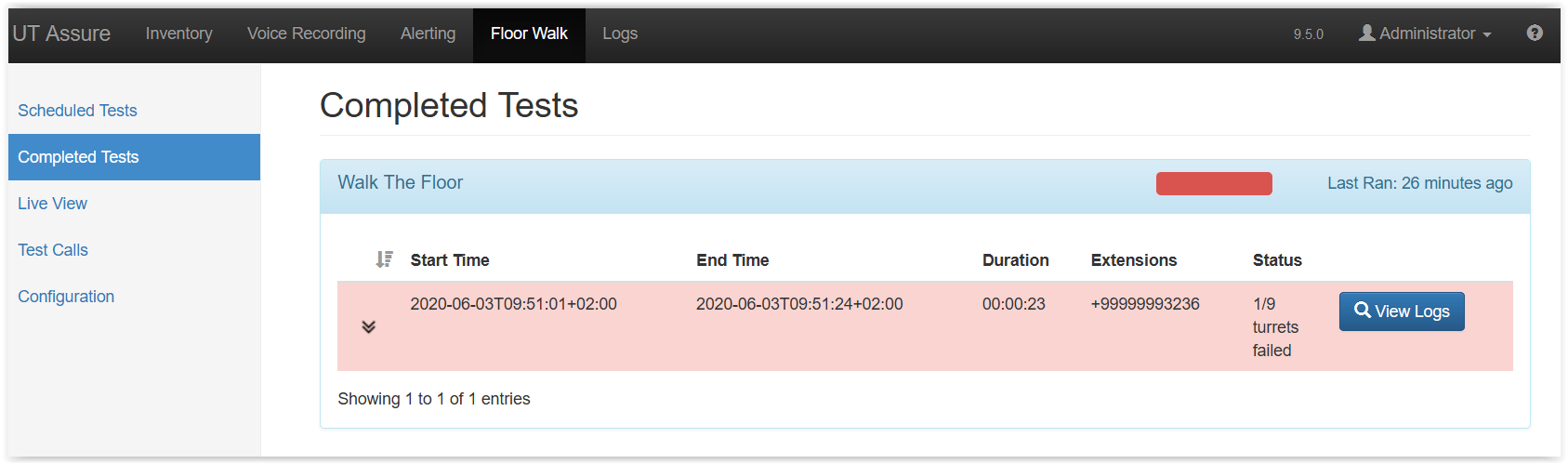
When the Walk The Floor task is finished on all the turrets, it will be displayed in the Completed Tests menu.
In this page, it will show all the recent completed task.
Clicking on the task name will expand the panel to show a quick summary of the Walk The Floor task. A red color shows that the test failed on at a least one turret. A green color shows that the task was successful on each turret.
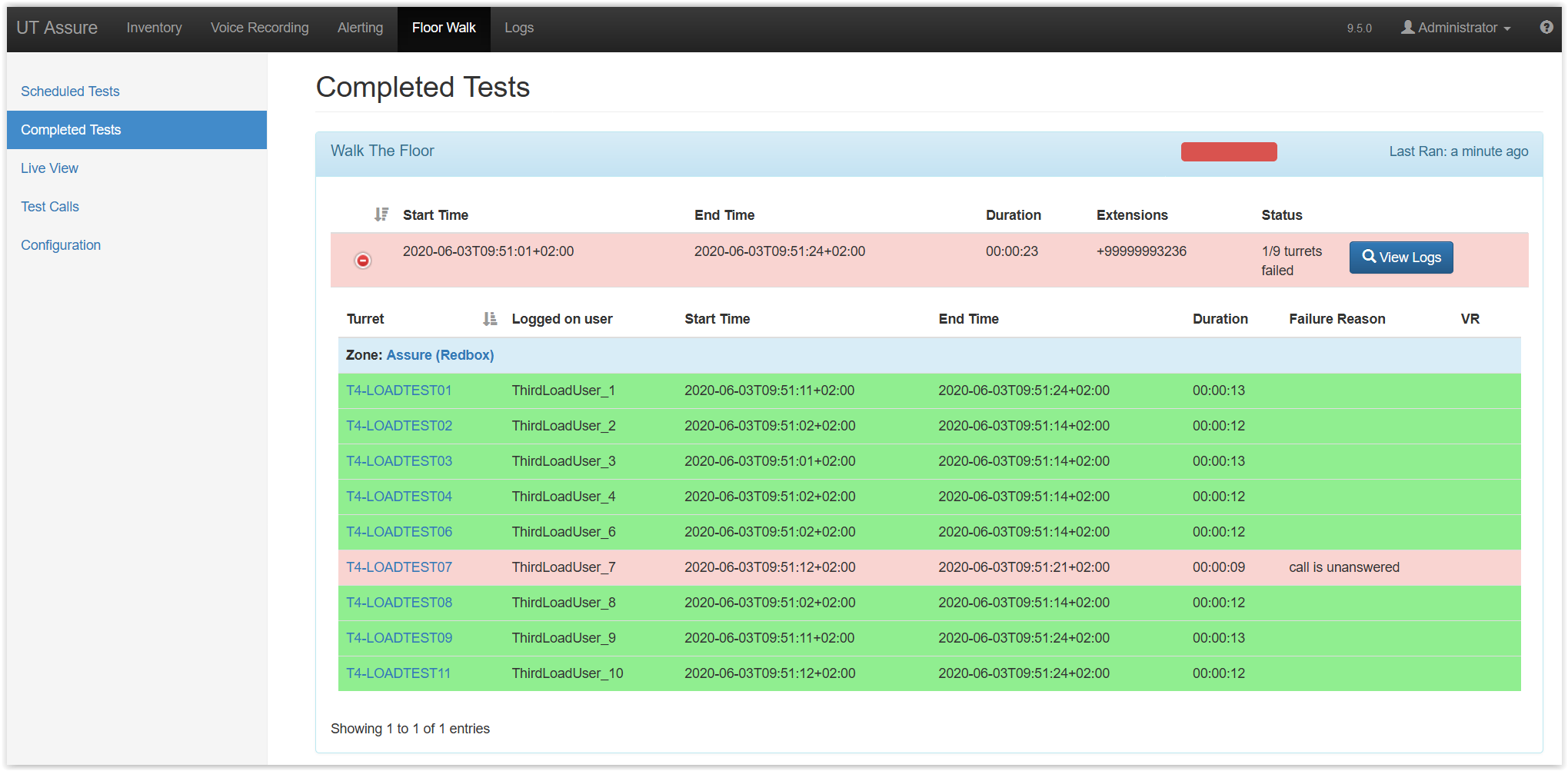
This view can once again by expanded by pressing the two arrows on the left of the colored panel.
Now you can see the details for each turret and the failure reason. The VR column shows if a Recording Server was configured on the turret/user when the task run. If a Recording Server was configured, a tick mark is displayed for the turret. In the example here, no recording was configured, so Assure didn't check the voice recordings.
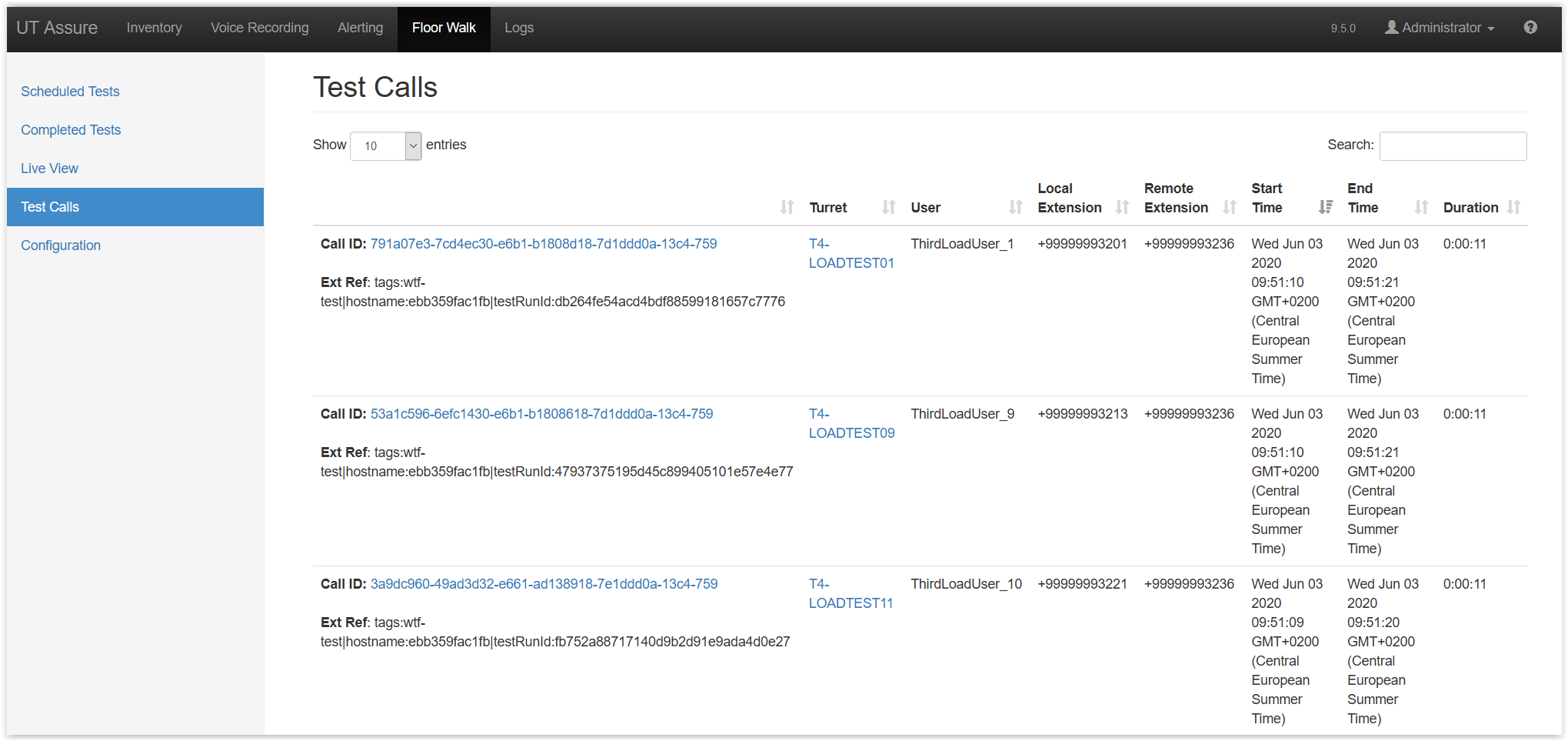
By browsing the Test Calls menu, you will find further details about the calls made for a Walk The Floor test.
|