Adding Voice Recording Platform


Adding Voice Recording Platform |
|
| Compliance > Assure > Voice Recording |
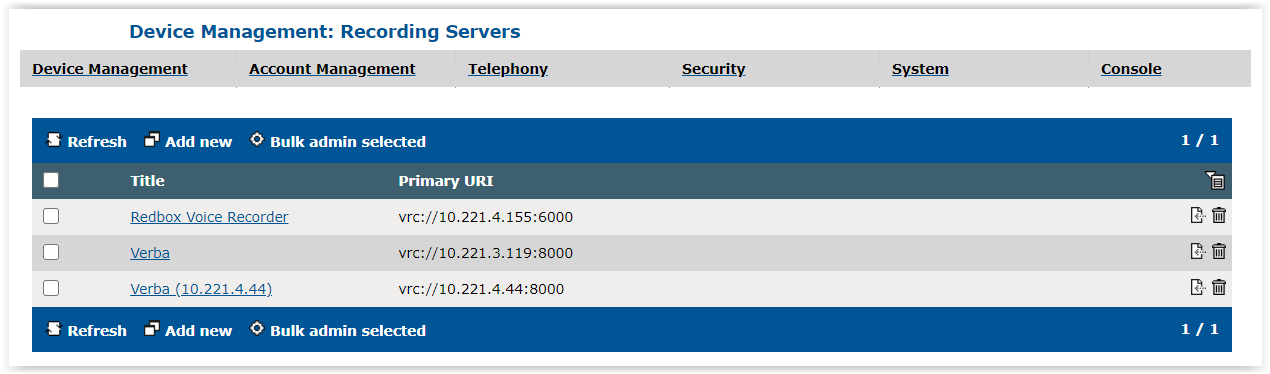
Adding Voice Recording Platform•Go to the TSS console > Device Management > Recording Servers •This page lists all the configured voice recorder servers
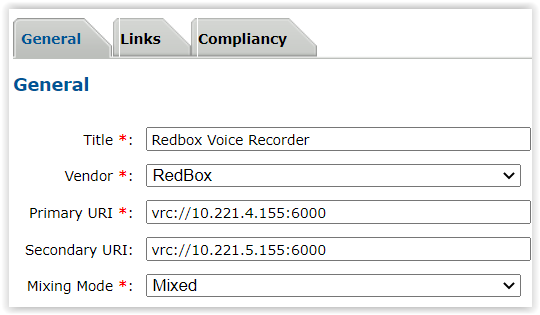
•Click on an existing Recording Server or press Add new to create a new one •Fill the information corresponding to your Voice Recording server
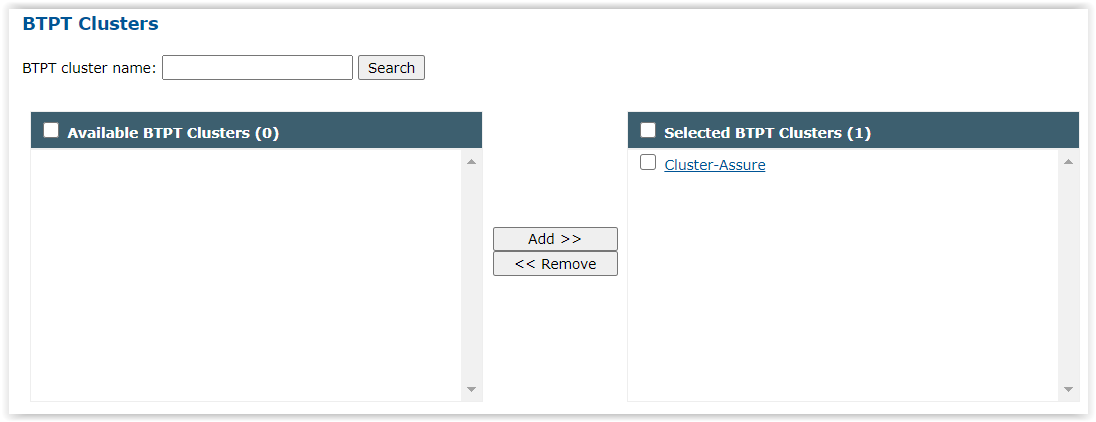
•Click Update then go to the Links tab •In the BTPT Clusters section, add the Productivity Tool Cluster linked to your Assure server in the Selected BTPT Clusters list •Click Update
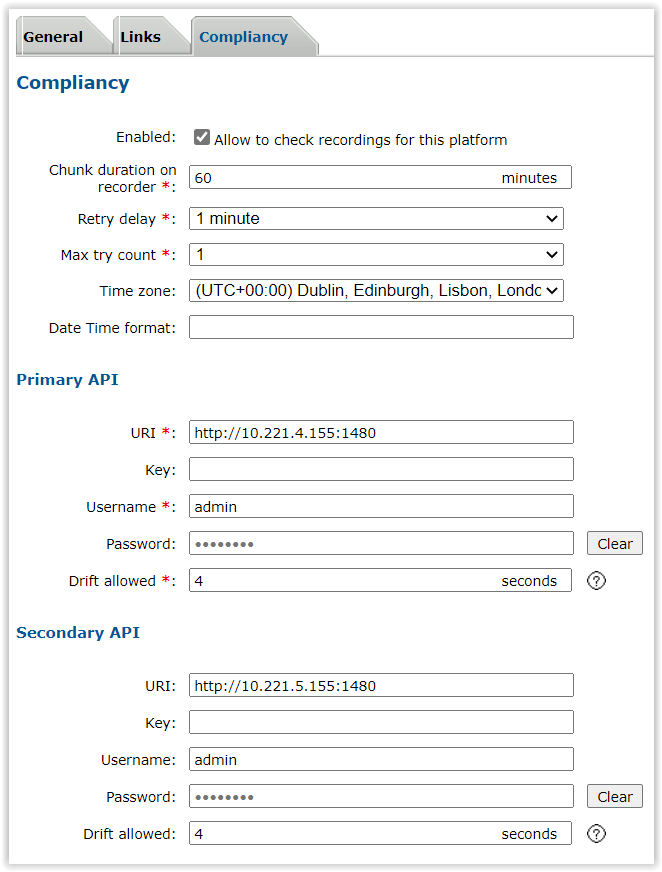
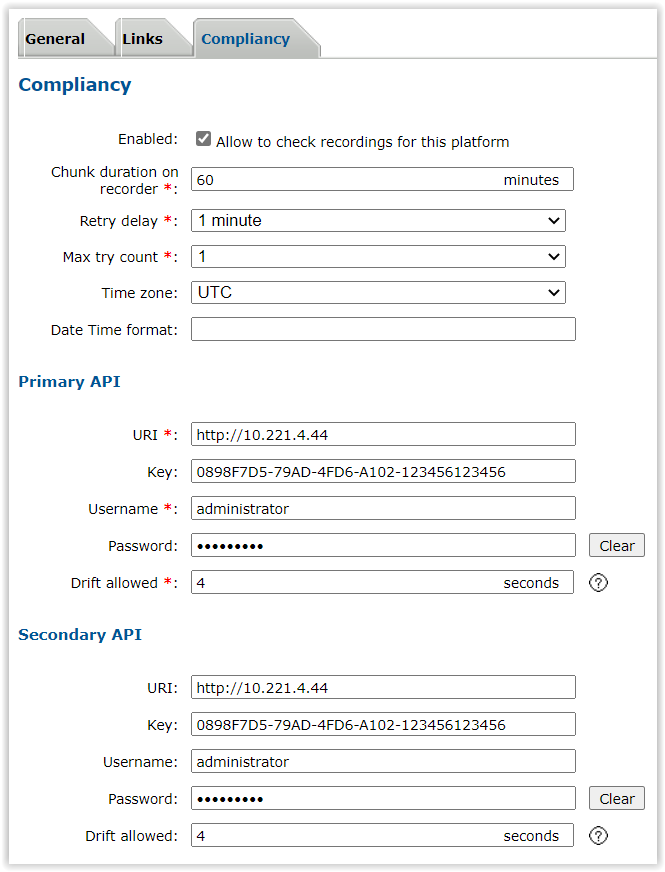
•Now that a BTPT cluster is linked to this recording server, the Compliancy tab appeared (as soon as a recorder is linked to a BTPT cluster, Compliancy configuration needs to be set) •Go to the Compliancy tab, fill the information and click on Update
•Chunk duration on recorder: duration of the chunks on recorder for long calls that are split •Retry delay: minimum delay between each check retry on API •Max try count: number of checks on API before Assure considers the record as missing •Time zone: Timezone of the recorder •Date Time format: Date Time format used on the recorder •URI: URI of the recorder API •Key: API key (used for Verba) •Username: Username to connect to recorder API •Password: Password to connect to recorder API •Drift allowed : Allowed drift between call start time and recording start time. By default this is set to 4 seconds. However you may want to make the allowed drift larger if NTP / time syncing is not perfectly aligned across all Turrets and recorder. Note that if the time difference between Turrets and recorder is outside this allowed drift window then Assure may mark the recordings "Timestamp mismatch" or "Recording Not Found". NTP configuration on Turrets, TPOs and recorders is really important for Voice recordings checks.
|