Turrets


Turrets |
|
| Compliance > Assure > Inventory |
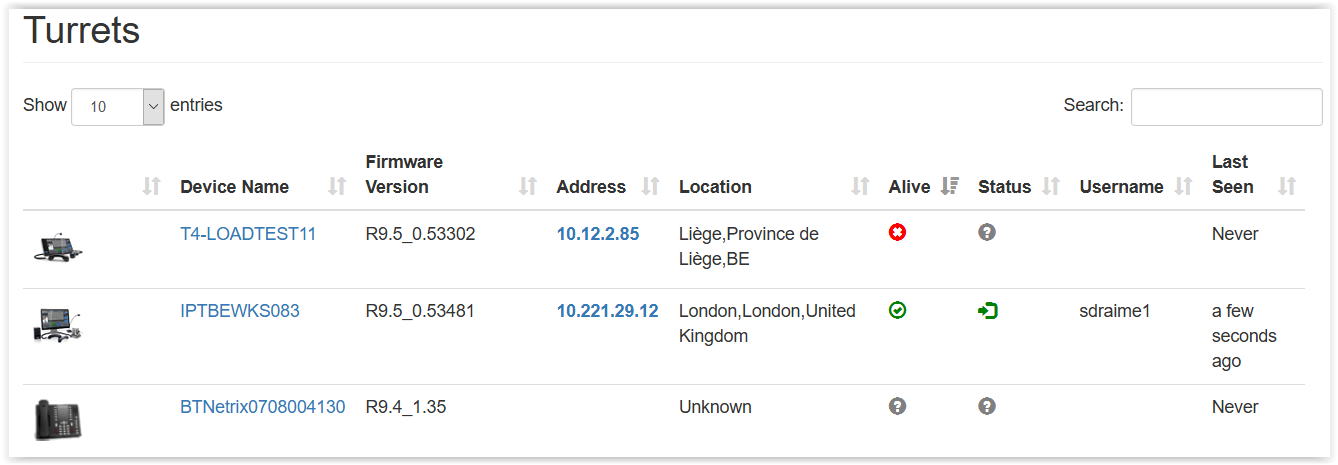
The Turrets page contains a searchable list of Turrets across all the platforms that Assure is aware of. Drilling down into a turret, by clicking on its link, displays more detailed information.
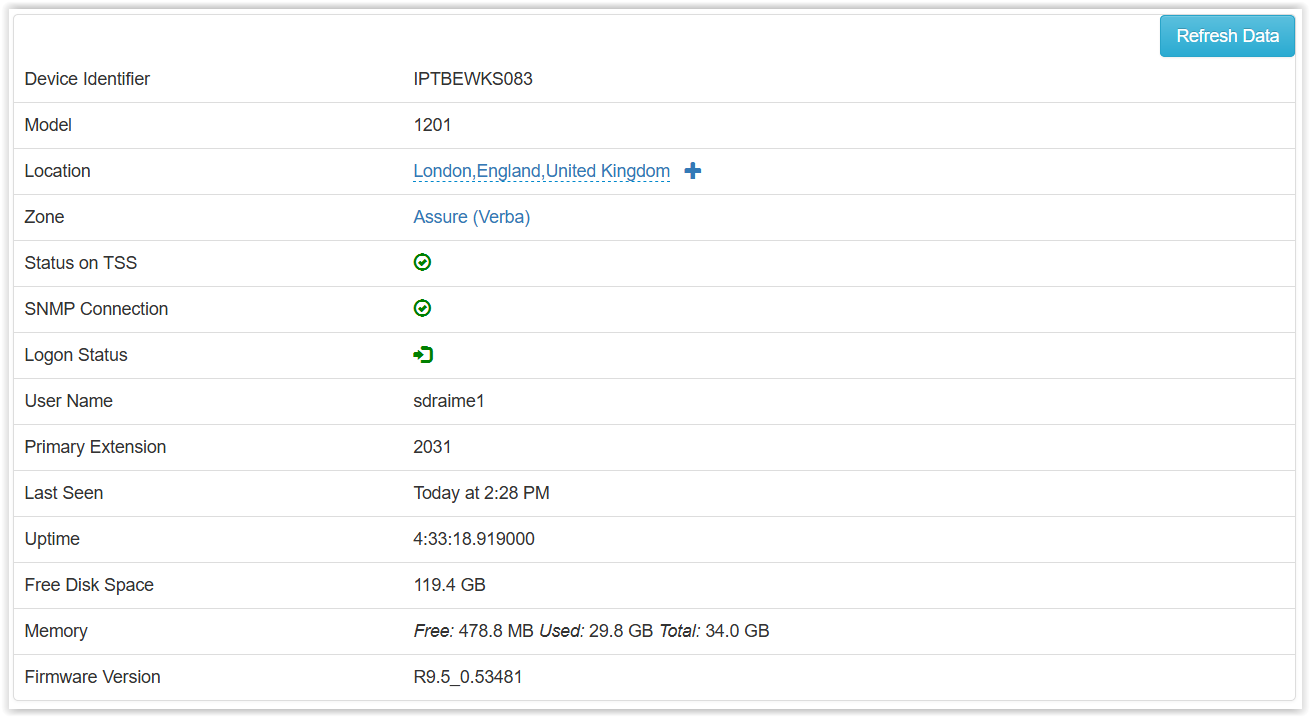
Turret PageIn the Turret page, you will find details about the Turret as seen below. The turret information is updated regularly over SNMP but can be updated manually by pressing the Refresh Data button. Some information as the Logon Status, the Username and the Primary Extension are updated on real-time with the CRM events. Some user information is retrieved from the TSS API, the user logged on the turret then needs to be linked to a zone monitored by Assure to be able to retrieve this information.
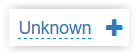
The Location information can be marked as Unknown if the zone of the Turret doesn't have this information. You can add this information in the Turret's zone on the TSS or on Assure by pressing the + sign next of the Unknown location.
The next section of the Turret page allows to trigger a quick Walk the floor test on this specific turret. The Walk the floor allows to test that the turret is able to make a call and that the call is correctly recorded. The target extension used for the test needs to be a line that answers automatically. It can be a registered extension used on an Intercom place.
More details about Walk The Floor are available here.
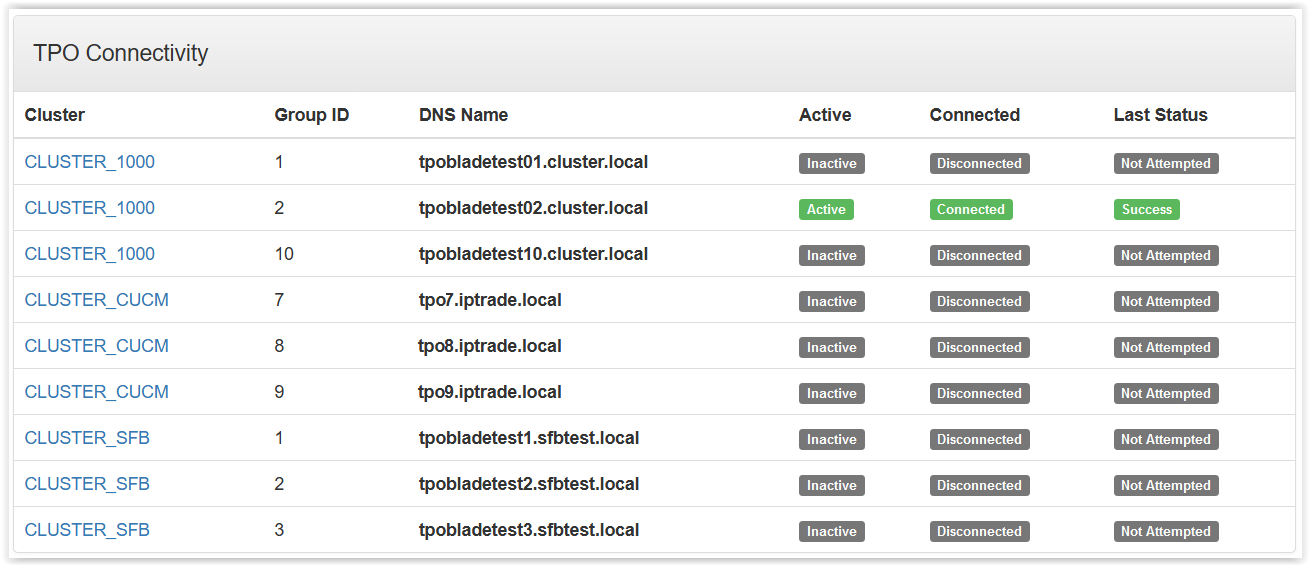
The TPO Connectivity section displays each available TPO DNS name available and the connectivity status of the Turret to it. In the example below, the Turret has a successful status only to the second TPO because the user is only configured with DDI lines from this TPO.
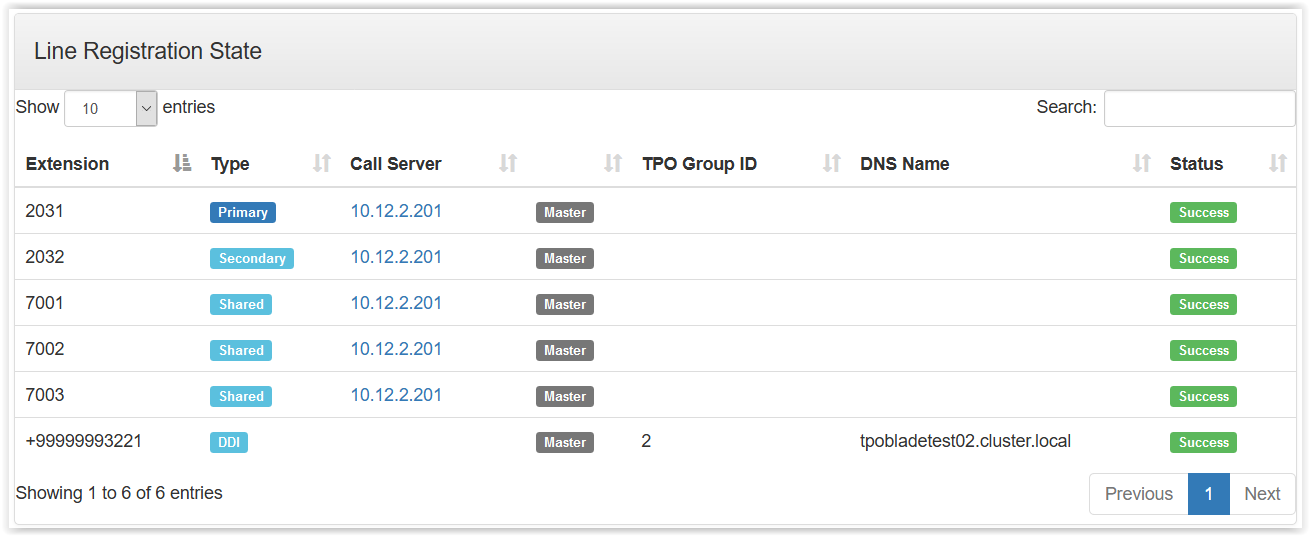
The Line Registration State section displays each lines configured on the user and its current status.
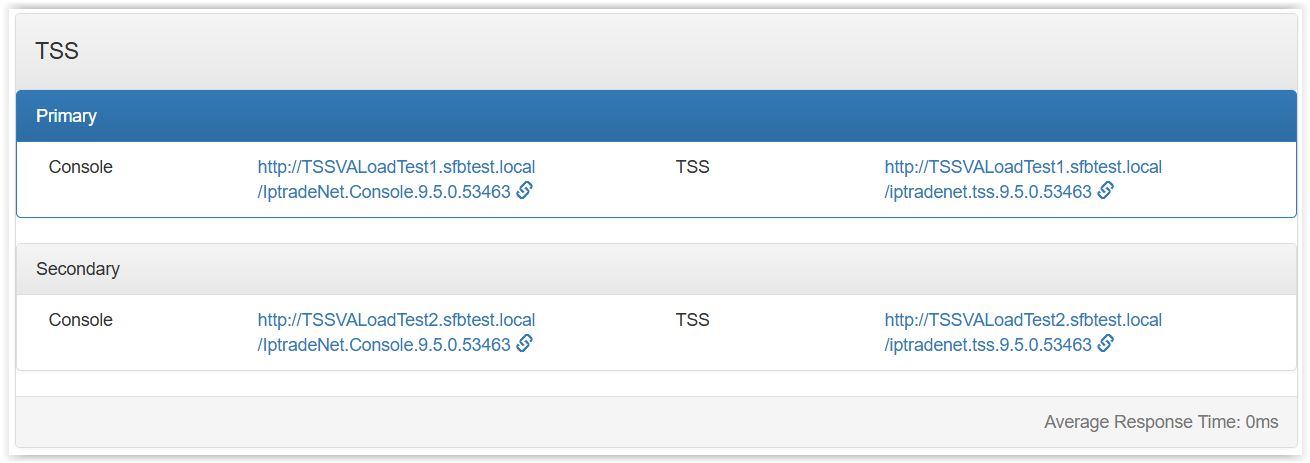
The TSS section shows the URL of both the primary and secondary TSS. The turret is currently connected to the TSS displayed in blue.
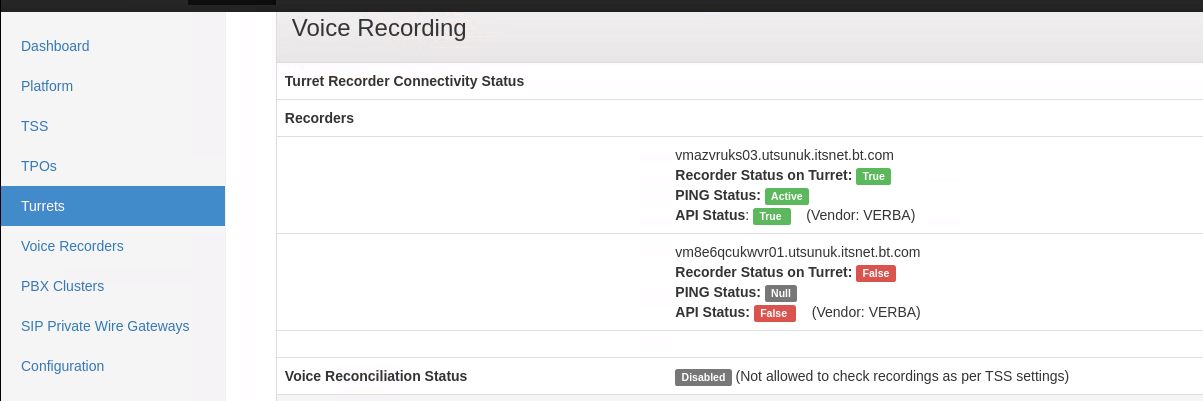
The Voice recording section shows the Voice recording server status if one is configured on the Turret or user.
The actual ping status between the recorder and TradeSense is now displayed as Ping Status in both Assure UI and WBA get_health_api_report response.
The recorder status received from the device via SNMP is now displayed as Recorder Status on Turret, as applicable, in both Assure UI and get_health_api_report response.
Voice Reconciliation Status will be displayed based on the recorder configuration set on the turret, user and application.assure.vr.check.only setting in TSS Productivity Tools Cluster settings.
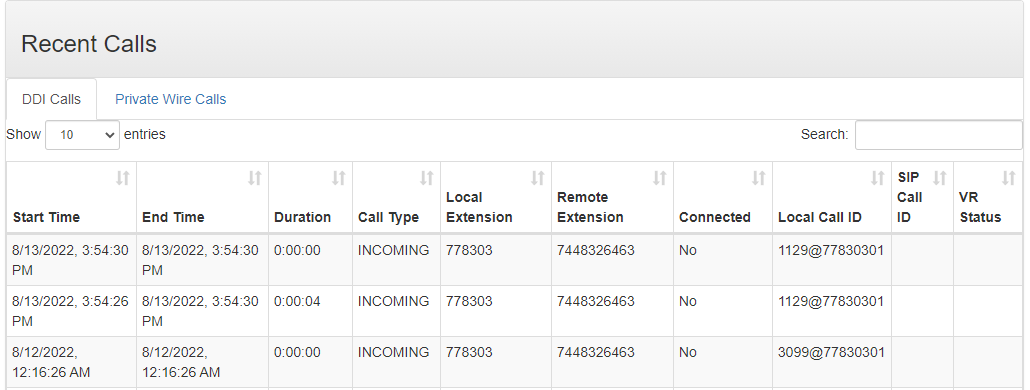
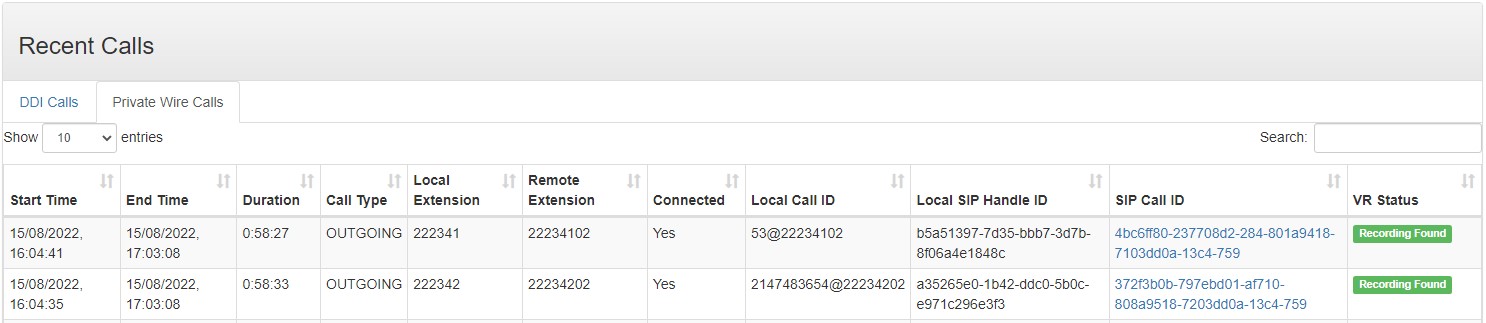
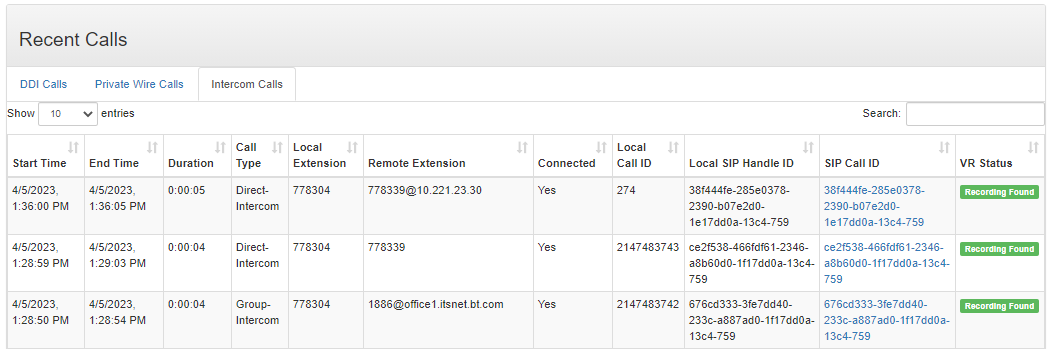
The Recent Calls section shows the last calls made on this turret. The call information is received with the CRM events sent from the Turret.
DDI Calls tab displays all the recent DDI calls.
Private Wire Calls tab displays all the recent Private Wire calls
Intercom Calls tab displays all the recent Intercom calls
|