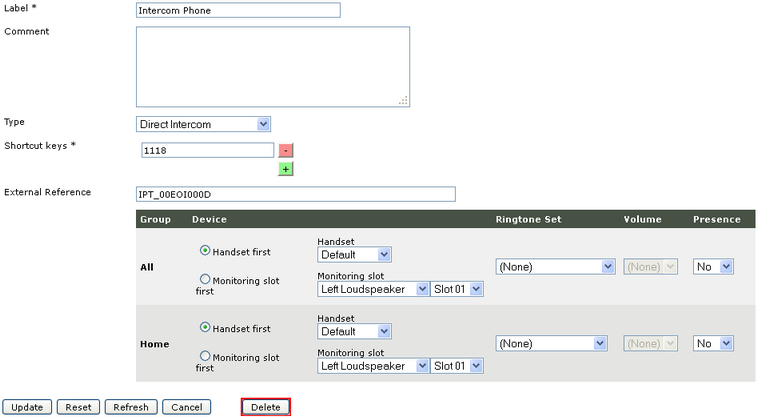
Turret Shortcut configuration


Turret Shortcut configuration |
|
| Attendant Features > Direct Intercom Over Cisco intercom lines > Configure |
A user who needs to talk to the direct intercom must have a shortcut configured for this purpose.
Create a Direct Intercom shortcut
1)Open your preferred Internet navigator, connect to the TSS administration console URL and log onto the system with administrator privileges ; 2)From the main menu, navigate to Account management / Users - or - Account management / Shared Profiles 3)Select a user - or - select a shared profile 4)Select Shortcuts tab 5)Press Add New button 6)Fill the field Label with the name chosen for this intercom 7)Select Direct Intercom as Type 8)Field the field Shortcut keys with number of target 9)Press Save And Go Back button
|