Step 3 – Inter-console messaging


Step 3 – Inter-console messaging |
|
| Attendant Features > Call Waiting Queue > Configure > Using CuCM Line > Multiple attendants, shared call-waiting queues |
Inter-console messaging highway must be enabled and configured to use the multicast address allocated to the attendant console application as per the prerequisites. Proceed as follows:
1)Connect to the attendant console administration from your preferred Internet navigator and log onto the device with administration privileges ;
2)From the main menu, navigate to the Account Management menu and select the menu (Users or Shared Profiles) where the attendant's profile is available. Then, select profile created for the attendant – i.e. John Smith ;
3)The Profile Edition panel is displayed ;
4)Navigate to the Settings tab panel ; in the Group Selection drop-down list, select the item Inter-turret messaging highway ; 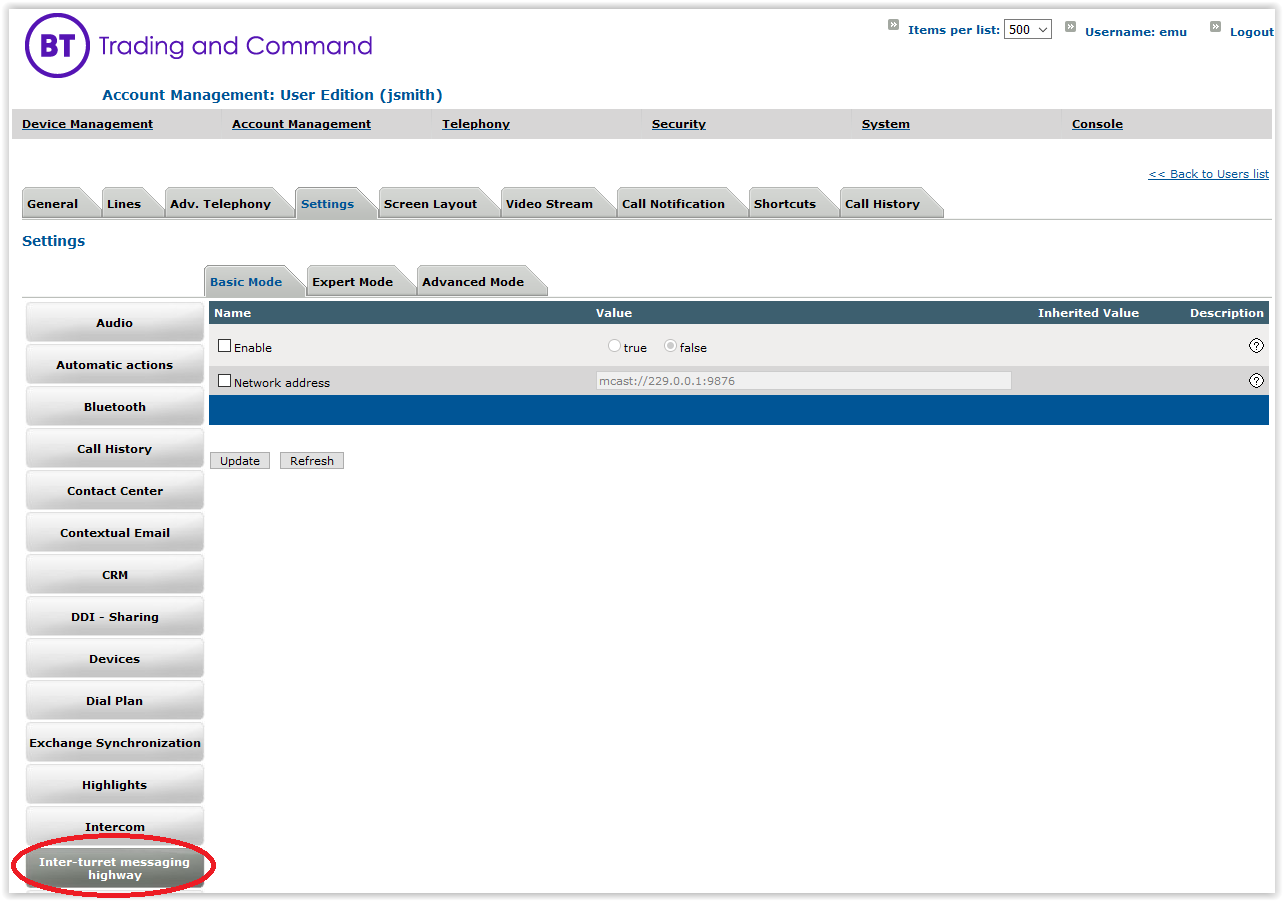
5)Update options as follows and save the changes a)State = true b)Network address = mcast://229.0.0.1:9876 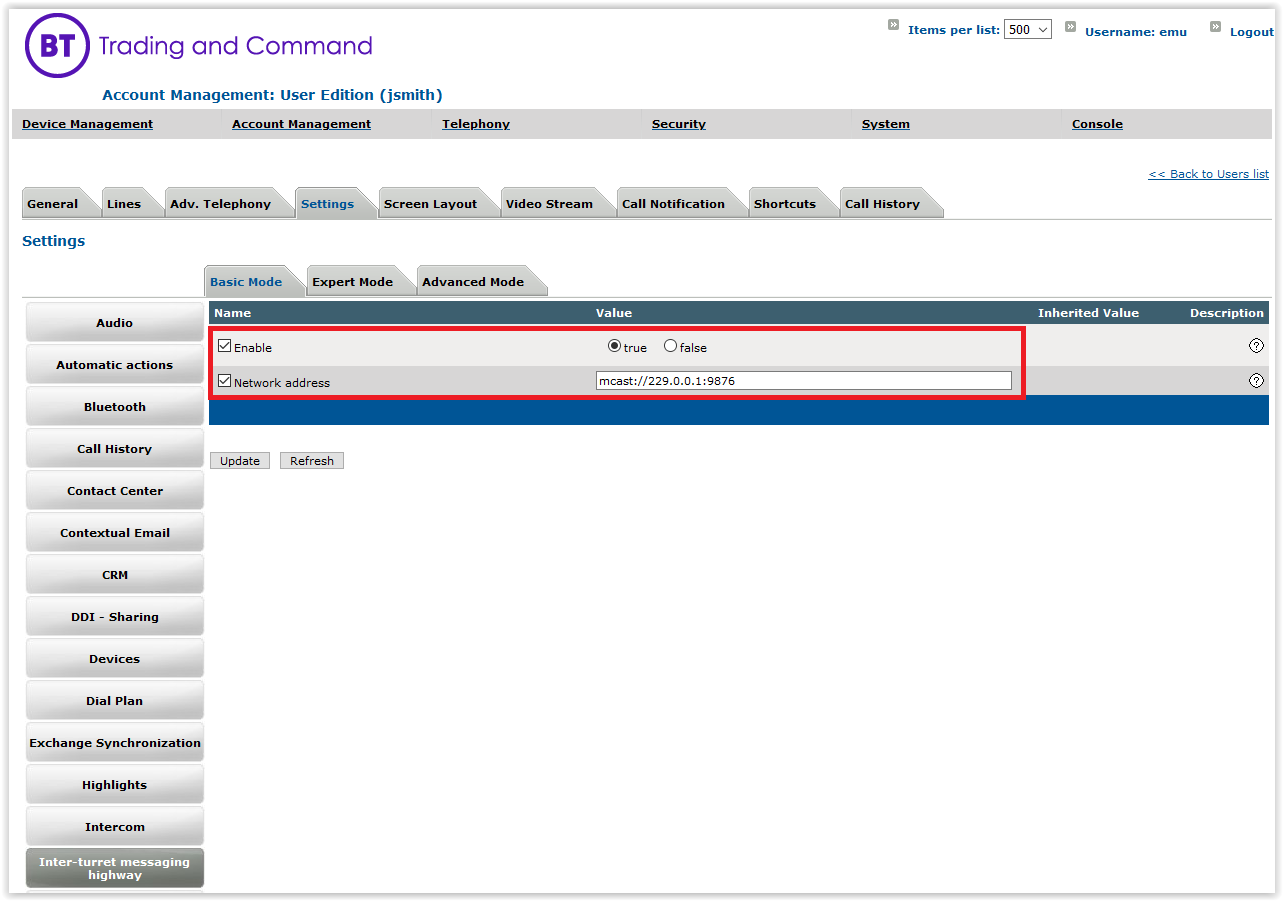
|




