Step 1 - Configure Line in the profile


Step 1 - Configure Line in the profile |
|
| Attendant Features > Call Waiting Queue > Configure > Using DDI Line |
First operation is to configure the line in the user profile and flag it as a queue line. The following configuration can be done in both User Profile and Shared Profile.
1.On the TSS Console, edit the User Profile / Shared Profile (Account Management > Users / Shared Profiles > Edit a profile or create a new one) on which you want to configure the queue line
2.Navigate to the "Lines" tab and press "Add new"
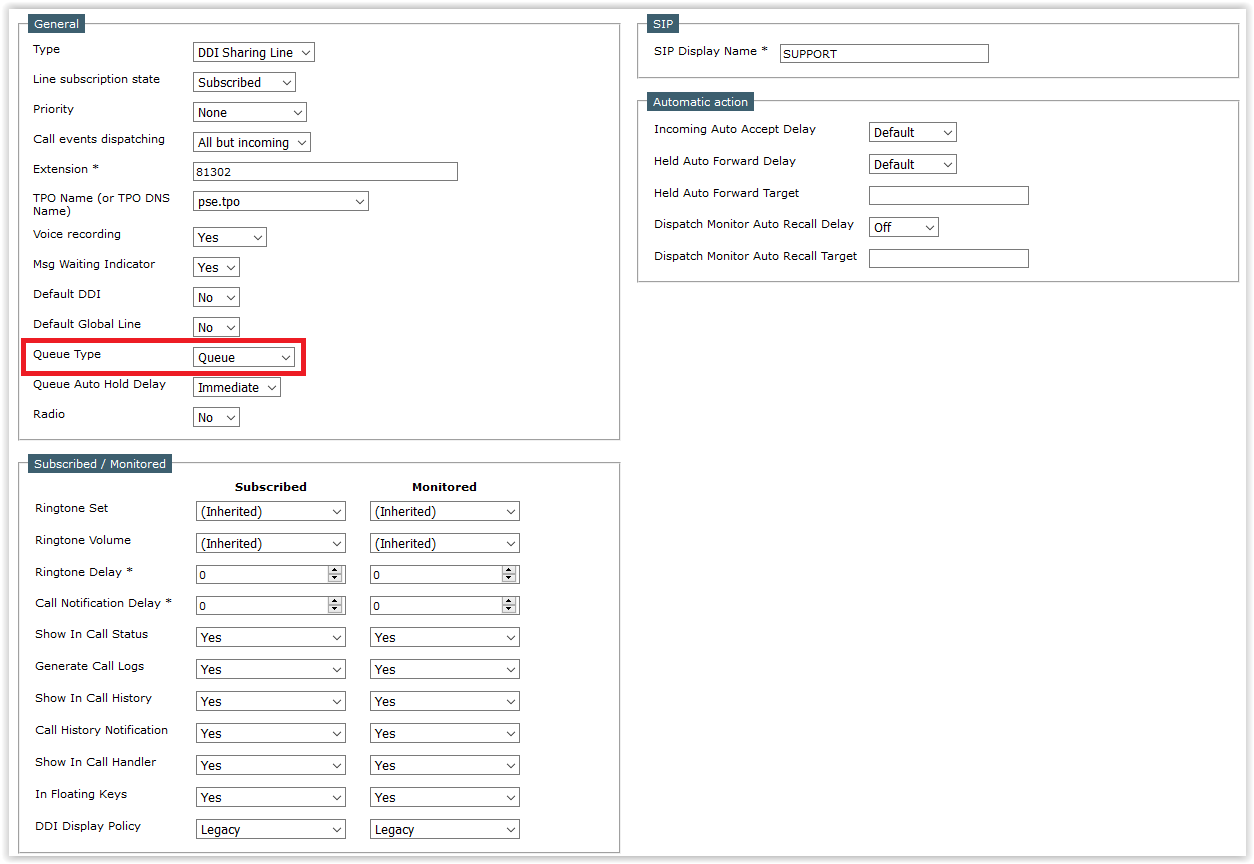
3.Configure your "DDI Sharing Line" and set its "Queue Type" to Queue (or Recall Queue)
4.(Optional) You can also change it's "Queue Auto Hold Delay", it is used to determine the delay before changing the call state on the call queue from ringing to hold
5.Save your configuration |