TPO Line pool population


TPO Line pool population |
|
| Trading and C&C > Turret Proxy To Open communication (TPO) > Group Intercom > Configure |
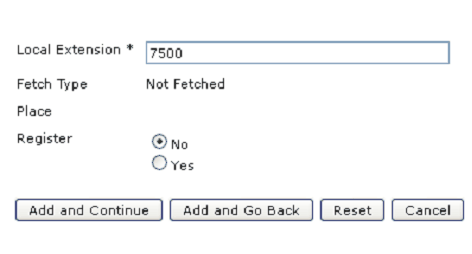
TPO Line pool population Intercom line must be added to the TPO lines pool as per the procedure below: 1)Open your preferred Internet navigator, connect to the TSS administration console URL and log onto the system with administrator privileges ; 2)From the main menu, select Device Management | TPO Clusters ; 3)From the TPO cluster list, edit the cluster used e.g. TPOCluster-5; 4)From the TPO cluster list, select the tab panel TPO Lines ; 5)Click on “Add new” to create a Not Fetched line (not on the CUCM),e.g. 7500 and confirm by clicking on “Add and Go Back”
|