TSS & TPO Configuration


TSS & TPO Configuration |
|
| Solution Integration > PBXs > BT Call Server |
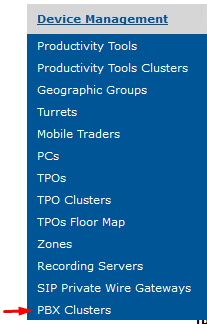
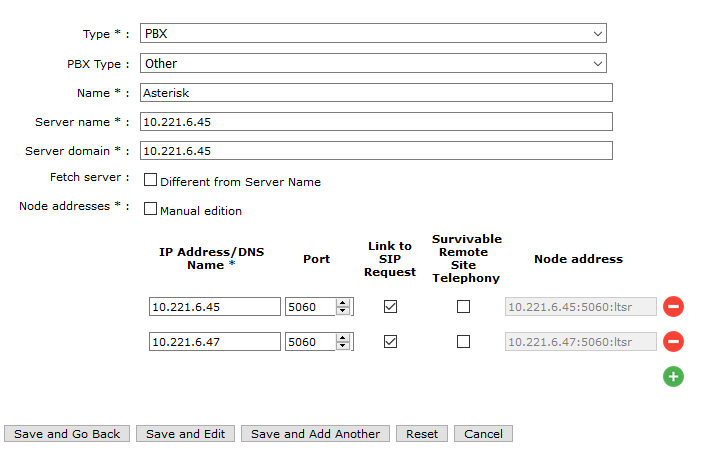
Create a PBX clusterThis part of the configuration is using the same method as if a CUCM/Avaya/Alcatel was used. Go in Device Management > PBX Clusters
Each Asterisk server node (1 or 2) should be entered in the PBX Cluster as a node with port 5060 and “Link to SIP Request” (the first node will be the primary Asterisk)
Settings in TPO clusterGo to Device Management > TPO Cluster > edit TPO Cluster > Boot Settings
•Set the SIP local domain with the IP Address of the Primary Asterisk
•Transport mode and SIP Connection mode can be either UDP or TCP but TCP is recommended for voice communications.
•SIP Proxy fall back must be set to "true".
The below key is also required for successful SIP Proxy fall back on Asterisk Nodes. This key must be manually provisioned (in TPO Boot Settings)
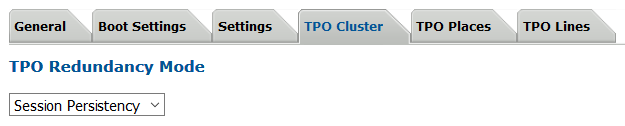
TPO Redundancy ModeThe TPO Redundancy Mode needs to be set to "Session Persistency"
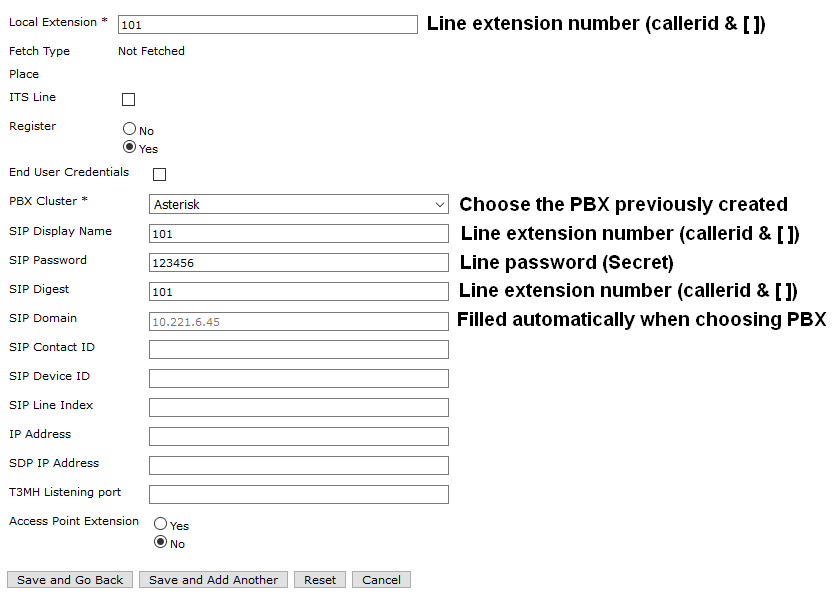
Create a line on the TPO cluster
Go to Device Management > TPO Cluster > edit TPO Cluster > TPO Lines > Add New
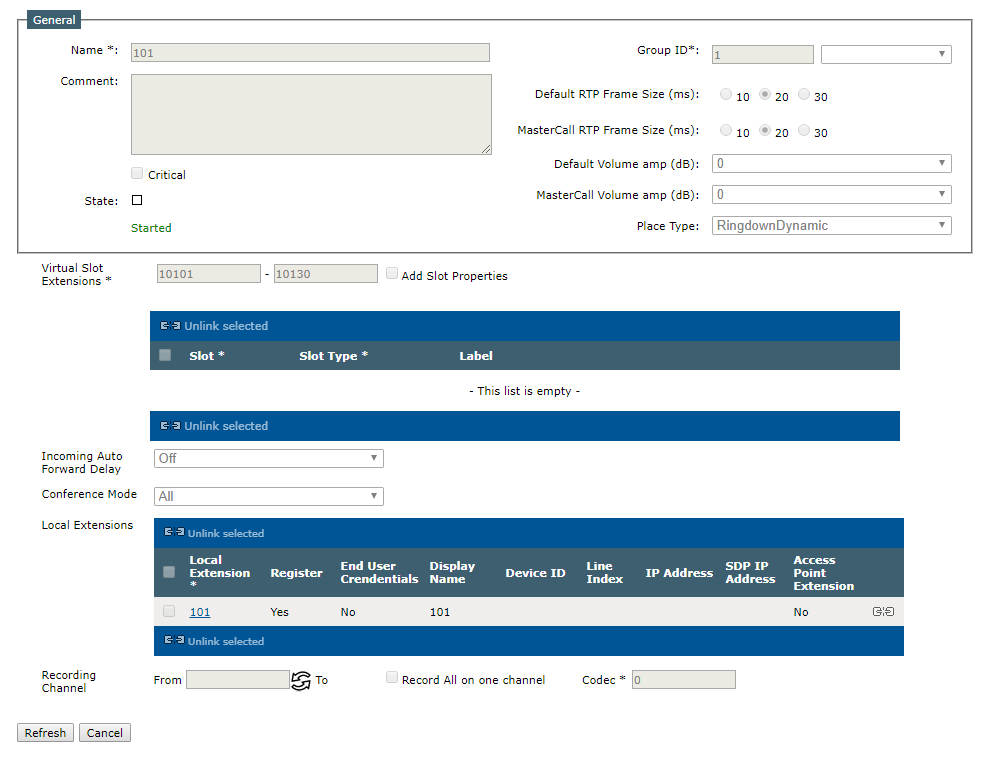
Create a place for this line
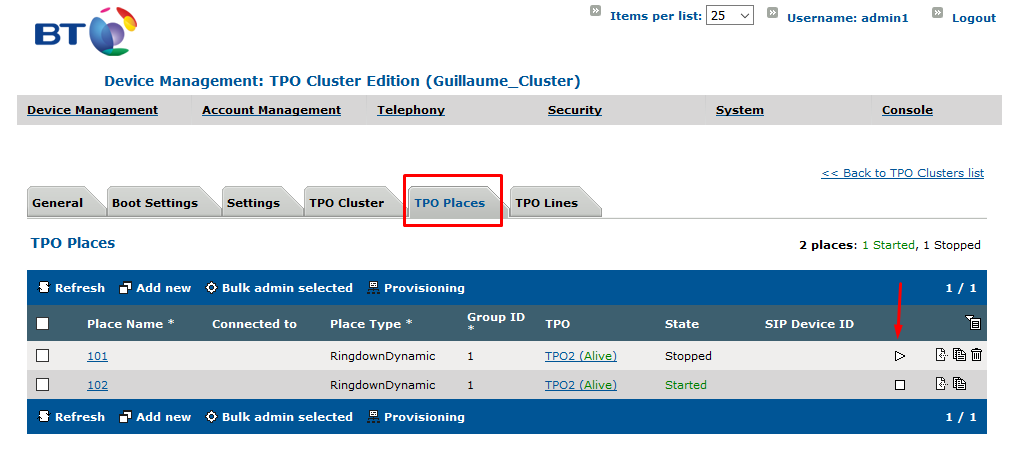
Go to Device Management > TPO Cluster > edit TPO Cluster > TPO Places > Add New
Then start the place in TPO places
Settings in Users or TurretsIt is required to set the following key to false on all users or turrets to avoid an error on the turret during a blind transfer: profile.setting.transfer.displayerror = false
|
|||||||||||||||||||||||||||||||||||||||||||||||||||