Logs


Logs |
|
| Basic > Troubleshooting Data: How to retrieve them > Others > PLAD |
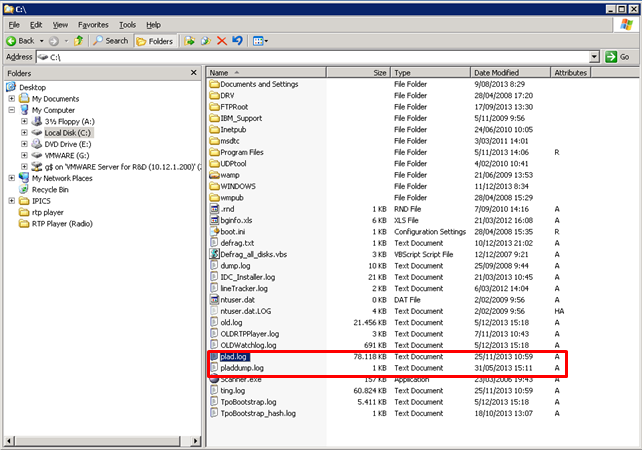
The logs of PLAD can be retrieved directly on the Server where PLAD service is installed from the Root Directory of the Disk C:\ •plad.log •pladdump.log
The target of the PLAD logs can be changed in the “C:\Program Files\IPTrade\PLAD\application.cfg” file on PLAD server with the following key: •trace.target@file.path = C:\\plad.log •trace.target@dumplog.path = C:\\pladdump.log
|