Enable Remote Packet Capture service


Enable Remote Packet Capture service |
|
| Basic > Troubleshooting Data: How to retrieve them > Turret > Wireshark Capture |
Remote packet capture service is started when user activates Remote Support mode.
This action will also activate the embedded Team Viewer. It can be ignored in this case.
Deactivating remote support mode stops remote packet capture service.
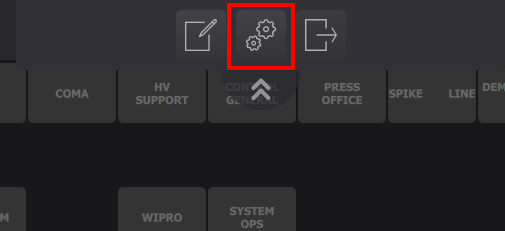
1.Get in Option panel
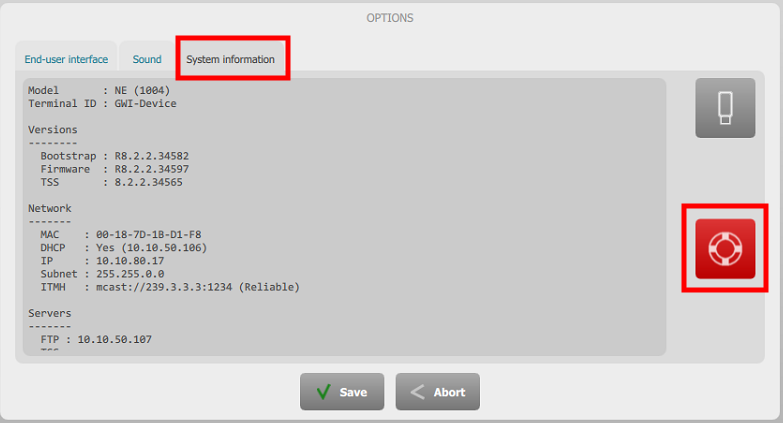
2.Click System Information tab 3.Press Remote support button
=> When button is purple, service is potentially started => When button is normal, service is stopped
If the Remote Support button is not visible, 3 options: •Add the key "profile.setting.remotesupportbutton.alwaysavailable = true" to the user profile and logout/login the user •Connect a keyboard to the turret and press CTRL+F12 •Hot plug of an usb key containing a file named “ipt.superuser”.
|